Can You Save Snaps Without Them Knowing? The Smart Privacy Guide
So, can you actually save Snaps without the other person knowing? The short answer is yes, but almost all the advice you'll find floating around Reddit and tech blogs is dangerously wrong.
Forget about those old airplane mode tricks or sketchy third-party apps you download on your phone. Snapchat patched those loopholes ages ago. Attempting them today is a one-way ticket to getting your account flagged or even permanently banned.
Why Old Tricks Fail and What Works Now

If you've ever tried to figure out how to save a Snap secretly, you’ve probably hit a wall of outdated and ineffective tips. The problem is that the Snapchat app itself—on both iOS and Android—is built like a fortress. It has deep hooks into your phone’s operating system, which is how it knows the instant you take a screenshot or start a screen recording.
That’s precisely why those old "hacks" are useless now. Snapchat’s detection systems have gotten much smarter and are now largely server-side. The second the app senses something is off, it flags your account.
The Desktop Advantage
The only truly undetectable method today involves a completely different strategy, what we call the "Desktop Advantage." Instead of trying to fool the mobile app, you sidestep it entirely. By using a tool like SnapNinja on a Windows or macOS computer, you can download content directly from Snapchat Web. The key is that SnapNinja operates completely outside of the Snapchat app environment, which means it bypasses the "Saved to Camera Roll" notification system altogether.
Think of it like this: Trying to save a Snap on your phone is like trying to sneak a photo inside a high-security building with cameras everywhere. Using a desktop tool is like taking a picture of that same building from a drone high above—you're completely outside its security perimeter.
This approach works because it completely bypasses Snapchat's mobile detection. You aren't hacking the app; you're just accessing the content from an environment that Snapchat can't monitor. Mobile hacks, on the other hand, almost always lead to account bans because they directly violate Snapchat's terms of service. The desktop method is safer and undetectable.
This guide will walk you through how to safely archive Snaps for legitimate reasons, like:
- Archiving Cherished Memories: Keeping a sweet video message from a family member.
- Keeping Receipts: Archiving proof of a conversation about plans or payments.
- Protecting Your Privacy: Saving a record of a conversation for your own peace of mind.
It's time to shift the goal from "spying" to smart, private archiving. Let's get started on doing this the right way.
How Snapchat's Screenshot Alerts Actually Work

Ever wonder why that screenshot alert even exists? It’s not just a random feature; it’s the entire foundation of Snapchat. The whole platform was built on the idea of disappearing content, creating a space where interactions felt temporary and less permanent.
That notification is the digital equivalent of a handshake, enforcing the promise that your fleeting moments will stay that way. It's a system built on a fragile sense of trust between users, and it’s why Snapchat guards its ecosystem so fiercely.
The Mobile App Is a Fortress
The secret to why most mobile tricks fail is understanding just how deeply the Snapchat app is woven into your phone’s operating system, whether you're on iOS or Android. It isn't just another app you installed; it has special permissions to keep an eye on system-level activity.
Think of the Snapchat app like a high-security building. It’s decked out with sensors and cameras (known as API hooks in the dev world) that are constantly watching for very specific actions. When you press the button combo to take a screenshot or start a screen recording, your phone's operating system sends out a signal. The Snapchat app is specifically designed to "hear" that signal and instantly tattles on you to the sender.
This tightly controlled environment is what's known as a "walled garden." Inside those walls, Snapchat sets the rules and watches your every move. Trying to use a third-party app or exploit a glitch is like trying to sneak past the guards in their own security room—it’s a battle you’ll almost always lose, and it could get your account banned.
This deep-level integration is precisely why a completely different approach is needed if you want to know can you save snaps without them knowing. You can't outsmart the system from the inside; you have to step outside the garden walls.
Why the Alerts Aren't Going Anywhere
Snapchat was actually a trailblazer here, introducing screenshot notifications more than a decade ago. It was a key feature that made it different from apps like Instagram. But this "accountability cue" doesn't always deter people. A fascinating study found that college students still felt screenshots were socially acceptable 62% of the time, even knowing the other person would be notified. You can dive deeper into that in this Journal of Computer-Mediated Communication study.
This is why figuring out how to screenshot on Snapchat without getting caught is a technology problem, not an etiquette one. The mobile app is fundamentally built to detect you.
The only truly reliable method for saving content for your own private use is to shift the action to a place Snapchat can't see: your desktop. When you use the Desktop Advantage with a tool like SnapNinja, you're essentially operating outside of the app's jurisdiction, making your actions completely invisible to its surveillance.
Why Mobile Hacks Get Your Account Banned
Ever searched for a way to save Snaps without anyone knowing? You've probably seen forums and shady websites pushing "modded" apps like Snapchat++. They promise the holy grail: saving Snaps without sending that dreaded notification. It sounds perfect, but it's a trap.
Using one of these apps is the single fastest way to get your Snapchat account permanently banned. Period. They're a direct violation of Snapchat's Terms of Service, which strictly forbids using unauthorized third-party apps. Snapchat's security team is constantly on the lookout for accounts using these modified clients, and they don't hesitate to drop the ban hammer without any warning.
Worse than losing your account, these apps are a massive security risk. Since they don't come from the official App Store or Google Play, you have no clue what's really going on behind the scenes. You’re essentially handing your login details, private messages, and personal data over to an unknown developer on a silver platter.
The Desktop Advantage
So, if mobile hacks are a non-starter, what's the real solution? You have to change your thinking and move the action from your phone to your computer. We call this the "Desktop Advantage."
When you use Snapchat Web on a PC or Mac, you’re playing in a totally different sandbox. The Snapchat app on your phone (iOS/Android) is like a fortress, built to be deeply intertwined with your phone's operating system and monitor everything you do. On a desktop, though, Snapchat's vision is limited to what's happening inside the browser tab. Mobile hacks often lead to account bans, whereas the desktop method is safer and undetectable.
Think of it this way: trying to save a Snap on your phone is like trying to sneak a photo inside a high-security building. The guards (Snapchat's code) are everywhere, and you're almost guaranteed to get caught. Using a desktop tool is like taking a picture of that same building from a public sidewalk across the street—you're completely outside their jurisdiction, and they have no way of knowing you're even there.
This fundamental difference is the secret to understanding can you save snaps without them knowing. The capture happens in a place Snapchat simply can't see, making it completely undetectable.
How Desktop Tools Keep You Safe
A well-designed desktop solution works by capturing the content directly from your computer screen as it's displayed on Snapchat Web. It never touches or modifies Snapchat's code. Instead, it acts like a silent observer, saving what you see without ever interacting with Snapchat's servers in a way that breaks the rules. This is why SnapNinja is the only reliable solution that bypasses the "Saved to Camera Roll" notification—it operates entirely outside the Snapchat app environment.
This approach sidesteps all the detection traps. For a deeper dive into how this works, check out our guide on how to screen record Snapchat the right way.
Mobile Hacks vs. Desktop Solutions: A Safety Comparison
When you're deciding how to save content, it’s crucial to weigh the risks. Here’s a clear breakdown of why the desktop method is the only safe choice.
| Feature | Mobile Hacks (Modded Apps) | Desktop Solution (SnapNinja) |
|---|---|---|
| Account Safety | High risk of a permanent ban | Zero risk, as it's undetectable |
| Privacy | Exposes login and personal data | Your data stays on your computer |
| Detection Method | Violates ToS, easily flagged | Operates outside the app's control |
| Platform | iOS / Android | Windows / macOS |
Ultimately, it all comes down to being smart about your privacy and security. Mobile hacks are a risky gamble that puts both your account and your personal information on the line. The Desktop Advantage, on the other hand, gives you a reliable and completely safe way to archive memories or save important content without ever having to worry about that dreaded "Your account has been locked" notification.
How a Smart Desktop Tool Gets the Job Done
So, if those shady mobile apps are a fast track to getting your account banned, how can you actually save a Snap without the other person knowing? The secret is to change the playing field entirely—moving from the heavily monitored environment of your phone to the relative freedom of your computer. This is what we call the "Desktop Advantage," and it’s precisely what a tool like SnapNinja is built for.
SnapNinja runs quietly in the background on your Windows or macOS computer, essentially acting as your private, automated archivist. There’s no complicated setup or technical wizardry involved. You just log into Snapchat Web in your browser like you normally would, and you’re good to go.
Once you're logged in, SnapNinja starts working its magic. Every Snap, video, or Story you open is automatically and silently saved to a folder on your computer. Because it operates completely outside of Snapchat’s app ecosystem, it is the only reliable solution to bypass that dreaded "Saved to Camera Roll" notification.
Why This Method Is Completely Undetectable
The reason this works so well is that SnapNinja doesn’t interact with Snapchat's servers in any way that breaks their rules. Third-party mobile apps have to tamper with the Snapchat app itself, which is a huge red flag. SnapNinja, on the other hand, just captures the content as it’s being displayed on your screen. As far as Snapchat is concerned, you’re just another user browsing on a desktop.
This approach gives you three major advantages:
- 100% Notification-Free: The sender has no idea you've saved their content. Period.
- Zero Risk of Account Bans: Since you aren't violating Snapchat's terms of service, your account stays perfectly safe.
- High-Quality Downloads: Everything is saved in its original quality, directly to your hard drive.
This chart really drives home the difference between risky phone hacks and a secure desktop solution.
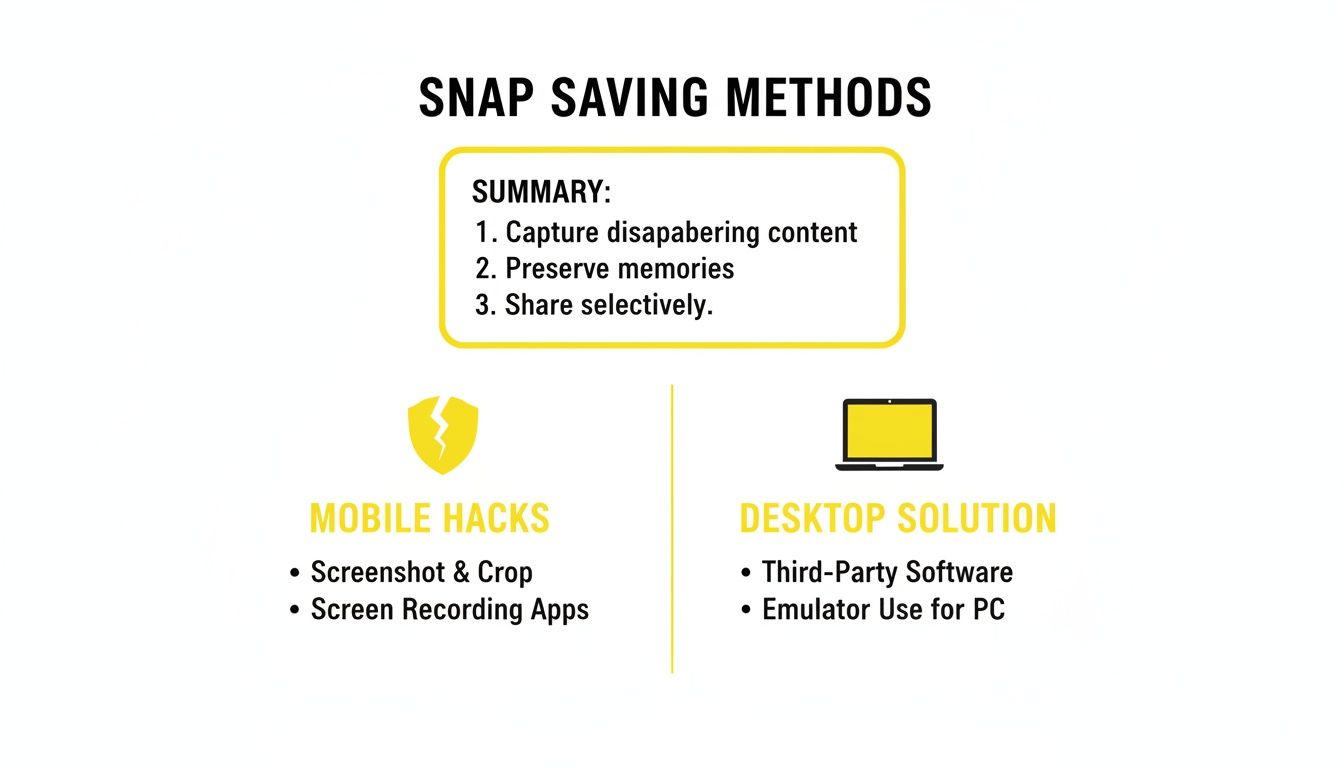
The main takeaway here is simple: desktop tools work externally, making them invisible. Mobile hacks are internal modifications that are just waiting to be caught. The Desktop Advantage is always emphasized because mobile hacks on iOS/Android often lead to account bans, whereas SnapNinja's desktop method (Windows/macOS) is safer and undetectable.
Smart Privacy for Your Personal Archive
Ultimately, this is all about having smart privacy. Maybe you want to save a hilarious memory from a friend, keep a "receipt" from an important chat for your own peace of mind, or just hold onto amazing content before it vanishes forever. SnapNinja gives you a reliable way to do it. It turns the risky act of saving into a practical tool for personal record-keeping.
By moving the entire process to your desktop, you step outside of Snapchat's controlled mobile environment. This is the only reliable method that guarantees you can save Snaps without them knowing, protecting both your memories and your account.
If you're curious about the tech behind this, you can learn more about our secure Snapchat downloader and see why so many users trust it for private archiving. It's a modern, safe solution to a problem that’s been around for as long as Snapchat has.
Why Would You Want to Save a Snap, Anyway?
Let's get one thing straight: wanting to save a Snap isn't automatically about being shady. Most of the time, it's just about practicality. In a world where our best digital moments are designed to vanish, holding onto a few of them is a perfectly normal impulse. This is less about spying and more about smart archiving, protecting your privacy, and preserving memories.
Think about it. A close friend who lives a thousand miles away sends you a heartfelt video message on your birthday. That’s a memory you’d want to keep forever, not something you want to watch disappear after a single viewing. Or maybe a friend captures a hilarious, once-in-a-lifetime moment on their Story, and you want to save it so you can laugh about it later.
These aren't nefarious plots; they're just human. We're all wired to hold onto moments that mean something to us.
It's Not Always Just About Memories
Beyond saving sentimental clips, there are tons of other practical reasons to archive content. If you're a content creator, you might want to download a fantastic video from a friend's account (with their permission, of course) to use in a TikTok or Reel. Being able to do that without a clunky screenshot notification just makes the whole process smoother for everyone.
Another massive reason is simply for "keeping receipts." This has become an essential part of online communication, offering clarity and sometimes even a bit of protection.
Saving a conversation isn't about distrust; it's about having a personal record. Whether you're confirming plans, documenting a payment agreement, or just need a reference for a conversation later on, having your own archive brings peace of mind.
This need is more common than you might think. Ever since a 2014 FTC settlement raised questions about how reliable Snapchat's detection really is, users have been a bit on edge. A 2023 Pew Research poll found that a staggering 41% of young adults worry about their Snaps being saved without them knowing. At the same time, 19% admitted they actively look for ways to get around those notifications, often for practical reasons like keeping records. You can find more about how these OS-level detection systems are changing on Android Authority.
The Smart and Safe Approach
This is where the Desktop Advantage really shines. Using a tool like SnapNinja on your computer gives you a safe, private way to handle all of these situations.
Here are a few real-world examples where it just makes sense:
- Archiving Family Moments: Saving that video your sibling sent of your niece taking her first steps.
- Keeping Funny Content: Grabbing that perfect meme-worthy Snap from a group chat before it’s gone forever.
- Protecting Your Privacy: Documenting a conversation about a freelance project's scope to avoid disagreements down the line.
Each of these scenarios points to a legitimate need to save content. It’s not about breaking trust; it's about using technology intelligently to manage your digital life. By shifting this task to your desktop, you can build your own private archive easily and safely, without setting off alarms or putting your account at risk.
Setting Up SnapNinja: A Four-Step Guide
So, you’re ready to start saving Snaps without tipping anyone off. Great choice. Getting SnapNinja up and running is incredibly simple—no weird technical skills needed. The entire process happens on your computer, which is the key to keeping it all under the radar.
This approach is what I call the “Desktop Advantage.” By moving away from the highly monitored mobile app, you sidestep Snapchat's detection systems entirely. It's a clean, effective method that only takes a couple of minutes to set up.
Your Quick Setup Guide
Let's get you started. Follow these four steps, and you'll be archiving Snaps silently before you know it. It’s all about putting you in control of what gets saved and what disappears.
Here’s the breakdown:
Download the Software: First, head over to the official SnapNinja website. Look for the download links—they have versions for both Windows and macOS. Just pick the one for your computer.
Install the Application: Once the file is downloaded, open it up and run the installer. It’s a standard installation, the kind you’ve done a hundred times. A few clicks and you're good to go, with no weird settings to mess with.
Log into Snapchat Web: Now, open your usual web browser—Chrome, Firefox, whatever you use—and navigate to the Snapchat Web portal. Sign in with your account credentials, just like you normally would.
Start Archiving: And that’s it. Seriously. With SnapNinja running quietly in the background, just click on any Snap or Story you want to keep. The tool automatically captures it and saves a high-quality copy into a folder on your computer.
The magic here is that the whole process is completely silent. Because you're on your desktop and not in the official app, Snapchat’s system is blind to what’s happening. You can finally save Snaps without triggering that dreaded "screenshot" notification.
And just like that, you have a private collection of your favorite Snaps, stored safely on your own machine. It's the smartest way to handle your digital memories.
Your Questions Answered
Is it actually legal to save someone's Snap?
This is a bit of a gray area, and it really boils down to what you do with the content. If you're just saving a Snap for your own personal use—like keeping a funny memory or archiving a conversation—you're generally in the clear legally.
The real trouble starts if you share that content without the other person's permission. That's when you can run into serious privacy violations and break the law, not to mention violate Snapchat's terms of service. The golden rule is to keep it private.
Will Snapchat ban my account for using a tool like this?
Not with a tool that works like SnapNinja. Here's why: SnapNinja is 100% undetectable because it runs on your computer and simply records what's happening on the Snapchat Web interface. It never touches or modifies the Snapchat app itself.
This is a world away from those shady mobile apps that try to "hack" Snapchat directly. Those are a surefire way to get your account banned because they violate Snapchat's rules. A desktop screen capture method, on the other hand, is completely external and poses no risk to your account.
Can I save more than just photos? What about videos or chats?
Absolutely. Anything you can see on Snapchat Web, SnapNinja can save. That includes:
- Photos
- Videos
- Stories
- Even the text from your chats
It captures the content exactly as it appears on your screen, making a complete archive of what you're viewing.
Ready to safely archive your Snaps without a trace? SnapNinja is the only desktop tool that keeps your account secure and your privacy intact. You can grab it right now at https://snapninja.app.