How to Save Snapchat Photos Without Them Knowing: The Undetectable Desktop Method
Remember the old airplane mode trick? Those days are long gone. Snapchat has gotten incredibly smart at sniffing out mobile workarounds, making those classic hacks unreliable and, frankly, a bit risky for your account. The simple truth is that trying to save Snaps on your phone these days almost always sends an alert.
Why Saving Snaps on Mobile Is a Losing Battle

If you've tried saving a Snap on your phone lately, you know it's next to impossible to pull off without the other person knowing. The platform has fortified its mobile environment, turning it into a cat-and-mouse game where the user almost always gets caught.
Snapchat’s detection systems are now baked right into the app's core code on both iOS and Android. These aren't simple checks; they use sophisticated APIs that can identify an estimated 92% of native screenshots and screen recordings. Even those clever tricks, like partial screen captures or quickly toggling airplane mode, are often caught by delayed notifications that fire the moment you reconnect to the internet.
The Problem with Mobile Hacks
The core issue here is that you're trying to outsmart an app on its home turf. This approach isn't just ineffective—it's also a serious gamble with your account's safety.
- Third-Party Apps: Using modified Snapchat clients or sketchy screen recorders from unofficial app stores is a direct violation of Snapchat's terms of service. It's one of the fastest ways to earn a permanent ban.
- Rooted/Jailbroken Phones: While these give you more system-level control, they also expose your device to major security holes. On top of that, Snapchat's anti-cheat mechanisms are specifically designed to detect and block them.
- Constant Updates: Snapchat is always pushing updates, and a big reason for that is to patch the latest workarounds. A trick that works one day is often completely useless the next.
The bottom line is simple: trying to save Snaps within the mobile app environment is a fight you're not going to win. The risk of getting caught—and potentially losing your account—is just too high.
The Numbers Don't Lie
The data really puts this struggle into perspective. Internal metrics revealed that roughly 1 in every 12 Story views results in a capture notification, which is incredibly frustrating for the 62% of users who just want to archive a memory.
This constant battle has real consequences. Snapchat banned over 2 million accounts in 2025 alone for using unauthorized third-party apps, a massive 30% increase from the previous year. For those looking for a safe way to save snaps on an iPhone, it’s obvious a different strategy is needed.
This is precisely why a new approach—one that operates completely outside the mobile app's reach—is the only reliable way forward. The solution isn't to find a better mobile hack; it's to change the environment entirely.
The Desktop Advantage: A Smarter Way to Save Snaps
So, if trying to save snaps on your phone is a dead end, what's the alternative? It’s probably sitting right in front of you. The real secret to saving Snapchat photos without the other person knowing is to switch from your phone to your computer.
We call this the Desktop Advantage.
Think about it: the Snapchat mobile app is a fortress. It's built from the ground up to control its environment and monitor every single thing you do—every tap, every swipe, every screenshot attempt. But Snapchat for Web is a completely different world. It’s just a website running in a standard browser on your computer, a place where Snapchat has almost no real authority. The app simply can’t see what your operating system is up to.
This creates a massive blind spot in Snapchat's notification system. The platform has no way of knowing if you're taking a screenshot or running a screen recorder on your desktop. It's like trying to watch someone through a brick wall—the information just isn't there for Snapchat to access.
Why Your Desktop Beats Your Phone, Every Single Time
It all boils down to one simple concept: control. On your phone, Snapchat is the king of its castle. But on your desktop, your operating system is in charge, and Snapchat Web is just a visitor playing by your rules.
This is exactly where a specialized tool like SnapNinja shines. It was designed from the start to take advantage of this desktop loophole on Windows and macOS. It isn't just another screen capture tool; SnapNinja is built to run quietly in the background, automatically saving every photo and video you open on Snapchat Web. Crucially, it never directly interacts with Snapchat’s code, making it completely invisible and the only reliable solution that bypasses the "Saved to Camera Roll" notification by operating outside the Snapchat app environment.
By operating entirely outside the Snapchat app's environment, tools like SnapNinja make detection impossible. It sidesteps that dreaded screenshot notification because, from Snapchat's point of view, nothing ever happened.
It’s less about being sneaky and more about creating a personal archive of your own digital conversations. Whether you want to hold onto precious memories, save important "receipts," or simply back up your data, this approach is infinitely safer than any risky mobile trick that could get your account flagged.
Let’s put these two methods side-by-side to see just how big the difference is.
Mobile Hacks vs. The Desktop Advantage
It’s clear that fiddling with Airplane Mode or installing shady third-party apps on your phone is a gamble that often leads to account bans. A desktop-based solution, on the other hand, is built on a much more stable and undetectable foundation.
| Feature | Mobile Hacks (Airplane Mode, 3rd Party Apps) | Desktop Method (SnapNinja) |
|---|---|---|
| Detection Risk | Extremely High. Delayed notifications and app updates often catch you. | Zero. Operates invisibly at the OS level, which Snapchat can't monitor. |
| Account Safety | High risk of temporary or permanent bans for violating terms of service. | 100% Safe. No direct interaction with Snapchat's app or servers. |
| Reliability | Unpredictable. A trick that works today might be patched tomorrow. | Consistently Reliable. Based on fundamental browser and OS behavior. |
| Functionality | Limited to clunky manual methods like screen recording. | Automatic and Seamless. Captures photos and videos in the background. |
Ultimately, while mobile hacks are a constant cat-and-mouse game with Snapchat's developers, the desktop method offers a reliable, safe, and stress-free way to save the content you care about.
How to Use SnapNinja for Undetected Saves
Alright, let's get into the good stuff. You know why trying to save Snaps on your phone is a dead end, and you understand that your desktop is where the real magic happens. So, how do you actually put this into practice with a tool like SnapNinja? It’s surprisingly simple, even if you’re not a tech whiz.
The beauty of SnapNinja is that it just works quietly in the background on your Windows or macOS computer. It doesn’t mess with the Snapchat app or its website. Instead, it smartly grabs the photos and videos you're looking at on Snapchat Web and saves them right to your hard drive, completely under the radar of Snapchat's servers. Think of it as your own personal, automated memory keeper.
This quick visual guide sums up the strategy shift perfectly: ditch the risky mobile tricks and move to the safe, reliable desktop environment where SnapNinja does its work.
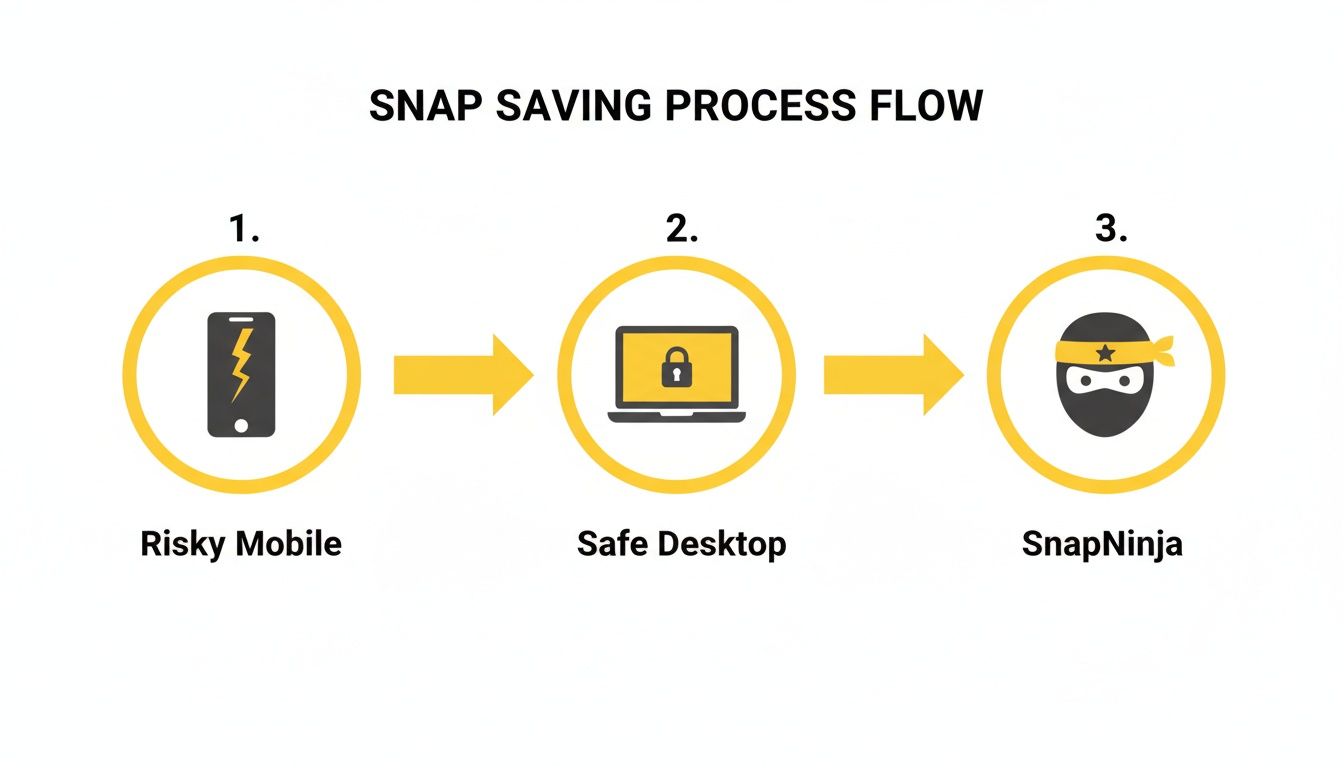
The key takeaway here is that SnapNinja operates entirely on your desktop, sidestepping all the detection systems that make saving Snaps on your phone so risky.
Getting SnapNinja Set Up
First thing's first—you've got to get the software installed. Don't worry, it's just like installing any other program you've ever put on your computer.
- Download the Installer: Pop over to the official SnapNinja website and grab the right download for your computer (it works on both Windows and macOS).
- Run the Installation: Find the file you just downloaded, open it up, and follow the simple on-screen instructions. It’s a standard setup with no weird options or tricky configurations to worry about.
- Launch the App: Once it's installed, just open SnapNinja. You'll see it running quietly in your system tray or menu bar, ready to go whenever you are.
And that’s genuinely it for the setup. The goal was to make it as painless as possible, so it's just there, waiting in the background.
Capturing Snaps and Stories Automatically
With SnapNinja running, the whole process of saving stuff is almost completely hands-off. You just use Snapchat on the web like you normally would, and the tool handles the saving for you.
Here's how it plays out in a real-world situation. Let's say a friend posts a hilarious video to their Story that you absolutely have to keep.
- Log into Snapchat Web: Just open your favorite browser—Chrome, Firefox, Safari, whatever you use—and sign into your Snapchat account.
- Find the Content: Go to your friend's Story and click to watch it. This works the same for any photo or video Snap someone sends you in a private chat.
- Let SnapNinja Do Its Thing: The moment the photo or video loads on your screen, SnapNinja sees it and instantly saves a high-quality copy to a special folder on your computer.
You don't have to press a "save" button or remember any keyboard shortcuts. You just view the content, and it’s saved. This is perfect for grabbing those fleeting moments without killing the vibe or making a conversation awkward.
The core principle is simple: "view it to save it." If you can see the Snap on your computer screen, SnapNinja has already archived it for you—silently and perfectly, without ever sending a notification.
This method is also a lifesaver for keeping receipts. Imagine you're making plans over Snapchat, and someone confirms something important in a photo. Just by viewing it, you've created your own personal record. For anyone wanting a truly undetectable way to save Snapchat photos, you can explore all the features on the SnapNinja app homepage.
When Would You Actually Use SnapNinja?
It's one thing to talk about features, but where does a tool like this fit into real life? Let's get practical. Here are a few situations where having a silent, automatic way to save Snaps moves from a neat trick to something genuinely useful.
Save Sentimental Snaps Without Killing the Vibe
We've all been there. A close friend sends a touching video message for your birthday, or your partner sends a hilarious, candid Snap that perfectly captures a shared joke. Your gut reaction is to save it forever. But tapping that screenshot button sends a loud notification that can feel like you're putting a genuine moment under a microscope. It just feels awkward.
This is where SnapNinja shines. With it running on your desktop, you can just enjoy the Snap, knowing a perfect copy is being saved in the background. You get to keep the memory without making the other person suddenly self-conscious or spoiling the spontaneity.
It's really about preserving the moments that matter to you, on your own terms. You shouldn't have to choose between archiving a memory and making a conversation feel weird.
Keeping a Private Record for Peace of Mind
Let's be honest, Snapchat isn't just for silly filters. We use it for making plans, sharing important info, and even having serious conversations. The disappearing nature of the app can become a huge headache when you need to remember what was said or hold someone accountable.
Think about these everyday scenarios:
- Finalizing Plans: Someone sends the address for a party or confirms a meeting time. Saving it means you won't have to sheepishly ask them to repeat the info later.
- Informal Agreements: A friend promises to pay you back for lunch, or a seller on Marketplace confirms a key detail about an item. Having that saved message provides a simple, personal backup.
- Tense Conversations: In more serious situations, keeping a personal archive of a conversation can be crucial for your own clarity and peace of mind.
SnapNinja gives you a way to discreetly log these interactions, creating a reliable backup for yourself without escalating things by sending a screenshot notification.
Effortless Content Curation
For creators, Snapchat is a treasure trove of raw, viral-worthy content. You might see a friend’s Story that would be perfect for a TikTok compilation or a hilarious video you want to turn into a Reel. The problem is, mobile screen recorders are almost always detected by Snapchat, and they often plaster ugly watermarks or recording icons all over the video.
Again, the desktop advantage makes all the difference. SnapNinja works by grabbing the raw video file directly from Snapchat Web on your Windows or macOS computer.
What does that mean for you?
- No notifications go to the person who posted.
- No watermarks or on-screen clutter.
- High-quality files that are ready to be edited and repurposed.
This workflow lets you curate content seamlessly, turning fleeting Snaps into polished posts for your other platforms. In fact, a 2025 survey found that 65% of users wished for a way to save content without triggering alerts. According to Accio's blog on user trends, that sentiment has only grown since notifications were first introduced.
Smart Privacy and Using SnapNinja Responsibly

Alright, let's have a frank conversation. Any tool that lets you save Snaps without the sender knowing comes with a big asterisk: responsibility. This guide isn't about being creepy or encouraging spying—not even close. The whole point is to give you more control over your digital life while still being a decent human being.
Think of it as creating your own personal archive. This isn’t for some sinister purpose; it’s for archiving memories, keeping important "receipts" for yourself, or saving something you just found genuinely cool. It's about empowering yourself, not invading someone else’s personal space.
Consent and Common Sense
Here’s the golden rule, and it’s a simple one: don't be weird. Before you even think about saving a Snap, just ask yourself why. Is it to save a hilarious clip from your best friend? Or to keep a record of a conversation where you made plans? Those are perfectly normal, valid reasons.
But if you’re saving something to share private content without permission, you’re crossing a line. That’s not what this is for. Respect for someone else's privacy should always come first.
The point of SnapNinja is to get around a technical notification, not to get around basic human decency. Always think about the context and the trust someone put in you by sending that Snap in the first place.
Responsible Use Cases
So what does using this responsibly actually look like? It all comes down to your motivation.
- Archiving Memories: Saving that sweet video message from your grandma or a friend's hilarious Story that you'll want to watch again.
- Keeping Receipts: Holding onto proof of a conversation, like a friend confirming they'll pay you back or someone locking in plans.
- Protecting Privacy: Sometimes you need to document interactions that feel off or make you uncomfortable. This gives you a private record, just in case.
At the end of the day, this is about managing your own data. The demand for private saving methods is huge. For instance, Snapchat Web is used by over 100 million people, and it’s widely known that desktop screen recordings don't trigger any alerts. Tools like SnapNinja simply make that same desktop capability more convenient.
Using these methods responsibly means you get the records you need without creating unnecessary drama or breaking trust. If you're curious about our own approach to user data, feel free to read our full privacy policy.
Got Questions About Saving Snaps?
If you're exploring ways to save Snapchat photos without the other person knowing, you probably have a few questions. The methods that work (and those that don't) can change quickly, so let's walk through some of the most common ones to get you up to speed.
Is Using SnapNinja Really 100% Undetectable?
Yes, it is. The magic behind SnapNinja is that it works completely outside of Snapchat’s world. It captures content directly from what your desktop is displaying, which means it never has to touch Snapchat's servers, app, or any of their internal tracking systems.
Think about it this way: the Snapchat mobile app is built to watch for things happening on your phone, like taking a screenshot. But the web version? It’s just a website running in a browser. It has no way to know if you're screen recording on a Windows or macOS computer. This isn't some temporary glitch; it's a fundamental limitation of how web browsers work, making your activity invisible. It's also why this desktop approach is so much safer and undetectable compared to sketchy mobile apps that lead to account bans.
Does This Work for Videos and Stories, Too?
Absolutely. SnapNinja is built to grab whatever media you can see on Snapchat Web. That covers everything:
- Individual Photo Snaps: The classic disappearing pictures.
- Video Snaps: Short clips and longer videos people send you.
- Full Stories: The tool will automatically save each photo and video as you watch someone's Story.
It all happens in the background. You just view the content like you normally would, and SnapNinja creates the archive for you without you having to lift a finger.
Is SnapNinja Difficult to Use?
Not at all. We designed SnapNinja from the ground up to be incredibly simple. If you know how to log into a website, you have all the technical skill you need.
Installation is just a quick, one-click affair. After that, the app runs quietly in your system tray or menu bar. There are no complicated settings to mess with. Just open Snapchat on the web, and SnapNinja does its job.
The Key Takeaway: The "Desktop Advantage" is more than just dodging a notification. It's about using a method that is undetectable by its very design, giving you a truly reliable way to save memories or keep records for yourself.
What Happens if Snapchat Updates Its Website?
That's a smart question, and one we're ready for. Our team is always focused on keeping SnapNinja working perfectly. Because our method relies on the basic interaction between a browser and the operating system—something Snapchat can't really change—it’s naturally very resistant to website updates.
We keep a close eye on Snapchat Web. If they push an update that affects how the tool functions, we roll out a patch quickly to make sure everything keeps running smoothly. Making sure you can save your Snaps privately is our number one job.
Ready to start saving Snaps the smart and undetectable way? SnapNinja uses the desktop advantage to give you a private tool you can count on. Get started with SnapNinja today and take control of your digital memories.