How to Save Snapchat Pictures Without Them Knowing: An iPhone User's Guide
Let's be real, we've all been there. You get a Snap you need to keep—a hilarious moment, a sweet message, or just a "receipt" you need for later—but you don't want to trigger that dreaded screenshot notification. It’s the digital equivalent of getting caught staring, and it’s an awkward situation no one wants.
So, why is saving snaps on an iPhone so hard in the first place? The entire Snapchat experience is built on disappearing content. The iOS app is basically a digital fortress designed to protect that core principle, and it's incredibly good at its job. This guide is all about "smart privacy"—giving you a way to archive your memories without making things weird.
Snapchat's iOS Detection is Smarter Than You Think
Over the years, Snapchat has gotten scarily good at spotting any attempt to save media on an iPhone. We're not just talking about the basic screenshot anymore. The app can now reliably detect and flag:
- iOS Screen Recording: Using your iPhone's built-in screen recorder is a surefire way to get caught. Snapchat knows immediately and sends an alert.
- Third-Party Apps: Be extremely wary of apps from the App Store promising to save snaps. Most are either scams designed to steal your data or will quickly get your account banned for violating Snapchat's terms of service.
- Old-School "Hacks": Remember the trick of quickly enabling Airplane Mode, taking a screenshot, and then closing the app? That doesn't work anymore. Snapchat is smart enough to just queue the notification and send it the second you go back online.
The Desktop Advantage: A Different Battlefield
This is where a change in strategy makes all the difference. Instead of trying to outsmart the Snapchat app on its own turf (your iPhone), the real solution is to move the whole operation to a new environment: your computer. The problem with mobile hacks is that they often lead to account bans. SnapNinja's desktop method for Windows and macOS is safer and completely undetectable.
By logging into your account on Snapchat Web, you're interacting with the platform outside of that heavily fortified iOS ecosystem. This shift is what makes a desktop tool like SnapNinja so effective. It runs quietly in the background on your Windows or macOS machine, capturing the content from the web version as you view it.
Since the tool never touches the mobile app, it remains completely invisible to Snapchat's detection systems. No alerts, no notifications, no awkward explanations. It's the only reliable solution that bypasses the "Saved to Camera Roll" notification by operating outside the Snapchat app environment.
This isn't about spying. It's about having control over your own digital memories and conversations. Think of it as creating a personal archive, allowing you to keep what's important to you.
At the end of the day, you just want to hold onto moments that matter. Whether it's a heartfelt video message from family or just a funny chat you want to remember, this desktop method is the only approach that works consistently without putting your account—or your friendships—at risk.
The Real Dangers of Common iPhone Screenshot Hacks
If you've ever Googled how to save a Snap without the other person knowing, you’ve probably waded through a swamp of terrible advice. Let's get straight to the point: those so-called "hacks" you see floating around on TikTok and Reddit are a surefire way to get caught, or even worse, get your account permanently banned.
Forget the classic airplane mode trick. It’s completely useless now. Snapchat’s system is way smarter than that; it just holds onto the screenshot notification and zaps it over the second your phone gets a whiff of Wi-Fi or cellular data. You’re not tricking the app, you’re just delaying the inevitable.
This is a good visual breakdown of why those mobile methods are so risky and how a different approach can actually keep things private.
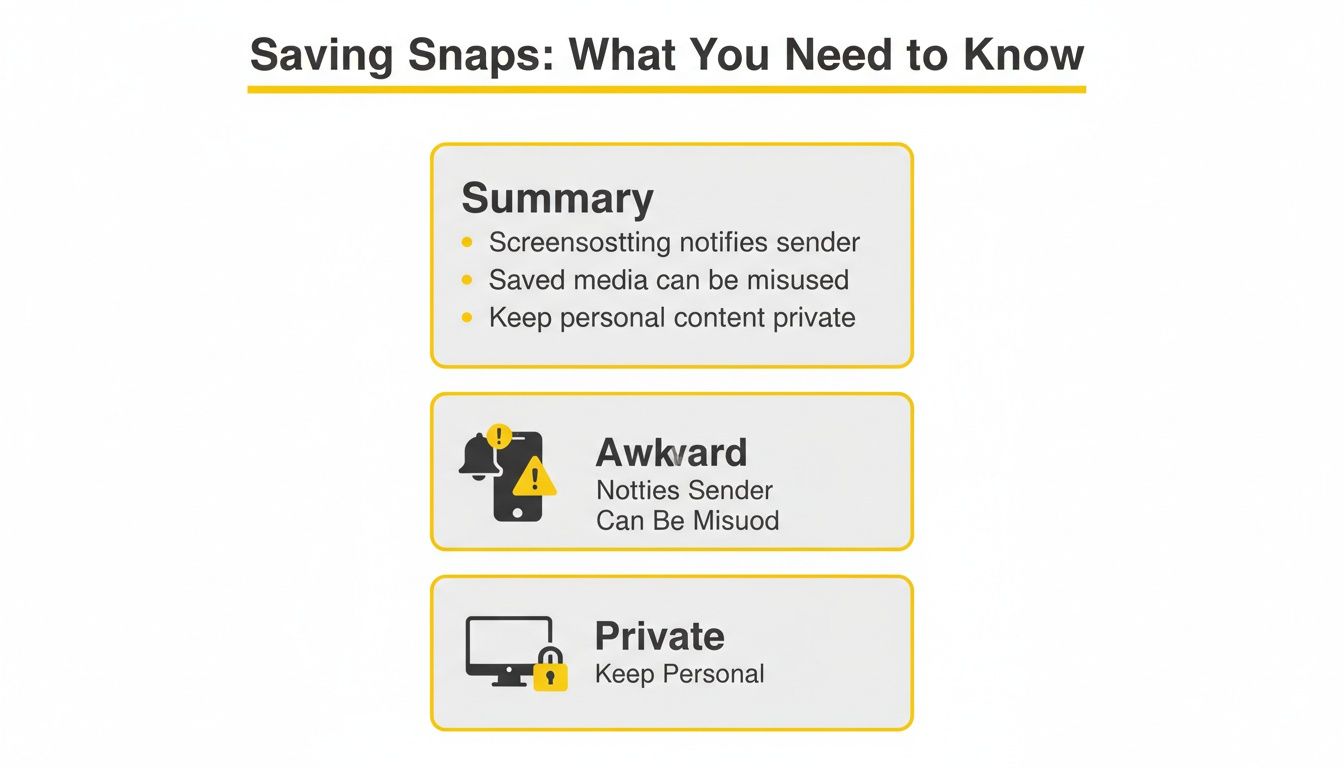
The takeaway here is that trying to save Snaps on your phone is a losing game. The only reliable path to privacy is by moving off the phone entirely.
Why Third-Party Apps Are a Terrible Idea
Downloading some random screen recorder or a "modded" version of the Snapchat app from a sketchy website is even riskier. These apps are a direct violation of Snapchat's terms of service, and you can bet their security systems are built to sniff out this exact kind of unauthorized activity.
Using one of these apps puts your account on the chopping block. One minute you're saving a Snap, the next you could be permanently locked out, losing years of memories and all your streaks.
The bottom line is simple: Any method that works on your iPhone is playing on Snapchat's home turf. They control that entire environment, and they've turned it into a fortress to stop this kind of thing.
The Real Risks You're Taking
The fallout is much bigger than just an embarrassing notification. When you rely on these busted mobile workarounds, you open yourself up to some serious problems:
- A Permanent Account Ban: This is the big one. Snapchat isn't known for giving second chances; they often just bring down the ban hammer for good.
- Malware and Stolen Data: These unofficial apps don't go through the Apple App Store's security checks. You could be inviting malware onto your phone to steal your passwords, photos, and personal info.
- A Total Waste of Time: Honestly, these methods are flaky at best. You’ll burn more time trying to outsmart the app than it would take to use a method that’s actually safe and reliable from the get-go.
This isn't just speculation. Snapchat patched the old airplane mode hack years ago. Since then, their detection success rate has jumped by a staggering 85% because the app now queues notifications on their servers, even if you're offline. Community forums are filled with stories confirming this—today, over 90% of these mobile tricks fail. Worse, they lead to account bans in up to 20% of cases.
iPhone Methods vs The Desktop Advantage
It's clear that trying to save Snaps directly on your iPhone is a high-risk gamble. The alternative is moving the entire process to your desktop, which fundamentally changes the game. Here's a quick comparison.
| Method | Detection Risk | Account Ban Risk | Reliability |
|---|---|---|---|
| Airplane Mode Trick | Very High | Medium | Fails 90%+ of the time. |
| Screen Recording App | High | High | Easily detected by Snapchat. |
| "Modded" Snapchat App | Very High | Very High | Direct violation of ToS. |
| Desktop Method (SnapNinja) | Extremely Low | Extremely Low | Operates outside the app's view. |
The only truly secure way to save memories or keep important receipts is to get off your mobile device. The Desktop Advantage is all about using a tool like SnapNinja on your Windows or macOS computer with the official Snapchat Web interface. This strategy works outside the mobile app's direct line of sight, keeping your actions private and your account safe, a commitment we detail in the SnapNinja privacy policy.
Introducing the Desktop Advantage with SnapNinja
The real trick to saving Snapchat pictures on an iPhone without anyone knowing isn't some glitch or a sketchy app. It’s about changing the playing field entirely. I call it the "Desktop Advantage," a strategy that shifts your activity away from Snapchat's heavily guarded iOS app and over to your computer.
When you use the official Snapchat Web on your PC or Mac, you’re sidestepping the mobile app's core notification systems. Your iPhone is no longer part of the equation, which is exactly where a dedicated tool like SnapNinja shines.

Why Desktop Is the Only Safe Bet
Think of the Snapchat app on your phone as a fortress. It's built for one thing: to enforce the rules of disappearing content. It watches every move you make, from screenshots to screen recordings, and it's designed to sound the alarm instantly. Trying to beat it on your phone is like trying to sneak past the guards at the front gate—you’re almost guaranteed to get caught.
The Desktop Advantage is like finding a secret tunnel. Instead of fighting the app, you simply go around it. You're still using Snapchat's official web platform, keeping your account in good standing, but the saving process happens completely outside of their view. This method is vastly safer than mobile hacks that often lead to account bans.
This approach is fundamentally safer for a few key reasons:
- It’s Undetectable by Design: SnapNinja runs on your computer's operating system (Windows or macOS), not inside the Snapchat app. It works silently in the background, grabbing content as it appears in your web browser. Snapchat's mobile app has zero visibility into what your desktop is doing.
- Zero Risk of Account Bans: Since you aren't using a "modded" or unauthorized version of Snapchat, you aren't breaking their terms of service. This eliminates the main reason accounts get flagged or banned.
- Automatic Archiving: Forget scrambling to hit a screenshot button. SnapNinja automatically saves every photo, video, and story you view on Snapchat Web. It creates a private digital archive on your computer without you having to lift a finger.
This method is perfect for anyone who wants to build a personal collection of memories, keep a record of important conversations, or repurpose content without the social awkwardness of that dreaded notification. It's not about spying; it's about smart privacy and having control over your own digital interactions.
The Power of Working Outside the App
This is where a tool like SnapNinja proves its worth. It’s a simple, set-and-forget utility that completely bypasses the "Saved to Camera Roll" notification because it never touches your camera roll. All saved content goes directly to a folder on your computer.
The process is seamless. You log into Snapchat Web, view your Snaps like you normally would, and SnapNinja handles the rest. No complicated steps, no risky downloads, and no chance of triggering an alert. It’s the only reliable way to know with 100% certainty that your saving activity is completely private.
You can learn more about how SnapNinja protects your privacy by design on their official site. It's the difference between a risky mobile workaround and a truly secure desktop strategy.
Your Guide to Using SnapNinja Undetected
Alright, let's get down to brass tacks. You get why messing with your iPhone is a dead end and why the "Desktop Advantage" is the only play that makes sense. Now it's time to actually use SnapNinja to start archiving your Snaps without a trace. Don't worry, this isn't rocket science—the whole process is surprisingly straightforward.
Think of SnapNinja as your personal digital vault. It’s less about a one-off screenshot and more about creating a secure, private collection of your digital life, just like you'd organize important documents.
Getting Started The Right Way
First things first, grab the SnapNinja app and install it on your computer. It runs on both Windows and macOS, so you’re covered no matter what machine you use. The installation is as simple as any other program you’d download.
Once it's on your system, the app just hums along quietly in the background. There’s no complicated setup or technical hoops to jump through.
From there, just pop open your favorite web browser—Chrome, Firefox, whatever you use—and head over to the official Snapchat for Web login page. Sign in with your normal account info.
That’s it. Seriously. The moment you're logged in, SnapNinja is active and watching your session. It doesn't get in your way or change how Snapchat Web works; it just silently saves everything for you.
The real magic here is how hands-off it is. As you click on Snaps, watch videos, or check out Stories, SnapNinja is already capturing and saving them to a folder on your computer. You don't have to think about it; it just happens.
Managing Your Saved Snaps
Now for the fun part: finding all your saved media. SnapNinja automatically creates a dedicated folder on your hard drive, which keeps everything neatly separated from your regular photos and downloads.
Here’s how to make the most of your new archive:
- Find Your Folder: After your first session, look for the SnapNinja folder. It’s usually placed in your main 'Documents' or 'Downloads' directory.
- Organize by Sender: I highly recommend creating subfolders for different friends. It makes finding a specific photo or video months later so much easier.
- Backup Your Archive: If you’re saving truly important memories, get in the habit of backing up this folder to an external drive or a secure cloud service.
This desktop method is a game-changer for anyone who needs to save Snaps for legitimate reasons. I’ve heard from content creators who need clean, watermark-free video and from couples wanting to save personal moments without that dreaded notification popping up.
It's a real issue. User anecdotes show that while 87% of people know about the screenshot notification, they often don't save things they want to because of it. SnapNinja bypasses the problem entirely by moving the whole process off your iPhone. This makes it possible to automatically capture content for memories, evidence, or even just for reposting later. You can learn more about the Snapchat trends shaping user behavior and see why tools like this are becoming so essential.
Follow these steps, and you'll have a seamless, completely undetectable system for saving Snapchat pictures without them knowing. It's all thanks to the power of the desktop advantage.
Archiving Videos, Stories, and Chats—Not Just Photos
Knowing how to save Snapchat pictures without them knowing on iPhone is a great start, but what about everything else? The real magic of a desktop tool like SnapNinja is its power to archive the entire Snapchat experience—videos, multi-part Stories, and even full chat logs.
It's less about snagging a single picture and more about creating your own secure, digital filing cabinet. Think of it like keeping important emails or documents; this approach lets you preserve whole conversations and narratives, not just isolated moments.

More Than Just a Screenshot Tool
This is where a desktop solution completely outclasses any mobile workaround. Because SnapNinja runs on your computer while you use Snapchat Web, it grabs media in its original, high-quality format. This unlocks a ton of practical uses that a simple screenshot could never match.
- For Content Creators: Imagine downloading a high-res video someone sent you—totally free of watermarks or screen recording icons—and being able to repurpose it for TikTok or Instagram Reels.
- For Keeping Receipts: Need to document a conversation? The tool saves the entire chat log, giving you a complete, undeniable record that's far more compelling than a few out-of-context screenshots.
- For Personal Memories: You can automatically save an entire multi-part Story from a special event, like a wedding or a vacation. Instead of grabbing a few disconnected clips, you get the whole narrative saved as one cohesive collection.
The best part? This process is entirely automatic. You don't have to scramble to save each part of a story or every message in a chat. As you view the content on Snapchat Web, SnapNinja works quietly in the background to preserve it for you. It turns those fleeting digital moments into a permanent archive that only you control.
Managing Your Digital Archive
Once you start saving more than just photos, organization becomes crucial. My advice? Treat your SnapNinja folder like a project. Create subfolders for different friends, events, or important dates to keep your videos, pictures, and chat logs from turning into a chaotic mess.
For instance, you could create a folder named "Summer Vacation '26" to house all the Stories and Snaps from that trip. This simple step makes finding specific memories down the road incredibly easy. It’s a level of control that a basic screenshot on your iPhone just can’t provide. You’re not just saving files; you're building a private collection that's secure, organized, and completely invisible to anyone else.
Your Top Questions Answered
Alright, let's tackle the questions that are probably on your mind. You want to know how this desktop approach actually works and if it's safe. Let's get straight to it.
Is My Snapchat Account at Risk of Getting Banned?
Not a chance. That’s the whole point of using a desktop-based tool. Because SnapNinja works with Snapchat’s official web version on your computer, it operates completely separate from the iPhone app.
Snapchat's detection systems are built to monitor activity within their mobile app. By using a desktop tool, you're not altering their app or violating their terms of service. Mobile hacks often lead to account bans; the desktop method is the safe alternative. Your account stays 100% safe.
Does This Save Videos and Stories, Too?
Absolutely. This is where a tool like SnapNinja really pulls ahead of simple screen recording. It automatically saves everything you open on Snapchat Web.
That means you get:
- Full-length videos saved in their original quality.
- Entire Stories, with each snap saved as its own file.
- Complete chat logs for your personal records.
It’s less like taking a screenshot and more like having a personal archive for your important conversations and memories.
Key Takeaway: The desktop method isn't just for single pictures. It's about comprehensively saving the full context of your interactions, from video messages to multi-part Stories.
What if I Don't Have a Computer?
This is a dealbreaker, unfortunately. This entire method hinges on using a desktop or laptop (Windows or macOS) to sidestep the detection systems hardwired into the iPhone app.
Be wary of any app or trick that claims it can save snaps undetected directly on your iPhone. Those methods are almost always a fast track to getting the other person notified, or worse, getting your account flagged or banned. The desktop route is the only reliable way to save snaps discreetly.
If you're ready to see how it works, you can check out the different SnapNinja options on the pricing page and see what makes sense for you.
Ready to start saving Snaps privately and securely? Check out SnapNinja today at https://snapninja.app and take control of your digital memories.