Third Party Snapchat Apps: A Guide to Saving Snaps Safely
Ever wanted to save a hilarious Snap without sending that dreaded screenshot notification? You're not alone. The desire for what you might call ‘smart privacy’—whether it's to archive a great memory, keep receipts, or protect your privacy—is exactly why third party Snapchat apps exist. They're tools built to get around the platform's strict rules.
The Hidden World of Third Party Snapchat apps
Let's be real: you want more control over your Snapchat experience. It could be about archiving a funny video before it disappears forever, holding onto a sweet message from a friend, or simply keeping a record of a conversation for peace of mind. This is the main reason so many people go looking for outside help. These apps promise all the features the official app deliberately leaves out, like saving content without tipping off the other person.
The big problem? Most of these tools, especially the mobile ones for iOS and Android, are a one-way ticket to getting your account permanently banned. Snapchat has gotten very good at sniffing out unauthorized apps that try to connect to its system. Using one is like trying to get into a secure building with a poorly made fake ID—it's not a matter of if you'll get caught, but when.
So, what if you could archive your memories without the risk? This is where the Desktop Advantage comes in.

The Desktop Advantage
This constant cat-and-mouse game between Snapchat and mobile app developers has led to a much smarter strategy: the Desktop Advantage. Instead of trying to hack the mobile app itself—which Snapchat’s servers can easily spot—the safest method works entirely on your computer, whether it's a Windows PC or a macOS machine.
By operating outside the Snapchat app environment, desktop tools like SnapNinja are fundamentally invisible to Snapchat's detection systems. They don't modify the app; they simply capture what's on your screen, bypassing the "Saved to Camera Roll" notification entirely.
This approach neatly sidesteps all the risks that come with mobile hacks, which often lead to account bans. Here’s a quick breakdown of why the desktop method is safer and more reliable:
- It's Undetectable: The tool never directly interacts with Snapchat’s mobile API. Because of this, there are no red flags for Snapchat's security to find.
- It Avoids Account Bans: The number one reason for getting your account suspended is using an unauthorized mobile app. The desktop method avoids this problem completely.
- It Bypasses Notifications: The entire capture process happens on your computer, totally separate from the app. This means no "Saved to Camera Roll" or screenshot alerts are ever sent.
This is the central idea behind SnapNinja, the only reliable solution designed to use this safer, desktop-based approach. Shifting your "smart privacy" tasks from your phone to your computer isn't just a clever workaround; it's the only reliable way to archive the content you want without putting your account on the line. If you're looking for an undetectable way to save snaps, exploring the desktop-based tools from SnapNinja is the best place to start.
Why Mobile Snapchat Mods Will Get Your Account Banned
Using a modded Snapchat app on your phone is a high-stakes gamble you’re almost guaranteed to lose. It’s tempting, I get it—who wouldn’t want those extra features for archiving memories? But you have to understand that these mobile hacks are a one-way ticket to getting your account permanently locked.
Think of it this way: using a modified mobile app is like sending a sketchy imposter with a fake ID to access Snapchat's secure servers. You’re not using the official key (the real app); you’re using a copy that's been tampered with. Snapchat’s security systems are built specifically to spot these unauthorized clients, and when they do, they don't ask questions. The ban hammer comes down fast and hard.
Snapchat's Zero-Tolerance Policy
Snapchat doesn't just frown upon third party snapchat apps for mobile—it actively hunts them down. The company has a zero-tolerance policy because these rogue apps represent a massive security risk to its entire platform and all of its users.
Their detection methods have become incredibly sharp over the years. They aren't just looking for weird app behavior; they analyze the digital signature of the app connecting to their servers. If that signature doesn't match the official, signed version from the App Store or Google Play, an alarm is triggered almost instantly.
Snapchat's system is built to trust only one thing: the official app. Any deviation is treated as a potential threat, resulting in an immediate account lock or a permanent ban, often without a clear path to appeal.
And this isn't just a slap on the wrist. A ban means you could lose years of memories, conversations, and connections in the blink of an eye. The temporary convenience a mobile mod offers just isn't worth that kind of permanent loss.
A History of Massive Ban Waves
This cat-and-mouse game has been going on for years. Snapchat has a long history of initiating massive "ban waves" to purge their platform of anyone running a modified client.
Back in the early days, around 2013-2015, third-party apps absolutely exploded in popularity. By 2015, some reports estimated that over 10 million users had sideloaded these mods. Snapchat’s response was swift and brutal—by mid-2015, they had banned over 3 million accounts linked to this activity. That was a whopping 15% of their active user base at the time, which shows just how seriously they took the issue even then. You can understand the full scope of their platform and its growth over the years to see the scale of this.
These crackdowns have only become more frequent and effective. Here’s how it usually plays out:
- Initial Detection: The system flags an account for using an unauthorized app signature.
- Temporary Lock: You'll often get a temporary lock first, maybe for 12-24 hours, along with a warning to uninstall the modded app.
- Permanent Ban: If you ignore that warning and keep using the app, the next step is almost always a permanent, irreversible ban.
The Desktop Advantage Is the Only Safe Path
Snapchat's message is loud and clear: if you modify their mobile app, you will be caught. This is precisely why the Desktop Advantage is so critical.
When you use a tool like SnapNinja on your Windows or macOS computer, you're not actually altering the Snapchat app at all. Instead, you're interacting with Snapchat for Web inside a browser—a completely separate and approved environment.
The tool works on your desktop, completely outside of Snapchat's direct line of sight. It simply captures what you see on your screen without ever sending a suspicious signal back to their servers. This is the fundamental difference that makes the desktop method undetectable and safe, allowing you to archive memories and keep receipts without risking everything.
An account ban feels bad, but installing an unauthorized third-party Snapchat app on your phone is like opening your front door to a whole host of more serious digital nightmares. We’re talking about real threats like malware, identity theft, and even blackmail.
Think about it. When you download a modded app from some random corner of the internet, the very first thing it asks for is your Snapchat username and password.
Handing over those credentials is like giving a complete stranger the keys to your entire digital life. You have no idea who built the app, what they’re really after, or what malicious code they might have hidden inside. You’re putting all your trust in an anonymous programmer who could be scraping your data for a quick payday.
And this isn't just some theoretical boogeyman story—it's a documented reality that has already impacted millions of users.
When Your Private Snaps Go Public
The history of third-party Snapchat tools is a graveyard of security disasters. These apps create a direct pipeline for hackers to get at Snapchat's user data, and when a vulnerability is found, it gets exploited on a massive scale.
One of the most notorious examples was the SnapchatDB leak back in 2014. An exploit in a third-party app exposed the usernames and phone numbers of 4.6 million users. This was the first major scandal that ripped the lid off just how dangerous these unauthorized clients could be.
Things didn't stop there. By 2018, as Snap terminated 1.7 million accounts for violations, frustrated hackers retaliated by dumping over 200,000 Snapchat credentials on dark web forums. A staggering 60% of those affected were users in the US and India.
These breaches aren't just about contact lists; they often involve your most personal, private content. Imagine the photos, videos, and conversations you’ve shared—the stuff you thought was temporary—suddenly made public or sold to the highest bidder. No feature is worth that kind of exposure. You can read more about our commitment to user privacy to see how a truly secure tool should handle your data.
Malware and Data Theft: The Hidden Costs
Beyond massive data breaches, these unofficial apps are often just Trojan horses for malware. Since they aren't vetted by legitimate marketplaces like the Apple App Store or Google Play, they can be packed with malicious software designed to do some serious damage.
When you install an app from an untrusted source, you're bypassing all the security checks that normally protect your device. This gives the app deep access to your phone's system, allowing it to do things like steal banking information, track your location, or even activate your camera and microphone without your knowledge.
The app might look and feel like it’s working perfectly on the surface, letting you save Snaps just as promised. But in the background, it could be quietly logging every keystroke, copying your contacts, and sending your personal files to a server halfway across the world. You wouldn't know it's happening until it's far too late.
Mobile Mod Apps vs Desktop Privacy Tools
This is where the distinction between a risky mobile mod and a secure desktop tool becomes incredibly important. They might seem to solve the same problem, but how they do it makes all the difference for your safety and privacy.
| Feature | Risky Mobile Mods (e.g., Snapchat++) | Safe Desktop Tools (e.g., SnapNinja) |
|---|---|---|
| Login Method | Demands your Snapchat credentials be entered directly into the shady app. | Never asks for your login details. You sign into the official Snapchat for Web in your own browser. |
| Detection Risk | Easily flagged by Snapchat's servers, which almost guarantees an account ban. | Operates outside of Snapchat's detection systems, making it invisible and ban-proof. |
| Security | High risk of malware, data theft, and credential harvesting from unknown developers. | Completely secure. The tool only captures what's displayed on your screen and has zero access to your account. |
| Platform | iOS/Android only, often requiring risky procedures like jailbreaking or sideloading. | Works on Windows and macOS, operating within your existing, secure computer environment. |
Ultimately, mobile mods force you to make a dangerous trade-off: your security for a feature. A well-designed desktop tool gives you the feature you want without ever asking you to sacrifice your privacy or your account's safety.
By keeping these activities off your phone and on a trusted computer, you neatly sidestep all the risks that come with unauthorized third-party Snapchat apps.
Why the Demand for These Apps Is Still Soaring
Even with all the warnings about account bans and malware, the hunt for third-party Snapchat apps isn't slowing down. It's actually booming. So, what's going on? Why are so many people willing to risk it all for a sketchy app?
The answer is surprisingly simple: these apps scratch an itch that Snapchat itself refuses to. For most people, it’s not about spying or anything malicious. It's about wanting what you could call "smart privacy"—the power to control your own data and archive pieces of your own digital life.
Think about a creator trying to save a viral moment before it disappears, or friends wanting to keep an inside joke forever. Maybe it's just someone who needs to keep receipts of a conversation for their own protection. These are totally normal, human desires that run headfirst into Snapchat's core feature: disappearing content. That friction creates a huge, underserved market.
The Underground Market Is Booming
This isn't some tiny, niche interest; it's a massive underground movement. Despite Snapchat constantly playing whack-a-mole, third-party apps and workarounds are thriving in online forums and communities. A quick look at Google Trends shows that searches for terms like 'Snapchat mod APK' have skyrocketed by 180% globally in the last year.
The trend is especially pronounced in places like India and the US, where almost 48% of users between 15 and 25 are actively looking for screenshot hacks. You'll find over 2 million active discussions on this very topic on sites like Reddit and the XDA forums. Some of the most famous mods, like the now-gone Snapchat++, hit 50 million lifetime installs before they were shut down. That shows you the staggering scale of the demand. If you want to dive deeper, you can discover more insights about these Snapchat statistics and see just how widespread this really is.
This infographic breaks down exactly what's at stake when you download one of these unauthorized apps.
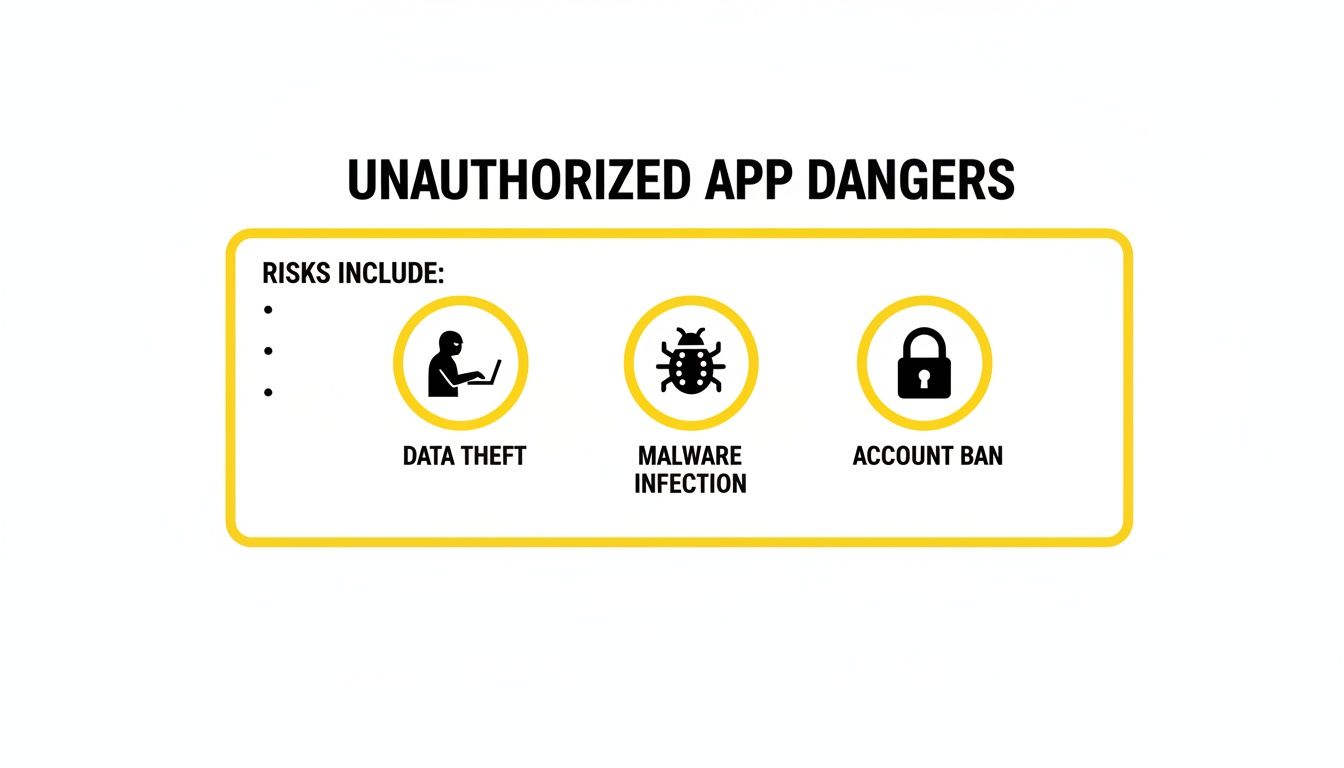
It really puts the three biggest risks—data theft, malware, and getting your account banned—front and center.
Why a Safer Solution Is Essential
The fact that this demand just won't die sends a crystal-clear message: users will always find a way to get the features they want, even if it means taking huge risks. This is precisely why a safe, reliable alternative is so desperately needed. The problem isn't the desire to archive content; it's the dangerous hoops people are forced to jump through.
The core issue is a tug-of-war between our human desire for permanence and a platform built on the exact opposite. When the official app offers no middle ground, people will inevitably look for unofficial solutions, no matter the danger.
This is where the Desktop Advantage changes the game. Instead of making you choose between losing your memories and losing your account, a desktop tool offers a third way: getting both functionality and safety.
By running on your Windows or macOS computer, it sidesteps the risky mobile environment entirely.
- No Account Risk: It works with Snapchat for Web, making it completely invisible to Snapchat’s mobile detection systems.
- Total Privacy: It lets you archive memories without ever sending that dreaded "screenshot" or "Saved to Camera Roll" notification.
- Smart Archiving: It gives you the control you've been looking for, letting you keep receipts and save meaningful moments securely.
At the end of the day, the demand for these features is here to stay. The only thing that can change is how safely people can get them. A desktop solution provides that crucial bridge, meeting a very real need without any of the scary risks.
The Desktop Advantage: Your Undetectable Solution
After wading through the minefield of risky mobile mods and sketchy third-party apps, you might be wondering if it's even possible to save your Snaps without getting banned or hacked. Is archiving your memories a lost cause?
Not at all. The answer just isn't on your phone—it's on your computer.
This is what we call the Desktop Advantage. It’s a smarter, safer, and completely undetectable way to achieve true privacy on Snapchat. Mobile third party snapchat apps try to pick the lock on Snapchat's front door, which always sets off alarms and leads to an account ban. The desktop method is different; it operates outside the app's environment, making it invisible.
The approach works by using Snapchat for Web, the official version you can access in a browser. When you pair that with a specialized desktop tool like SnapNinja on your Windows or macOS computer, you create a setup that is totally invisible to Snapchat's security systems.

Why This Method Is Fundamentally Undetectable
The real magic here is where the saving happens. Mobile mods have to directly hook into the Snapchat app on your phone, altering its code and sending all sorts of suspicious signals back to Snapchat's servers. That’s an immediate red flag.
The desktop approach, on the other hand, operates completely outside of that ecosystem.
A desktop tool like SnapNinja doesn't mess with Snapchat's servers or its mobile API. It simply captures what’s being displayed in your web browser. From Snapchat's point of view, all you're doing is logging into their official web platform—something they expect and allow.
A mobile mod is an imposter app trying to fool the server. A desktop tool is just a smart pair of eyes watching your screen. Snapchat has no way of knowing those "eyes" are there because the capture happens locally on your machine, far away from its jurisdiction. This is also how it bypasses "Saved to Camera Roll" notifications by design; that alert is triggered by the mobile app, and since you aren't using the mobile app to save, no notification ever gets sent.
The Clear Benefits of Staying Off Your Phone
Moving these tasks to your desktop isn't just a clever workaround; it's a strategic move that wipes out every single risk we've talked about. You're no longer installing shady software on the same device that holds your most sensitive personal information.
Here’s a quick rundown of the advantages:
- Zero Risk of Account Bans: You're using the official Snapchat for Web. The tool works externally. There are no unauthorized signatures or weird behaviors for Snapchat to detect, so your account remains 100% safe.
- Complete Privacy and Anonymity: Save any Snap, video, or story without triggering a notification. The sender will never know, giving you total freedom to archive memories or keep receipts.
- Protection Against Malware: By avoiding apps from untrusted sources, you shield yourself from the malware, spyware, and data theft that plague the mobile mod scene. Your login details are only ever entered into the official Snapchat website.
This is what makes the desktop method the only truly reliable solution. It's a system built on respecting the platform's boundaries while still giving you the control you need. You can learn more about how a dedicated Snapchat downloader for desktop makes this process both seamless and secure.
How It Works in Practice
Getting started is surprisingly simple and doesn't require any technical wizardry. Unlike the complicated process of jailbreaking a phone or sideloading an unknown file, the desktop method is a breeze.
- Log In Securely: Open your favorite web browser on your Windows or macOS computer and sign in to your account on the official Snapchat for Web site.
- Run the Desktop Tool: Launch a specialized tool like SnapNinja that runs quietly in the background on your computer.
- View and Archive: As you click through Snaps and Stories in your browser, the tool automatically captures and saves them directly to your computer.
The whole process is passive and automatic. You just use Snapchat Web as you normally would, and the tool does all the heavy lifting. It's the ultimate "set it and forget it" solution for anyone who wants to preserve their digital memories without putting their account or their privacy on the line.
Your Top Questions About Saving Snaps, Answered
Jumping into the world of third-party Snapchat tools can feel like walking a tightrope. It's totally normal to have questions about what's safe, what's a huge risk, and how these things even work in the first place. Let's cut through the confusion and get you some straight answers.
The whole point here is to give you the knowledge you need to make smart choices—to archive your memories and protect your privacy without getting your account shut down.
Is It Illegal to Use a Third-Party Snapchat App?
This is a big one, and the short answer is no, it's not typically illegal in a criminal sense to use a third-party Snapchat app. You're not going to get a knock on the door from law enforcement just for saving a Snap to archive a memory. The real problem isn't the law; it's Snapchat's own rulebook.
Using any unauthorized app is a direct violation of Snapchat's Terms of Service, which is the contract you agree to when you sign up. Breaking that agreement gives them every right to take action, and that usually means a temporary lock or, worse, a permanent ban.
So while you aren't breaking the law, you're definitely breaking the platform's rules. The consequences for that are very real and often permanent.
What Are the Real Chances of Getting Caught on Mobile?
When you use a modded app on your phone, the odds of getting caught are incredibly high. Over time, it's pretty much a 100% certainty. Think of it this way: Snapchat's servers are built to recognize the official app's unique digital "fingerprint." When they see any other fingerprint trying to connect, alarms go off.
Snapchat has been playing a cat-and-mouse game with mod developers for years, and their detection systems have gotten seriously good. They don't just pick off accounts one by one; they regularly unleash massive "ban waves" that lock out thousands of users all at once.
The question isn't if you'll get caught with a mobile mod, it's when. The convenience you get from a phone hack is a short-term win that almost always ends in the long-term loss of your account and everything in it.
This is the core weakness of every single mobile-based workaround. They are trying to fool a system that has been specifically hardened against them, making getting caught an unavoidable part of the game.
How Does a Desktop Tool Avoid a Ban?
This is where the "Desktop Advantage" completely changes the equation. A desktop tool like SnapNinja sidesteps a ban because it operates in a fundamentally different way. It never tries to impersonate the mobile app or tamper with Snapchat's servers.
Instead, it works alongside the official Snapchat for Web platform on your Windows or macOS computer. Here’s a simple breakdown of why this method is so safe:
- You Use the Official Web Version: You log into your account through your browser on Snapchat's legitimate website. From Snapchat's point of view, you're just a regular web user. Everything looks normal and approved.
- The Tool Works Externally: The desktop app runs on your computer, completely separate from your browser. It doesn't inject any code or modify the website's behavior. It simply captures what's already being displayed on your screen.
- There’s Nothing for Snapchat to Detect: Because the tool never interacts with Snapchat’s API or servers, it doesn't leave any suspicious digital footprints. It’s the digital equivalent of taking a photo of your monitor—the website has no idea it's even happening.
This entire process is inherently undetectable because the saving happens locally on your own machine, far outside of Snapchat's reach. Your account stays completely out of harm's way.
Why Do People Say All Third-Party Apps Are Dangerous?
That widespread warning against third-party Snapchat apps is there for a good reason. For years, the only options were sketchy mobile mods. These apps earned a terrible reputation for causing account bans, spreading malware, and leading to huge data leaks that exposed the private photos and info of millions of users.
Because of this messy history, the entire category of "third-party apps" got painted with the same brush. But it's so important to separate the method from the goal.
- The Risky Method: Modifying the mobile app on iOS or Android. This is the path that leads directly to bans and security nightmares.
- The Safe Method: Using an external desktop tool that works with the official Snapchat for Web. This approach is secure, private, and completely undetectable.
The danger was never about wanting to archive your Snaps; it was about the reckless way mobile mods tried to do it. A desktop solution gives you the same result by taking a much safer, smarter path, solving the problem without creating a bunch of new ones. It really is all about choosing the right tool for the job.
Ready to start archiving your Snapchat memories the safe and undetectable way? With SnapNinja, you can save photos, videos, and stories directly to your computer without ever triggering a notification. Experience the peace of mind that comes with the Desktop Advantage. Get started today at https://snapninja.app.