
How to Download Snapchat Story Content Safely on Desktop
Thinking about how to download a Snapchat story without the other person finding out? Let's be real—most of the "solutions" you'll find online, especially those janky mobile apps, are a fast track to getting your account locked or, even worse, permanently banned. If you want a fast, safe option that works right in your browser, try our free Snapchat story downloader. These apps almost always violate Snapchat's rules, putting your memories, streaks, and connections at risk.
Why Mobile Snapchat Downloaders Are a Bad Idea
You've seen them advertised on sketchy websites or lurking in third-party app stores: apps for iOS and Android promising an easy way to download Snapchat stories. It sounds great, but you're essentially playing with fire. The Snapchat mobile app is a fortress, built with heavy-duty security to protect user privacy and its entire reason for existing—ephemeral content.

When you install one of these downloader apps, you're giving a suspicious program a backdoor into that secure space. This sets off massive red flags for Snapchat's automated security systems, which are always on the lookout for this exact kind of unauthorized activity. Mobile hacks are the number one way to get your account banned, period.
The Red Flags That Get You Banned
The biggest problem with mobile downloaders is how they have to interact with your Snapchat account. They almost always fall into one of two high-risk traps that Snapchat is specifically designed to detect and shut down.
These risky methods include:
- Asking for Your Login Details: A ton of these apps require you to log into Snapchat through their interface. You're literally handing over your username and password to a third-party service. Not only is this a huge security nightmare, but it’s a direct violation of Snapchat's terms. Their servers can easily spot logins coming from unofficial app clients.
- Messing with the Official App: Other tools, especially those that need a "jailbroken" or "rooted" phone, try to directly modify or "hook into" the real Snapchat app. Think of this as the digital version of breaking and entering. Snapchat has sophisticated checks to make sure its app hasn't been tampered with.
Once you’re caught, the consequences are swift. Snapchat usually starts with a temporary lock, booting you out of your account for 24 hours. Do it again, and you risk a permanent ban, meaning your account, memories, and streaks are gone for good. You don't have to look far on Reddit to find stories of people who lost years of saved Snaps overnight after trying a "quick fix" mobile app.
The bottom line is that these mobile apps are trying to operate inside the very environment Snapchat controls most fiercely—your phone. To stay safe, you have to get out of that environment completely.
The Built-in Security of iOS and Android
Both iOS and Android are built around a concept called "sandboxing." In simple terms, this means every app runs in its own isolated container, unable to see or mess with other apps' data. Third-party downloaders have to try and break out of their sandbox to grab Snapchat's data, which is exactly the kind of shady behavior both the phone's OS and Snapchat are designed to block.
It’s like the official Snapchat app is a secure vault. Mobile downloaders are trying to either pick the lock or blast a hole in the wall. Either way, it's loud, obvious, and guaranteed to trip the alarm. This is why so many of these apps vanish from app stores or just stop working after Snapchat pushes an update.
Shifting to a Smarter, Safer Method
Understanding these risks is key because it shows why we need a totally different approach. Instead of trying to fight a losing battle against Snapchat's mobile security, the smarter move is to engage with the platform on different turf: your desktop computer.
This is what I call the "Desktop Advantage." By using Snapchat Web on a Windows or macOS computer, you’re interacting with Snapchat in a much less restricted environment. Desktop tools, like the SnapNinja browser extension, work by intercepting the web data already being sent to your computer—not by trying to hack the mobile app itself. It's a fundamentally different, safer, and more discreet way to archive your memories without putting your account on the line.
Why Desktop is a Smarter, Safer Way to Save Stories
Let's talk strategy and, more importantly, smart privacy. The whole point here isn't about spying; it's about having the power to archive what matters to you. Whether it's a memory you want to keep, a conversation you need to document for your own protection, or content you were featured in, the goal is to do it without risking your Snapchat account.
This entire method is built on the "Desktop Advantage." When you shift from your phone to a computer—whether it's Windows or macOS—you sidestep the digital tripwires that make mobile downloader apps so dangerous. Using Snapchat Web with a browser tool like SnapNinja is a completely different ballgame and is far safer than any mobile hack.
Here’s a simple way to think about it: the Snapchat app on your phone is like a high-security vault. Mobile downloaders are constantly trying to pick the lock or drill through the door, which inevitably triggers alarms. The desktop method doesn't even go near the vault. Instead, it just records the official, secure video feed from the outside. It captures what's shown without ever trying to break in.
How is This Undetectable?
The beauty of this approach is that it operates completely outside of Snapchat’s heavily patrolled mobile ecosystem. A browser extension like SnapNinja simply works with the data that Snapchat Web is already sending to your browser. It doesn't hack the app or mess with your login details.
It just waits for a Story to play on your screen and then saves a copy of that data. From Snapchat's perspective, all it sees is you watching a Story normally on your desktop. Nothing looks out of the ordinary.
The key takeaway is this: SnapNinja works outside the Snapchat app's "sandbox." That's why no "Saved to Camera Roll" notification ever gets triggered. The save happens on your computer's hard drive, far away from the app's internal code. This is the only reliable solution that bypasses that notification.
A Better Way to Archive and Protect Yourself
This approach gives you a ton of flexibility for managing your own content. It’s perfect for real-world situations like:
- Archiving Memories: Save that hilarious Story from your best friend or a sweet family moment you want to look back on years from now.
- Keeping Receipts: Document important chats or interactions for your own peace of mind and personal records.
- Saving UGC: If a brand you love features you in their Story, you can easily download a high-quality copy for your own portfolio.
This focus on personal archiving is what makes the desktop method a smart privacy tool. You are in complete control of what’s worth keeping. We take this seriously, and our commitment is reflected in how we handle your data, which you can read all about in the SnapNinja privacy policy. It’s all about empowering you while keeping your information secure.
Snapchat’s War on Mobile Apps
The Desktop Advantage exists today because of Snapchat's long history of fighting third-party apps. Their entire platform is built on the idea of disappearing content, so they've always been at odds with tools that try to save it.
Starting in the early 2020s, they really cracked down. Snapchat rolled out screenshot notifications and the "Memories" feature to give people an official way to save things. At the same time, app stores started aggressively pulling down any apps that violated their terms, and the number of downloader apps plummeted. You can get a better sense of these platform engagement trends on sproutsocial.com to see the bigger picture.
This crackdown turned mobile apps into an endangered species—they’re constantly getting banned or broken by the latest update. The desktop method, on the other hand, is safer because it isn’t breaking the rules Snapchat is so focused on. By sticking to your browser, you're playing on a different field with different rules—ones that give you a safe, clear path to download a Snapchat story without the risk.
A Practical Walkthrough to Download Snapchat Stories
Alright, let's get down to business. You've heard the warnings about sketchy mobile apps and know that the Desktop Advantage is the way to go. Now, it’s time for the hands-on guide to actually download a Snapchat story using SnapNinja on your Windows or Mac.
Don't worry, this isn't some super-technical process reserved for coding whizzes. If you can install a browser extension and log into a website, you've already got all the skills you need. We'll walk through it together, step-by-step.
The whole point here is to let you archive the memories you care about without tipping anyone off. The entire workflow is built for privacy, saving content directly to your computer in its original quality while completely sidestepping Snapchat's notification system.
First: Get Your Tools Set Up
Before we can start saving anything, we need to get your web browser ready. This is a quick, one-time setup that takes just a couple of minutes. The whole magic of this method hinges on using Snapchat’s official web version, which is far more flexible and secure than the locked-down mobile app.
Your toolkit is pretty straightforward:
- A Desktop or Laptop: This process is specifically for Windows and macOS.
- A Supported Browser: Google Chrome is your best bet here.
- The SnapNinja Extension: This is the little powerhouse that does all the heavy lifting.
First things first, you'll need to add the SnapNinja extension to Chrome. You can grab the official tool directly from the SnapNinja website. The installation is just like any other extension—a couple of clicks and you're all set.
Next: Log Into Snapchat Web
With the extension installed, the next move is to log into Snapchat on your computer. This is a crucial step because it’s where you’ll actually view the story you want to save. Open up Chrome and head over to the official Snapchat Web portal.
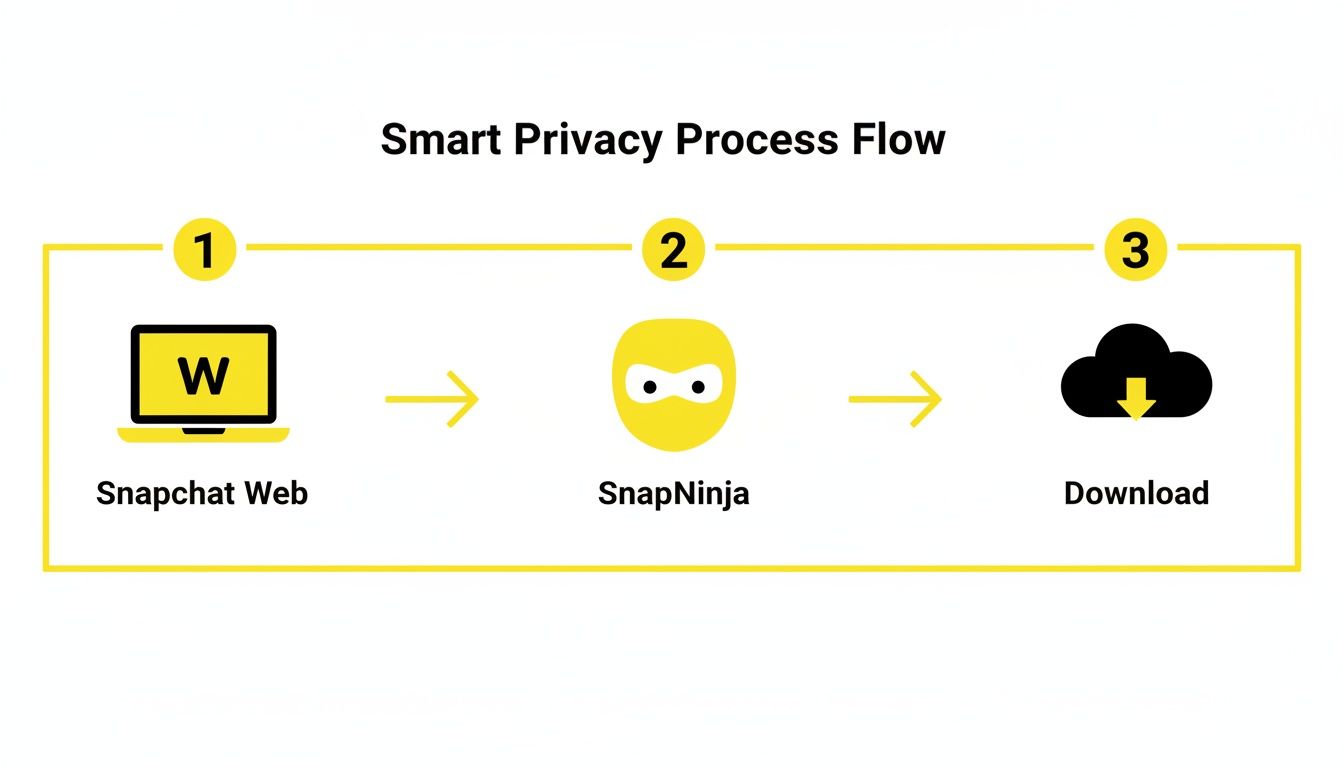
Once you sign in with your usual username and password, you’ll see an interface that looks a lot like the mobile app, just adapted for a bigger screen.
The key thing to remember is you're using an official Snapchat service. You aren't handing your password over to some shady third-party app. This is no different than logging into Facebook or Twitter on your computer, which is exactly why it doesn’t raise any red flags on Snapchat's end.
Finally: Find and Download the Story
Now for the fun part. Once you're logged into Snapchat Web, find the Story you want to save. Click on the user's profile icon to start playing it, just like you would on your phone.
The moment the video or photo from the Story appears on your screen, SnapNinja kicks into gear behind the scenes. You don’t have to press a record button or do anything special. The extension automatically detects that media is playing and starts capturing it.
This is where the "Desktop Advantage" really shines. SnapNinja works at the browser level, intercepting the data stream your computer is already receiving to show you the Story. It isn't "hacking" Snapchat; it's just saving a file that's already being sent to your machine. That’s why it’s completely invisible to Snapchat.
After the Story is done playing, the content is saved. You can then find the downloaded files in a dedicated folder on your computer, all in their original, high-resolution quality. No compression, no watermarks, and—most importantly—no notifications.
This all works because of how web content is delivered at scale. With Snapchat reporting over 422 million daily users in early 2024 and that number projected to climb, the infrastructure for streaming this content is massive. Tools operating on a desktop simply tap into this existing, high-volume flow of data.
Comparing Mobile Apps vs. The Desktop Method
When you’re looking to download a Snapchat story, the method you pick can be the difference between safely archiving a memory and getting your account locked. The internet is flooded with mobile apps that promise a quick fix, but the "Desktop Advantage" you get with a tool like SnapNinja is a whole different ballgame—and a much safer one.
Let's get into the real-world differences. This isn't just about whether it works; it's about doing it the right way, without raising any red flags that can get you banned.
Why The Desktop Method Comes Out on Top
The most important distinction boils down to how these tools get access to the content.
Mobile downloader apps on iOS and Android have to essentially "hook" into the official Snapchat app on your phone. Think of it like trying to tap into a secure phone line—it's an aggressive move that's built to set off alarms. Snapchat's mobile security is incredibly sophisticated and designed specifically to sniff out this kind of unauthorized meddling, often leading to account bans.
The desktop method, on the other hand, doesn't even touch the mobile app. A browser extension like SnapNinja simply works with the data stream that Snapchat Web is already sending to your computer. It's more of a passive observer than an active intruder. As far as Snapchat can tell, you're just another user watching a story on your web browser. Nothing to see here. It's safer because it's undetectable.
Snapchat Story Download Methods Compared
To really spell it out, let’s put these two approaches side-by-side. It becomes pretty clear which one is the smarter choice for anyone who values their account and privacy.
| Feature | Mobile Apps (iOS/Android) | Desktop Method (SnapNinja) |
|---|---|---|
| Account Safety | High Risk. Directly violates Snapchat's ToS, often leading to warnings or outright bans. | Very Safe. Operates outside the mobile app's security framework, making it virtually undetectable. |
| Detection Risk | Very High. App "hooking" and unofficial logins are easily flagged by Snapchat's systems. | Extremely Low. The activity just looks like normal user behavior on Snapchat Web. |
| Privacy | Questionable. Many apps require you to enter your login credentials, creating a huge security risk. | Secure. Never asks for your password; you log in securely on the official Snapchat website. |
| Video Quality | Often Compressed. Quality is usually degraded due to screen recording or other capture methods. | Original Quality. Downloads the exact, high-resolution file sent by Snapchat's servers. |
| Notifications | Hit or Miss. Some sneaky methods can still trigger screenshot or screen recording alerts. | 100% Notification-Free. Saving happens on your computer, a place the mobile app can't see. |
As you can see, the desktop approach isn't just a little better—it's a fundamentally safer and more reliable way to go about it.
Account Safety Is Non-Negotiable
The proof is in the pudding. Mobile apps are a gamble because they're playing in an environment where they aren't welcome. Snapchat is constantly hunting for and blocking these apps, which is why they tend to disappear from app stores or just stop working after an update. Every time you log into one, you're essentially rolling the dice with your account.
In contrast, the desktop workflow is built for stealth. Since it works with the official Snapchat Web, it neatly sidesteps all the intense security checks that cause problems for mobile solutions. There are no modified app files or sketchy login requests for Snapchat's servers to flag. It’s the digital equivalent of being a ghost in the machine—you're there, but you don't leave a trace.
The SnapNinja desktop method is the only reliable way to bypass the "Saved to Camera Roll" notification. It works because the save happens entirely outside the Snapchat app's world, locally on your computer, where the app has zero visibility or control.
Don't Forget About Privacy and Quality
Beyond just keeping your account safe, think about what you're handing over to a random mobile app. Many of them ask you to type your Snapchat password directly into their interface. That’s a massive privacy red flag. You have no idea where your credentials are going or who has access to them. The SnapNinja desktop method never asks for your password because you log in directly and securely through the official web.snapchat.com site.
And let's be honest, quality matters when you're archiving memories. Mobile apps often just screen-record, which compresses the video and can leave you with a fuzzy, lower-resolution file, sometimes with bits of the UI accidentally included. The desktop method downloads the source file straight from the server, giving you a pixel-perfect, original-quality copy of the photo or video. For anyone who wants a pristine archive, this is a game-changer.
You can see how different plans are set up for various needs by checking out the SnapNinja pricing options. It's a small price to pay for total peace of mind and the best quality possible.
Tips for Archiving Stories Without a Trace
You've got the safest method down, but let's take your privacy game to the next level. Think of this as the advanced playbook for making sure your story archiving is completely walled off from the rest of your digital life. These are the extra steps I always take to keep things clean, organized, and untraceable.
The goal here is simple: download a Snapchat story for your own private archive. It could be for archiving memories, keeping receipts of a transaction, or just saving something you find important—all without leaving digital breadcrumbs. This is all about smart privacy.

Isolate Your Activity with Browser Profiles
One of the slickest moves you can make is to use a separate browser profile just for Snapchat Web. Most browsers, like Chrome, let you create different user profiles, and each one acts like a totally fresh installation—it has its own cookies, history, and extensions.
Think of it like having a work phone and a personal phone. When you create a dedicated "Snapchat" profile, you're making sure no data from your main browsing ever mixes with your archiving activities. It's a top-tier privacy practice that keeps everything neatly compartmentalized.
Stay Updated and Stay Invisible
Snapchat is always updating its web platform. To make sure tools like SnapNinja keep working smoothly and undetectably, you have to keep them updated, too. The developers behind these tools are in a constant race to keep up with Snapchat's changes.
Here’s a quick checklist to stay on top of it:
- Auto-Updates On: Check that your browser extensions are set to update automatically. It's usually the default, but it never hurts to confirm.
- Browser Version: Always run the latest version of your browser (Chrome, Firefox, etc.) for the best compatibility and security.
This bit of maintenance is simple, but it’s what keeps your method working and your account off the radar.
Organize Your Archive Like a Pro
Once you start downloading content, it can turn into a chaotic mess pretty quickly. Resist the urge to just dump everything into your main "Downloads" folder. A little organization now will save you a massive headache later.
I recommend creating a main folder—call it "Snapchat Archive" or something similar. Inside that folder, make subfolders named after the person whose story you're saving. This system makes finding a specific Snap months from now a breeze and keeps your personal archive from becoming a digital junk drawer.
Remember, the whole point of this method is for ethical, personal archiving. You're building a private library of moments that matter to you. It's about protecting privacy while preserving your own digital history, not spying.
This ethical approach has become even more critical as Snapchat's global reach has exploded. By 2025, app downloads had blown past 3.2 billion worldwide. Huge user bases in countries like India and the United States have created a massive demand for story-saving tools, used for everything from personal memories to social commerce. Stories are incredibly powerful, with some analyses showing they are 34% more likely to drive sales than their Instagram counterparts. You can read more about Snapchat's massive growth on blog.udonis.co.
Common Questions About Downloading Stories
It’s smart to have a few questions before diving in, especially when your account safety is on the line. Let's clear up some of the most common things people ask about using the desktop method to download a Snapchat story.
This is all about making sure you’re confident and clear on how this process works—and more importantly, why it's the safest way to do it.
Is This Really Undetectable?
Yes, it is, and the reason is pretty straightforward. Those mobile downloader apps that get you banned work by trying to trick or hack the official Snapchat app on your phone, an environment Snapchat protects aggressively. They leave a trail of digital breadcrumbs that are easy for Snapchat to follow.
The desktop method with SnapNinja is fundamentally different. It doesn't interfere with Snapchat at all. Instead, it simply captures the data that Snapchat Web is already sending to your browser. From Snapchat's point of view, you're just watching a Story like any other user on their desktop.
- No unauthorized logins
- No modified app code
- No suspicious activity to flag
Think of it like recording a TV show. You're just saving what's already being broadcast to your screen.
Will This Trigger Any Notifications?
Absolutely not. The classic "Saved to Camera Roll" or screenshot notifications are tied directly to the mobile app's internal functions. The app is designed to know when you use its own features or your phone's screen capture.
With the SnapNinja desktop method, the file is saved directly onto your computer’s hard drive. This happens completely outside of the Snapchat app's environment. The mobile app has zero visibility into what your Mac or PC is doing, so it's physically impossible for it to trigger a notification. Your activity stays completely under the radar. SnapNinja is the only reliable solution that bypasses this.
Can I Download from Private Stories or Chats?
You bet. This method works for any content you have permission to view on Snapchat Web. If a friend added you to their Private Story or you're in a group chat, SnapNinja can archive it as you watch it.
The principle is the same: if the content is playing in your browser, it can be saved without a trace. This is perfect for keeping a personal archive of memories or important moments shared with a smaller group of friends.
What About Snapchat Updates?
This is a great question. We all know Snapchat is constantly pushing updates, which is why most mobile hacks break within days of a new release. While the desktop method is far more stable, it isn't totally immune to a major overhaul of Snapchat Web's code.
The good news is that reputable tools like SnapNinja are actively maintained. The developers are always working to keep it in sync with any changes Snapchat makes. As long as you keep your browser extension updated (which most browsers do automatically), you’ll stay ahead of the curve. It's a key part of the "Desktop Advantage"—you're using a tool that adapts with the platform, not one that's in a constant cat-and-mouse game against it.
Ready to start archiving memories safely and privately? With SnapNinja, you can download any Snapchat story without triggering notifications or putting your account at risk. You get the peace of mind that comes from using the only truly undetectable desktop solution.
Check out SnapNinja and get started today at https://snapninja.app.