
How to Save a Video on Snapchat Without Them Knowing
So, you're trying to figure out how to save a video on Snapchat without them knowing. Forget the sketchy mobile apps and weird airplane mode hacks—they're a fast track to getting your account banned. The only truly reliable way is to use the "Desktop Advantage" with a tool like SnapNinja, which works on Windows and macOS, completely outside Snapchat's mobile environment.
Why Saving Snapchat Videos Usually Gets You Caught

We've all been there. You get a Snap you desperately want to keep—maybe it's a hilarious video, a heartfelt message, or some crucial 'receipts' you need for later. But you hesitate, all because of that one dreaded feature: the notification.
Snapchat's whole thing is built on disappearing content. Its core privacy feature is baked right in: the app is designed to narc on you the second you screenshot or save their Snap. That little alert, “You took a screenshot of the chat!”, is enough to create instant awkwardness. It can make the other person feel exposed or suspicious, even if your intentions were totally harmless.
The Problem With Mobile Hacks
A quick Google search will throw a ton of "hacks" at you for saving Snaps on your phone. Most involve sketchy third-party apps or complicated workarounds like the airplane mode trick. Here’s the catch: they almost never work for long. Snapchat's dev team is constantly patching these loopholes with every single update.
Trying to use these mobile tricks is a high-risk, low-reward game. Best-case scenario? The hack fails, and the notification gets sent anyway. Worst-case? Snapchat's system flags your account for using unauthorized software, which can lead to a temporary lock or even a permanent ban. Honestly, it's just not worth it.
This is exactly why a desktop-first approach is the only real option. Mobile hacks are playing on Snapchat's home turf, where Snapchat makes all the rules. A desktop tool, on the other hand, operates from the outside, where it can’t be easily detected.
It’s About Smart Privacy, Not Spying
Let's be clear about the goal here. This isn't about being creepy or invading someone's privacy. It’s about practicing smart privacy—archiving memories and keeping receipts that are important to you. Think of it as creating a private, digital scrapbook for your social life.
You might want to save things like:
- Sentimental Moments: A video message from a family member you want to cherish.
- Hilarious Clips: That perfectly timed, laugh-out-loud moment from your friend that's too good to let disappear.
- Important Information: Proof of a conversation or "receipts" that you might need for your own reference or protection down the line.
The temporary nature of Snapchat is cool, but it shouldn't mean you have to lose moments that become part of your personal story. The trick is finding a method that lets you archive memories without putting your account on the line.
The Desktop Advantage: The Only Undetectable Method
Forget those sketchy mobile apps. Seriously, they're like waving a giant red flag at Snapchat's security team. If you want to actually learn how to save a video on Snapchat without them knowing, the secret isn't on your phone—it's on your desktop. This is what I call the "Desktop Advantage," and it’s the only reliable way to build a private archive without getting caught.
The whole concept is pretty straightforward. When you try to use a hack or a third-party app on your iPhone or Android, you're playing on Snapchat's home turf. Their app is a fortress designed to sniff out anything unusual, from a screen recording to a modified app. The moment it detects something fishy, your account is toast.
But when you switch to your Windows or macOS machine, you're operating completely outside that controlled environment. By using a smart tool like SnapNinja, you’re playing a different game entirely—one where you can't get caught.
Why the Desktop Method Stays Off the Radar
Here’s the thing: SnapNinja doesn't mess with the Snapchat app itself. It doesn't hook into its code or try to trick it. Instead, it works at the browser level, grabbing the video data as it streams to your computer.
From Snapchat's perspective, all they see is a normal user logging into Snapchat Web and watching a video. Nothing more. There are no weird permissions, no modified files, and no digital fingerprints that shout, "I'm saving this!" This whole process bypasses the "Saved to Camera Roll" notification system entirely, so the sender never gets that dreaded alert.
The core principle is simple: mobile hacks try to outsmart the app, which is a losing battle. A desktop solution works with the natural flow of data to your computer, making it a reliable and invisible process.
Desktop vs. Mobile Saving Methods: A Risk Comparison
The difference in risk between these two approaches is night and day. Trying to save Snaps on a mobile device is a constant cat-and-mouse game against Snapchat's updates, which almost always ends with your account getting flagged or banned. The desktop method, on the other hand, is a stable, safe strategy.
Let's break it down.
| Feature | Desktop Solution (like SnapNinja) | Third-Party Mobile Apps |
|---|---|---|
| Detection Risk | Undetectable (Works outside the app environment) | Extremely High (Hooks into the app, easily flagged) |
| Account Safety | Safe (No risk of account ban) | High Risk (Frequent account locks and permanent bans) |
| Notification Trigger | None. Bypasses all 'Saved to Camera Roll' alerts. | Unreliable. Often fails and sends notifications anyway. |
| Platform | Windows & macOS | iOS & Android (Often requires jailbreak/rooting) |
| Reliability | Consistent and stable | Unstable, breaks with every Snapchat update |
When you look at it this way, the choice is obvious. Using your desktop isn't just a preference; it's a strategic move to protect your privacy and your account. It gives you the power to archive important memories or keep digital receipts without ever putting your Snapchat account on the line.
How to Save Snapchat Videos with SnapNinja (The Right Way)
Ready to dive into the most reliable way to save Snapchat videos without tipping anyone off? We're going to walk through using SnapNinja, a tool designed specifically for this purpose. Forget sketchy mobile apps or complicated workarounds—this method is all about using your desktop for a clean, undetectable save.
The core idea is simple: by moving your Snapchat viewing to your computer, you sidestep the app's notification system entirely. SnapNinja is the only reliable solution that operates outside the Snapchat app environment, making it undetectable.
Getting SnapNinja Set Up
First, you'll need to install the tool. Head over to the official SnapNinja website to grab the download for your Windows or macOS machine. The installation is as simple as any other program you’ve ever installed.
After a quick, one-time setup, the app just melts into the background. Seriously, you won't even have to open it again for daily use. It's designed to be completely invisible and automated.
Once it's running, your process for saving snaps looks like this:
- Open your favorite browser, like Chrome, Firefox, or Safari.
- Head to the official Snapchat Web login page.
- Sign in with your usual credentials.
And that’s it. There’s no interface to learn or extra buttons to click. It’s a genuine "set it and forget it" system that works while you use Snapchat normally.
This simple diagram shows why the desktop method is the only truly safe route. By avoiding the high-risk mobile environment, you avoid detection.
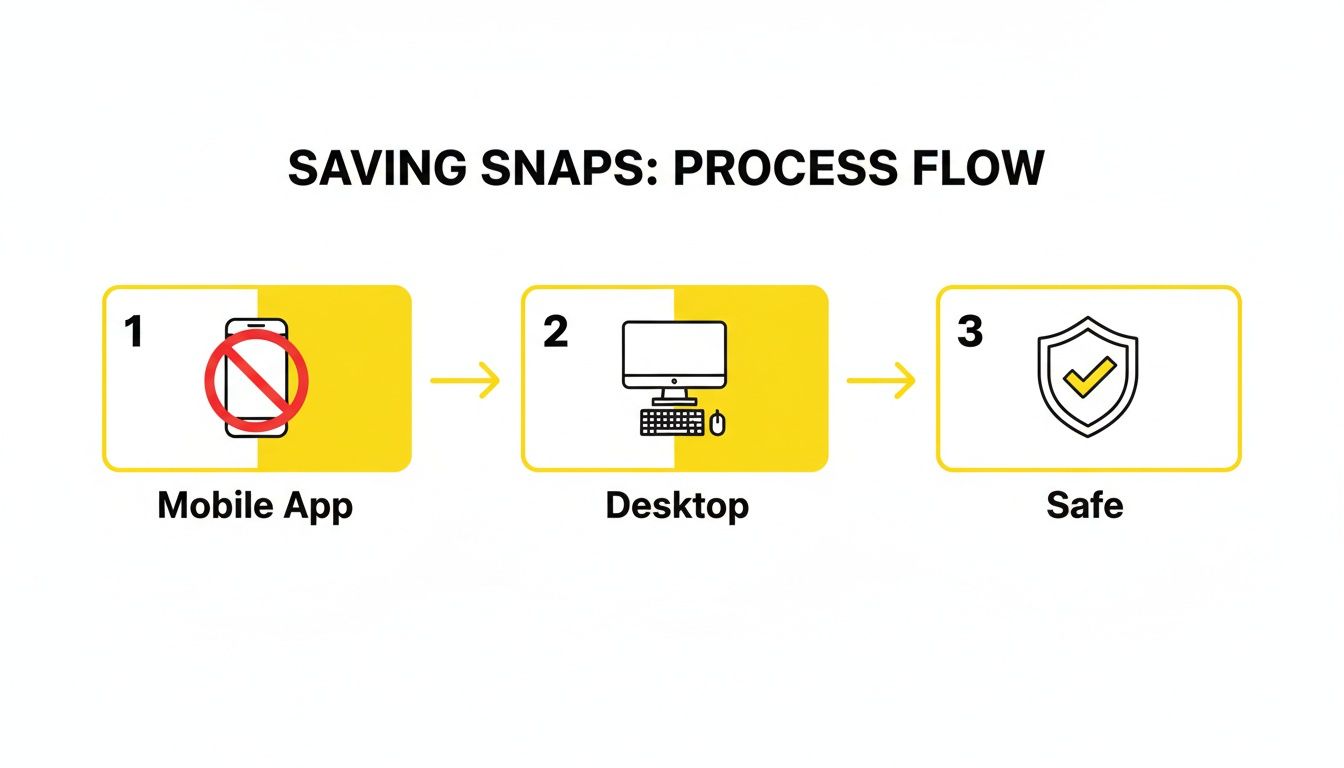
As you can see, the key is to shift your activity away from the mobile app where Snapchat has total control. The desktop gives you the upper hand.
How It Works Behind the Scenes
So, what's the secret? Once you're logged into Snapchat on your browser, SnapNinja gets to work. As you click on Snaps and watch Stories, the tool intercepts the video data as it streams to your computer.
Instead of just letting the browser play it, SnapNinja automatically saves a copy of each video and photo to a folder on your hard drive. You don't have to lift a finger—just view the content like you always do, and your archive will grow automatically.
Here's the critical part: The tool operates at the browser level, completely outside of Snapchat's ecosystem. It grabs the data before Snapchat’s servers can ever get a signal that a save occurred. This is precisely what makes it 100% undetectable.
Keeping Your Saved Snaps Organized
Before long, you’ll have a growing collection of videos, and things can get messy fast. A little bit of organization from the start will save you a massive headache later.
I recommend setting up a simple folder system. You could organize your saved snaps by:
- Sender: Create a folder for each person whose Snaps you save.
- Date: Group files into monthly folders (e.g., "October 2024").
- Topic: You could even create folders for "Funny," "Travel," or "Important" to categorize them.
Taking a few seconds to sort your files turns a chaotic jumble into a personal library you can actually use. Trust me, you’ll be glad you did when you're trying to find that one specific video from months ago.
Archiving More Than Just Videos
Figuring out how to save a Snapchat video is a great first step, but let's be real—our digital lives are made up of more than just video clips. True control over your data means being able to keep the entire story, not just little pieces. This is where a desktop tool like SnapNinja really shines.
The same discreet process that grabs videos in the background works just as well for everything else you see on Snapchat Web. It’s less of a simple downloader and more of a complete archiving toolkit.
Creating a Complete Digital Record
Forget about saving just one video at a time. With the right setup, you can build a complete, private log of your interactions, giving you full command over your digital memories and personal information.
This means you can automatically save:
- Photo Snaps: Every fleeting image, whether it's sent directly to you or posted as a Story, gets saved in its original quality.
- Multi-Part Stories: You can save a friend's entire vacation Story or a full recap of a night out, preserving the whole narrative before it disappears.
- Chat Logs: The tool can even help you keep a record of important conversations, ensuring you never lose the context.
Because it operates on your desktop, SnapNinja essentially captures everything your browser loads from Snapchat Web. This all-in-one approach means you aren’t just saving a video; you’re preserving the full context of a moment or an entire conversation.
This is incredibly useful for hanging onto important discussions, sentimental chats, or even just keeping a few "receipts" for your own peace of mind. It’s like having a secure digital filing cabinet for your social life that only you can access.
Real-World Privacy Scenarios
Having the power to archive everything opens up practical uses that go way beyond saving a funny video. Imagine needing to go back to a conversation where plans were made or a promise was given—having a complete record, with the photos and videos shared right alongside the text, is undeniable.
Or think about archiving memories. A close friend might share their entire wedding day through a 24-hour Story. Instead of trying to screenshot every single post (and sending them a storm of notifications), a tool like SnapNinja quietly saves the whole thing for you to enjoy later.
This comprehensive approach is what makes the tool so versatile. To see how these features can fit your specific needs, check out the options on the SnapNinja pricing page. At the end of the day, it's about having the right tools to manage your own digital history on your own terms.
Wielding This New Power Wisely
Alright, so you now know how to save a Snapchat video without the sender finding out. This is a pretty significant bit of control to have over your digital life. But with great power comes great responsibility. This isn't about finding a sneaky backdoor to do something shady; it’s about smart privacy.
The whole point is to manage your own digital footprint. Think about it—you might want to archive a sweet video from your partner to keep forever, or a hilarious clip from a friend that's just too good to let vanish. Sometimes, you might even need to keep a record of a conversation for your own safety. These are all perfectly legitimate reasons.
Drawing the Ethical Line
So where's the line? It's crucial to know the difference between personal archiving and malicious intent. Saving content for your own private collection is one thing. But using it to hurt, embarrass, or take advantage of someone is a completely different—and dangerous—ballgame. Sharing someone's private snaps without their crystal-clear permission is a massive breach of trust and could land you in hot water, both socially and legally.
When someone sends you a Snap, there's an unspoken agreement that the content will disappear as intended. Even if your reasons for saving it are totally innocent, you have to respect that fundamental trust.
A tool like SnapNinja is designed to give you control over your own data and memories, not to weaponize someone else's. Your private archive should be exactly that—private.
Smart Privacy, Not Malicious Intent
Think of this ability as a defensive tool for your digital world, not an offensive one. It’s like having a secure, personal filing cabinet where you're the only one with the key.
Here’s a good way to think about responsible use:
- Archiving Memories: Saving those heartwarming moments from people you care about before they're gone for good.
- Keeping Receipts: Holding onto proof of a conversation or an agreement for your own safety and records.
- Personal Enjoyment: Keeping a funny video or a beautiful photo just because it made you happy.
This is worlds away from malicious acts like blackmail, harassment, or spreading private content without consent. Those actions are not just unethical; they can have severe consequences. The power to save snaps discreetly comes hand-in-hand with the responsibility to be respectful and smart about it. If you want to get into the nitty-gritty of how user data is handled, you can check out the official SnapNinja privacy policy.
At the end of the day, the trust people place in you is priceless. Using these methods responsibly means you can safeguard your digital memories without breaking that trust.
Common Questions About Saving Snaps
If you're new to using desktop tools for Snapchat, you probably have a few questions. Let's get them answered so you can feel confident about how this all works.
Can I Really Save a Snapchat Video Without the Sender Finding Out?
You absolutely can, but how you do it is everything. Trying to screen record on your phone is a dead giveaway—Snapchat will notify the other person instantly. The trick is to move the whole process to your computer, where Snapchat's detection systems can't see what you're doing.
When you're logged into Snapchat Web and have a tool like SnapNinja running on your PC or Mac, it captures the video data as it streams to your browser. This happens completely outside of the app's ecosystem, making the whole thing 100% invisible to the sender. They'll never get a notification.
Is My Snapchat Account at Risk of Getting Banned?
This is the most common worry, and for good reason. With the desktop method, the answer is no. The real danger comes from those modified or "tweaked" mobile apps you might find online. Those apps mess directly with Snapchat's code, which is a huge red flag and a fast track to getting your account permanently banned.
A desktop solution is different because it doesn't touch the Snapchat app at all. It just passively records what your browser is already showing you. Because it's undetectable, there's zero risk to your account.
The key takeaway is this: Mobile hacks directly challenge Snapchat's security and will get you banned. The desktop advantage works with the normal flow of web data, keeping your account completely safe.
Does This Work for Videos in Private Chats and Stories Too?
Yep, it works for any video content you can view on Snapchat Web. A good desktop tool is designed to automatically find and save any video that plays in your browser, no matter where it comes from.
This means you can save:
- Private video Snaps someone sends you in a one-on-one chat.
- Videos from someone’s Story, whether it’s public or private.
- Clips from the Spotlight feed that you scroll through.
Basically, if you can watch it on your computer, the tool can save it for you in the background. It's the most reliable way to build a personal collection without missing anything.
Ready to start archiving your digital memories without the drama? SnapNinja is the only solution that uses this safe, desktop-based method to save videos, photos, and stories without ever sending a notification. Get started with SnapNinja today and take control of your snaps.