How to Save Pics from Snapchat Without Them Knowing
The only surefire way to save pics from Snapchat without them knowing is to step away from your phone. Mobile tricks like airplane mode or sketchy third-party apps are old news and easily detected by Snapchat. The real solution is on your desktop. Using a dedicated tool with Snapchat Web on Windows or macOS lets you archive content silently because it works completely outside the mobile app's prying eyes. The sender never gets a notification.
The Screenshot Dilemma and Why Mobile Hacks Fail
We've all been there. You see a hilarious photo, a sweet message, or an important "receipt" that’s about to vanish forever. You're frozen, wanting to save it but dreading that infamous "Screenshot taken!" alert. You're not alone. Snapchat's entire design is built on disappearing messages, creating this constant tension between its fleeting nature and our simple desire to keep memories that matter.
This isn’t about spying; it’s about smart privacy. It's having the control to archive your own conversations, just as you would with any other messaging app. Whether you're trying to save a funny moment, keep receipts for your own records, or protect your privacy, the need is totally valid. The problem is, Snapchat’s security is laser-focused on preventing this on mobile devices.
Why Old Tricks Don't Work Anymore
For years, Reddit and TikTok were buzzing with clever workarounds for saving Snaps. You’ve probably seen guides promoting these exact methods. Unfortunately, those days are over. Snapchat has poured a ton of resources into making these mobile hacks obsolete.
Here's a quick rundown of the common tricks and why they’re now a one-way ticket to getting your account flagged:
- Airplane Mode: The classic move was to open a Snap, flick on airplane mode, take a screenshot, and then clear the app's cache. This is a dead end now. The app simply logs the screenshot action while you're offline and tattles on you the moment you reconnect to the internet.
- Screen Recording: This is the most obvious one, and Snapchat catches it instantly. The second you start a screen recording on either iOS or Android, the other person gets a notification. There’s no way around it.
- Third-Party Apps: Using sketchy, modified versions of Snapchat or screen-mirroring apps is incredibly risky. They are often riddled with malware, and Snapchat's systems are built to detect these unauthorized clients, leading to a swift account lock or a permanent ban for violating their terms.
The bottom line is this: if the method involves your phone (iOS or Android), Snapchat can almost certainly detect it. The mobile app has deep hooks into the phone's operating system and knows exactly when you take a screenshot or start a recording.
The Rise of Ghost Defense
Snapchat's detection game has gotten seriously advanced. They've developed a multi-layered system, sometimes called 'Ghost Defense,' that uses machine learning to spot weird behavior like rapid app switching or screen overlays. This system effectively blocks all those old tricks you see on Reddit and TikTok—airplane mode, force-quitting, you name it.
On mobile, the app uses system permissions like DETECT_SCREEN_CAPTURE to get instant alerts from iOS and Android. A desktop approach, however, sidesteps this entirely. There are no APIs to monitor, which means no alerts, ever. You can dig into some of the fascinating statistics about Snapchat's platform to see just how much they've invested in their ecosystem.
This is the key takeaway: the fight is already lost on mobile. Trying to outsmart the official app on its home turf is a losing battle. The only reliable and safe path forward is to move the game to a different playing field: the desktop. This is where the app’s security has a major blind spot, and where the right tools can operate completely under the radar.
Unlocking the Desktop Advantage for Total Privacy
If you've been trying to figure out how to save snaps without the other person knowing, you’ve probably run into a dead end with all the outdated mobile tricks. The real secret isn't on your phone—it's sitting on your computer. This is the Desktop Advantage, and it’s a much safer and more reliable way to go, built around Snapchat Web.
Think of Snapchat's security like a fortress. They've put all their guards at the front gate, which is the mobile app. But they’ve left the back door wide open. Their entire notification system is designed to watch what happens inside an iPhone or Android phone, where they can easily spot screenshots and screen recordings.
When you move over to a PC or Mac, you're stepping completely outside that heavily guarded area. You're no longer playing by the app's rules; you're working inside a browser, a space where Snapchat has way less control. This is the crucial blind spot that makes archiving Snaps privately a reality.
The Power of Working Outside the App
On your phone, the Snapchat app is woven directly into the operating system. It knows instantly when you take a screenshot. But on a desktop, Snapchat Web is stuck inside the "sandbox" of your browser. It has no idea what other programs you're running.
This separation is everything. It means a specialized desktop tool can capture content without ever poking Snapchat’s code. It's like taking a photo of your TV from across the room—the TV doesn't know you took a picture. This is exactly where a tool like SnapNinja comes into play.
SnapNinja isn't just another screen recorder. It was built from the ground up to work silently with Snapchat Web on your Windows or macOS computer. It automatically detects and saves photos and videos the moment you view them, all without sending any red flags back to Snapchat's servers. It's the only reliable solution that bypasses the "Saved to Camera Roll" notification by operating outside the Snapchat app environment.
Why Desktop Is the Only Real Choice
Let's get down to it. Mobile hacks on iOS and Android are a constant battle, trying to outsmart an app that developers are paid to patch every single week. These methods often lead to account bans. The desktop method, on the other hand, bypasses the app entirely, making it safer and undetectable.
The core principle is simple: If your method doesn't touch the Snapchat app's code or trigger system-level mobile APIs, it remains invisible. SnapNinja operates on this principle, making it the only truly undetectable solution.
The risk of getting your account banned for using shady mobile apps is very real. Snapchat’s terms of service are crystal clear about prohibiting modified clients. But a desktop tool like SnapNinja is totally separate. It doesn’t modify Snapchat at all, so your account stays safe.
To really see the difference, it helps to put the two approaches side-by-side.
Mobile Hacks vs. The SnapNinja Desktop Method
The choice between risky mobile workarounds and a secure desktop method is a stark one. Mobile "hacks" are unreliable and can put your account in jeopardy, while the desktop approach is built on a fundamental security oversight that isn't going away anytime soon.
| Feature | Mobile Hacks (iOS/Android) | SnapNinja (Windows/macOS) |
|---|---|---|
| Detection Risk | Very High. The mobile app is designed to detect screenshots, recordings, and third-party apps, triggering immediate notifications. | Zero. Operates outside the app's environment on a desktop, making it completely invisible to Snapchat's detection systems. |
| Account Safety | Low. Using unauthorized apps or even repeated failed tricks can lead to temporary locks or a permanent account ban. | High. It doesn't violate Snapchat's terms of service because it never modifies or directly interacts with the official app. |
| Reliability | Poor. Tricks like airplane mode are constantly being patched and become useless with almost every new app update. | Excellent. This method is consistent because it targets a fundamental blind spot in Snapchat's security focus. |
| Ease of Use | Complicated. Often requires technical steps like clearing caches, rebooting, or installing sketchy software from untrusted sources. | Simple. You just log into Snapchat Web and view content normally. The tool does all the work for you in the background. |
Ultimately, you're choosing between a frustrating cat-and-mouse game on your phone and a secure, private method on your desktop. For anyone serious about archiving memories or just wanting peace of mind, the Desktop Advantage offered by SnapNinja is the only path that makes sense. It turns saving a Snap from a stressful gamble into a simple, worry-free process.
Your Guide to Saving Snaps Undetected with SnapNinja
Ready to start archiving those important moments without tipping anyone off? Let's walk through how to use SnapNinja. Forget the complicated workarounds and risky phone apps; this desktop method is simple, safer, and gets the job done in minutes, even if you're not a tech guru.
The whole approach hinges on the Desktop Advantage. By moving your activity from your phone to your Windows or macOS computer, you sidestep Snapchat's mobile detection systems entirely.
At its heart, SnapNinja is incredibly straightforward. You download the app, log into Snapchat Web in your browser, and you're good to go. There’s no complex setup. Just view the Snaps, Stories, or Chat media you want to keep, and SnapNinja quietly saves them in the background. It's a completely hands-off process.
Getting Started The Right Way
First thing's first: you need to grab the software. Head over to the official SnapNinja website and download the application. I can't stress this enough—always get software directly from the source to avoid malware or sketchy knock-offs. The installation is as standard as any other desktop app.
Once it's installed, here's how it works:
- Launch SnapNinja on your computer. It runs quietly, just waiting for you to open Snapchat Web.
- Log into Snapchat Web. Open a browser like Chrome or Firefox and sign into your account at web.snapchat.com.
- View Your Snaps just like you normally would. Open chats, watch stories, and click on Snaps from your friends.
As you look at the content, SnapNinja automatically detects and captures it, saving the photos and videos straight to a folder on your computer. You don't have to do anything else. It just works.
Why This Method is So Effective
The real magic of SnapNinja is how it’s built. It operates completely outside of your browser's environment, meaning it never interacts with Snapchat's code. Think of it like a smart camera pointed at your screen that only records what's important, but the website has no idea it’s even there. This is a world away from mobile apps that try—and usually fail—to outsmart Snapchat on its own turf.
This diagram shows the clear difference between the risky mobile approach and the safe desktop one.
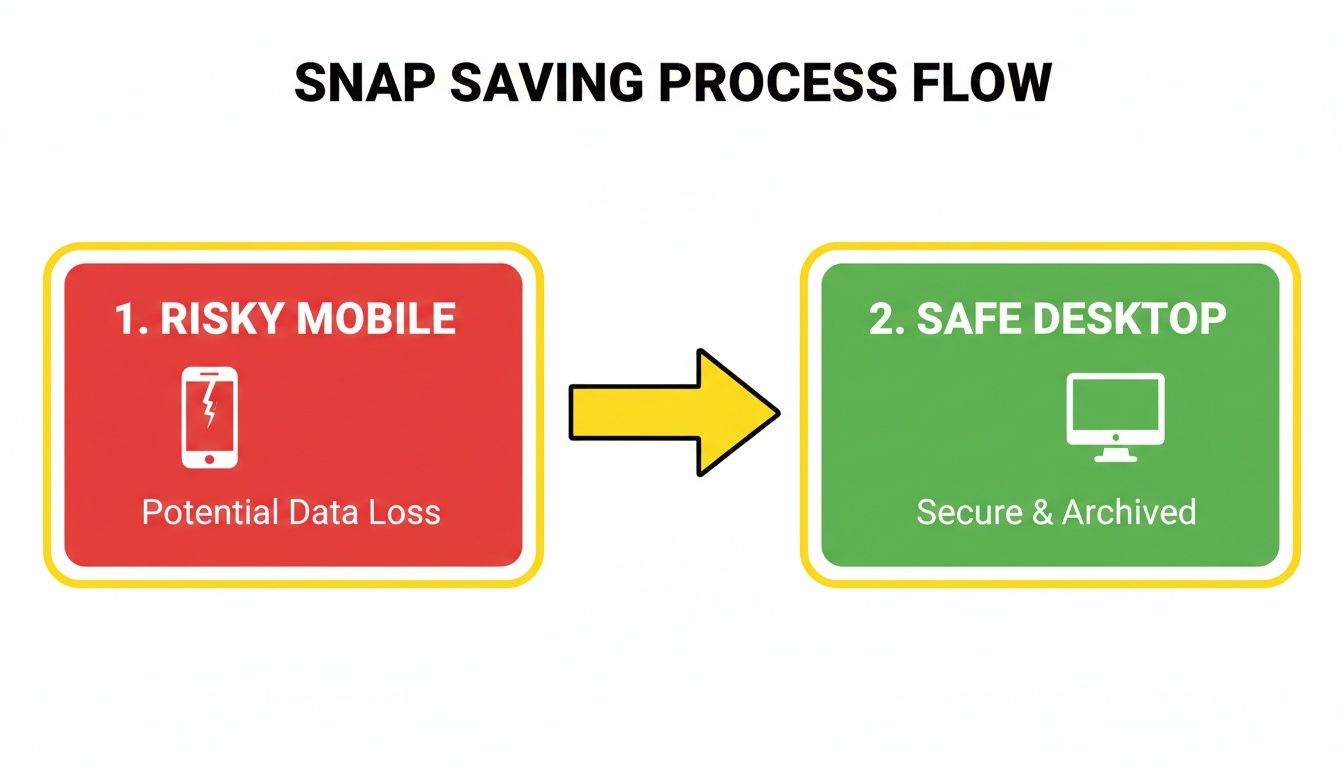
As you can see, mobile methods almost always lead to detection and can get your account banned. The desktop path, however, gives you a secure and private way to save what you need. By simply shifting your activity to a PC or Mac, you completely sidestep the notification system.
With Snapchat's daily active users hitting a massive 460 million globally, the amount of content that disappears every day is staggering. We're talking billions of photos and videos—potential memories or important information—gone forever. This constant flow of content is exactly why having a reliable way to save it is so valuable.
Practical Tips for Seamless Saving
A little organization can make using SnapNinja even better. While the tool saves everything to a default folder, you can easily move those files into a system that makes sense for you.
Here are a few tips I've picked up for managing saved Snaps:
- Create Folders by Person: I find it helpful to organize saved media into folders named after my friends. It makes finding a specific memory or conversation so much easier down the road.
- Run It During Sessions: Make it a habit to launch SnapNinja before you open Snapchat Web. This ensures you don't accidentally view and lose a time-sensitive Snap before the tool is active.
- Check Your Library: After you're done, take a quick look through your saved files to make sure everything you wanted was captured. You can also delete any duplicates or things you saved by accident.
The real power here is how passive it is. You don’t have to stress about timing a screenshot or activating some special mode. You just use Snapchat like you always do, confident that the important moments are being kept for you.
By following these simple steps, you can finally archive the content that matters to you without worrying about triggering a notification. You get full control over your digital memories.
Real-World Scenarios: Putting This Method to Work
Once you get the hang of using a desktop tool like SnapNinja, you'll start to see its potential far beyond just saving a funny photo from a friend. This is where you can get clever and really use the Desktop Advantage in all sorts of situations, from personal archiving to leveling up your social media game.
The true strength of this approach is its flexibility. Whether you're trying to hold onto sentimental memories, keep receipts, or build a library of content, the core principle is the same: operate from your computer, and you stay completely invisible.
Archiving Sentimental Memories
We've all been there. You get that one perfect photo or video from a partner or a close friend—a fleeting moment you wish you could keep forever. But asking, "Hey, can you save that for me?" often feels awkward and can kill the spontaneity. This method removes that friction entirely.
When you're in the middle of a special conversation, just have your tool running quietly in the background while you use Snapchat Web. You can stay present in the chat, knowing those precious moments are being saved for you to look back on later.
- For Relationships: Save those sweet good-morning videos or goofy selfies your partner sends. Think of it as creating a private digital scrapbook of your relationship that you can cherish long after the 24-hour timer is up.
- For Friendships: Archive the hilarious inside jokes or unforgettable moments from a friend's Story. You'll build a personal collection of memories that will make you smile down the road.
It's all about preserving the moments that define your connections without making a big deal out of it. It’s smart privacy in action—keeping what's meaningful to you, for you.
Keeping Receipts and Personal Records
Sometimes, what you need to save isn't sentimental—it's practical. In more serious conversations, having a record can be crucial for your own peace of mind or even your safety. This could be anything from a discussion about shared finances to a disagreement where you need to remember exactly what was said.
The here-today, gone-tomorrow nature of Snapchat can be unsettling when important information is being exchanged. Using a tool like this allows you to maintain a personal, confidential transcript of conversations that matter, giving you a real sense of security.
Because the tool captures media as you view it, you can discreetly save screenshots of chat text, important photos, or videos that serve as your personal record. You’re not spying; you’re protecting yourself and making sure you have the full picture.
For Content Creators and Social Media Managers
Now, this is where things get really interesting for anyone building a brand online. Snapchat's Spotlight is an absolute goldmine of viral video content, but downloading clips directly from the mobile app is impossible without a pesky watermark. This desktop method solves that problem completely.
For creators, this is a game-changer. Snapchat Spotlight boasts 550 million monthly active users and racks up over 400 million video views daily. It's a breeding ground for trends. A desktop tool lets you save these high-quality, watermark-free videos and seamlessly repost them to other platforms like TikTok or Instagram Reels. It’s a huge time-saver and a smart way to capitalize on viral content. You can dive deeper into Snapchat's impressive user engagement stats at accio.com.
- Pro Tip for Quality: To get the best possible video quality, make sure your browser window is maximized and the video plays at its native resolution before it's captured.
Mastering Time-Sensitive Snaps
We’ve all felt that jolt of panic—you open a Snap, realize it’s amazing, and fumble to grab a screenshot before it vanishes, only to trigger that dreaded notification. This approach completely eliminates that stress.
The best practice is to get in the habit of launching your privacy tool before you even open Snapchat Web. Just let it run in the background. That way, you can click through Snaps and Stories without a second thought, confident that anything you view is being automatically saved. You never have to worry about missing a one-time-view photo or a video that's about to expire. It turns a reactive, stressful process into a passive, relaxed one, ensuring you never miss a thing.
Using Your New Power Responsibly
Let's be real: having the ability to save Snaps without anyone knowing is a big deal. But with great power comes, well, you know the rest. It's crucial to use this capability with the right mindset. This is about smart privacy—archiving your own memories, keeping personal receipts, or protecting your privacy—not about spying or being malicious.
The entire point is to have a personal backup, not to break someone's trust.
This method is built on a foundation of respect. We have to state this clearly: never use any tool, including SnapNinja, for harmful purposes like blackmail, harassment, or sharing private content without explicit consent. That's not just a bad look; it can land you in serious legal trouble.
The Ethical Line in the Sand
Think of it like building a private photo album. The content you save should be for your eyes only, unless the person who sent it gives you the green light to share it. This simple principle is your best guide for navigating the gray areas.
Here are a few good-faith reasons to save a Snap:
- Personal Archiving: Saving a sweet message from your partner or a hilarious video from a friend to look back on later. It's your digital scrapbook.
- Keeping Records: Maybe you're archiving a conversation to remember plans or important details someone shared. It’s for your reference, and that’s it.
- Public Content: Grabbing a Snap from a creator's public Story or Spotlight is generally fine, especially if you're saving it for inspiration (and giving credit if you repost!).
The moment you think about forwarding someone's private Snap to another person, you've crossed a line. Snapchat's whole appeal is its temporary nature. Respect that unspoken agreement.
Fortifying Your Digital Security
Okay, ethics aside, let's talk about protecting your own accounts. Your digital security is just as important as your conduct. When you introduce desktop tools into your routine, a few basic precautions will keep your data safe from actual threats.
First, and this is non-negotiable, only download software from official sources. Finding a tool like SnapNinja on some random third-party site is a recipe for disaster. Those files are often Trojan horses for malware. Stick to the official website to get the clean, legitimate version.
Your account's security is in your hands. A desktop tool like SnapNinja is safe because it works outside the Snapchat app, but you still need to protect the account itself with strong, common-sense security practices.
You also need to make sure your actual Snapchat account is a fortress. That means using a strong, unique password that you don't use anywhere else. Even better, enable two-factor authentication (2FA) in your Snapchat settings. It adds a crucial layer of security, making it incredibly difficult for anyone to log in, even if they somehow steal your password.
These steps ensure your digital life stays private. If you want to see how seriously we take this, you can learn more about SnapNinja's approach to user data on our privacy policy page.
Quick Answers to Your Top Questions
Even with a solid guide, a few questions always pop up. It's completely normal. So, let's cut right to the chase and tackle the most common ones I hear, so you can move forward with total confidence.
I've put together a quick summary table for a bird's-eye view, but I'll dive deeper into each point below to give you the full picture.
| Question | Answer |
|---|---|
| Is this method really undetectable? | Yes. It operates outside the mobile app's monitoring, making it invisible to Snapchat's notification system. |
| Could my account get banned? | No. Unlike mobile hacks that get you banned, this desktop method doesn't modify the Snapchat app, keeping it compliant with their terms. |
| What content can I actually save? | Everything you can see on Snapchat Web: private Snaps (photos/videos), Stories, and chat media. |
| Is SnapNinja a one-time purchase? | No, it's a subscription. This ensures it's always updated to work with the latest Snapchat changes. |
Now that you have the quick hits, let's explore the "why" behind these answers. Understanding the fundamentals is key to feeling secure about this process.
Is This Really Undetectable?
Yes, and the reason is surprisingly simple: it all comes down to the environment you're in. Snapchat's entire detection system is laser-focused on what happens inside its mobile app on iOS and Android. That’s where it can easily spot native functions like screenshots or screen recordings.
But on a desktop, Snapchat is just another tab in your browser, completely walled off from the rest of your system. A tool like SnapNinja runs as a separate application on Windows or macOS, capturing the content without ever touching Snapchat's code. This separation is the key—there's simply no tripwire for Snapchat to detect, making your activity 100% invisible to their system.
The Desktop Advantage isn't some fleeting loophole. It's a fundamental blind spot in how Snapchat's security is designed. As long as their focus remains on the mobile app, this method will continue to be the most reliable and private way to archive your memories.
Will My Account Get Banned?
This is a huge concern, and for good reason. Using sketchy, "modded" third-party Snapchat apps on your phone is a surefire way to get banned, and fast. Those apps directly violate Snapchat's terms of service, and they are ruthless about enforcement.
This desktop method, however, is a different world entirely. SnapNinja doesn't modify, alter, or "hack" the Snapchat platform in any way. Think of it as a passive observer, not an active intruder. Because it never interferes with Snapchat's own operations, it doesn't break their rules. You're just using their official web platform exactly as they intended, with a private tool working quietly on the side.
What Kind of Content Can I Save?
The rule of thumb is simple: if you can see it on Snapchat Web, you can save it. The capture functionality isn't picky; it works across the board to create a complete archive of what you've seen.
- Private Snaps: This includes both photos and videos that are sent directly to you.
- Stories: Any photos or videos your friends post to their Story.
- Chat Media: All the pictures and videos shared within your private conversations.
This all-encompassing approach means you don't have to worry about missing anything. You just log in, browse through your Snaps and Stories as you normally would, and everything gets saved automatically in the background.
Is SnapNinja a One-Time Purchase?
SnapNinja runs on a subscription model, and there’s a critical reason for that: constant maintenance. Snapchat is always updating its platform, and a one-time purchase tool would be obsolete in weeks. The subscription ensures a team is always working to keep the software compatible with the latest version of Snapchat Web.
This ongoing support is what guarantees long-term reliability. You can check out the different tiers by reviewing the official pricing information on their website. It’s an investment in a solution that you know will work, not just today, but months from now.