
How to Save Pics on Snapchat Without Them Knowing in 2024
If you want to save a pic on Snapchat without tipping off the sender, the most reliable and safest route is to use a desktop application like SnapNinja alongside the official Snapchat for Web. This method works because it operates completely outside of the mobile app's highly sensitive detection systems, meaning no screenshot or "Saved to Camera Roll" alerts get triggered. Forget about those old mobile tricks like switching to airplane mode—they’re a surefire way to get your account flagged.
Why Mobile Screenshot Tricks Are a Dead End
Remember the good old days of the airplane mode trick? You’d quickly toggle it on, grab a screenshot, and hope Snapchat wouldn't notice. Well, those days are long gone. The modern Snapchat app, on both iOS and Android, is a digital fortress. Just about every mobile "hack" you'll find on TikTok or a random Reddit thread is now obsolete and, frankly, dangerous for your account.
Trying to outsmart the mobile app today is a losing game. It's built from the ground up to sniff out any unusual activity on your phone.
The Problem With On-Device Hacks
Snapchat has poured serious resources into sophisticated detection systems that are always on the lookout for red flags. Attempting to bypass them on your phone is like trying to sneak out of a house with motion sensors on every door and window.
Common triggers include:
- Screen Recorders: Activating your phone’s built-in screen recorder is one of the fastest ways to get caught.
- Third-Party Apps: Using modified or "tweaked" versions of Snapchat is a one-way ticket to a permanent account ban. Don't do it.
- Suspicious App Switching: The app is smart enough to detect rapid app-switching that suggests you're trying to use an external capture tool.
This infographic really drives home why these mobile-based methods are a non-starter.
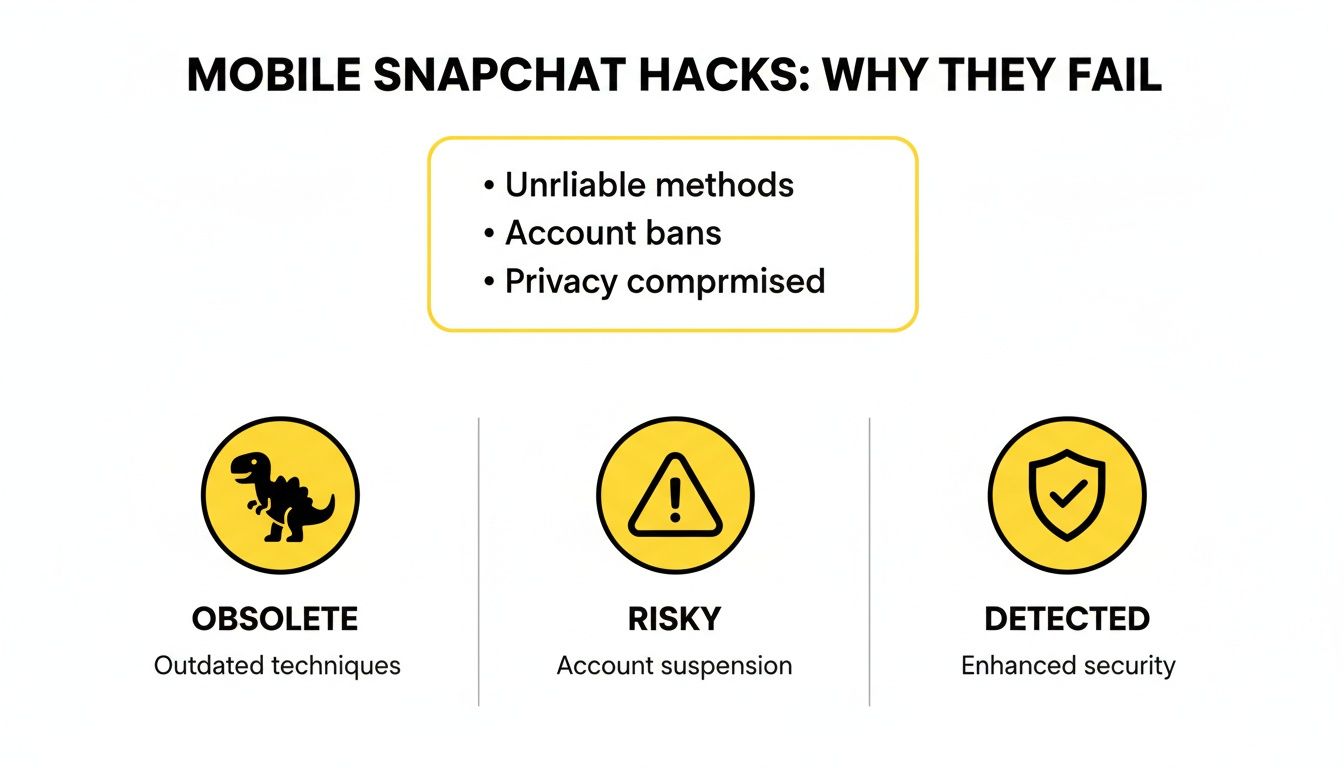
The main takeaway here is simple: trying to save snaps directly on your phone puts your account squarely in the line of fire. These methods aren't just unreliable; they actively jeopardize your account.
To make it crystal clear, let's break down why shifting to a desktop-based method is the only smart move.
Mobile Hacks vs. The Desktop Advantage
| Method | Detection Risk | Account Safety | Success Rate |
|---|---|---|---|
| Airplane Mode Trick | High | Poor | Very Low |
| Third-Party Mobile Apps | Extremely High | Very Poor | Low (before ban) |
| Screen Recording | Extremely High | Poor | Extremely Low |
| Desktop Tool (e.g., SnapNinja) | Very Low | Excellent | High |
As you can see, the risk just isn't worth the reward with mobile methods. A desktop solution bypasses the app's core monitoring environment, giving you a much safer and more reliable way to archive your memories.
The Inevitable Account Warning
When you try these outdated mobile tricks, you’re not outsmarting anyone—you’re just setting off digital alarm bells. The platform’s detection systems have become incredibly quick and efficient.
By 2025, Snapchat's AI synthesizes behavioral signals like overlays, device spoofing, and app switches, rendering Reddit/TikTok hacks useless—patched faster than ever. Their median detection-to-action time for violations is just 1 minute. You can learn more about how Snapchat's complex notification systems work.
This means that before you even have a chance to see if your little trick worked, Snapchat probably already knows what you did. You might get a slap on the wrist with a warning the first time, but keep it up and you're looking at a temporary suspension or even a permanent ban. It’s a massive risk for a single picture.
This is precisely why we need a new strategy—one that moves the action away from the heavily monitored mobile environment and onto the much safer territory of your desktop.
Unlocking the Desktop Advantage for Snapchat
So, why is your computer the secret weapon for saving Snaps without tipping anyone off? It all comes down to the fundamental difference between the mobile app and Snapchat Web. The phone app is a fortress, built from the ground up to detect and report any attempt to save content. Moving your activity to a desktop browser—what I call the "Desktop Advantage"—is the entire key to bypassing that system.
On your phone, Snapchat has an incredible amount of control. Whether you're on iOS or Android, the app is designed to monitor everything: screen recorders, suspicious third-party apps, even how you switch between applications. This is precisely why those mobile "hacks" you see online are so risky and almost always end with your account getting banned. They’re trying to fight Snapchat on its home turf.
Why Your PC or Mac Is the Perfect Blind Spot
Your desktop, on the other hand, is a whole different ballgame. Snapchat Web runs inside a browser like Chrome or Firefox, which is a much more open environment than the sandboxed mobile app. This creates a critical blind spot that Snapchat's mobile-focused detection systems simply can't penetrate.
Your computer lets you run software that operates outside the browser's confines, making it completely invisible to Snapchat's servers. Think of it this way: Snapchat has a dozen cameras watching the front door (the mobile app), but the back window (your desktop) is wide open.
The core principle is simple but incredibly effective: By shifting your activity from the heavily monitored mobile app to the unmonitored desktop, you sidestep the notification system entirely. The "save" happens on your machine, not within their app's ecosystem.
This isn't some risky hack. It's about being smarter with your privacy and finding a reliable way to archive memories that matter to you.
Introducing the Smart Solution: SnapNinja
This is the exact loophole that a tool like SnapNinja was designed for. It's a simple desktop app that runs quietly in the background on your Windows or Mac computer. All you have to do is view snaps on Snapchat Web like you normally would, and SnapNinja automatically saves the photos and videos for you.
- Completely Undetected: Because it operates on your desktop, it's invisible to Snapchat's mobile detection systems. It works outside the Snapchat app environment.
- Zero Account Risk: Unlike shady mobile apps that try to modify Snapchat's code and get you banned, this method doesn't interfere with their service at all.
- Automatic Archiving: There's nothing to remember to do. Just view the snap, and it's saved in full quality.
By working from this blind spot, you can finally archive those important memories or keep a record of conversations without worrying about that dreaded "Saved in Chat" notification. It’s the safest and most effective way to get the job done.
A Practical Guide to Saving Snaps Undetected
Alright, let's get down to brass tacks. You get why trying this on your phone is a bad idea and why the desktop is your safe zone. Now it's time to actually start saving those snaps without the notification anxiety. This is your walkthrough for using a tool like SnapNinja, and you’ll see it’s designed to be incredibly straightforward.

We're moving from theory to action. The process is the same whether you're on a Windows PC or a Mac, and the goal is to get everything running quietly in the background so you can just forget about it.
Getting SnapNinja Up and Running
First up, you need to download and install the SnapNinja app. The setup is a breeze—just a few clicks and you're done. No messing around with complicated settings or technical jargon. Once it's installed, the app just sits quietly in your system tray or menu bar.
It's truly a "set it and forget it" tool. After that initial install, you hardly have to touch it. That hands-off approach is key, making sure it never gets in your way.
With SnapNinja running, the next part is easy. Just open your favorite browser and head over to Snapchat for Web. Log in with your normal credentials. You'll see the web version is a much cleaner, simpler take on the mobile app, which is perfect for just viewing chats and stories.
This is where the magic happens. The moment SnapNinja sees you’re logged into Snapchat Web, it starts watching for any new media you open. It’s completely passive; you don’t have to do a thing.
The whole process feels completely natural. You're just using Snapchat like you normally would, but now you have a powerful privacy tool working silently for you. No weird hotkeys to remember or extra steps to follow—just browse and view.
The Automatic Save in Action
Once you're logged in, go ahead and click on a chat to view a snap, story, or video someone sent. The instant that media loads on your screen, SnapNinja grabs the full-quality file and saves it automatically to a specific folder on your computer.
This is the core of the Desktop Advantage. The save happens entirely on your local machine, completely separate from Snapchat's ecosystem. Snapchat's servers are on the lookout for a "save" or "screenshot" signal coming from their app, but that signal is never sent.
Here’s why it works so well:
- No Interaction Needed: You don't have to right-click, screen record, or do anything at all. Just viewing the snap is enough to save it.
- Full Quality Guaranteed: Forget blurry screenshots. This method saves the original, high-resolution photo or video file.
- Truly Silent Operation: The sender gets nothing. No "screenshot" alert, no "Saved to Camera Roll" notification—nothing. To them, it just looks like you viewed their snap and moved on.
Because SnapNinja bypasses their notification system entirely, it's the only reliable solution to save pics on Snapchat without the other person knowing. It turns a risky gamble on your phone into a simple, reliable process on your computer. The different SnapNinja pricing plans give you options based on how much you plan on saving.
This method finally gives you the freedom to keep what's important—whether that's a funny video from a friend, a sentimental photo, or a chat you need to hold onto—all while respecting your privacy and keeping your account safe.
When and Why You Might Need to Save a Snap on the Sly
Let's be real—this isn't just a tech hack for the sake of it. There are genuine, practical reasons why you might want to save a Snapchat photo without broadcasting it to the sender. This is all about smart privacy—having control over your own digital memories and, sometimes, your own safety.
Think about how many moments pass through Snapchat and just... disappear. A tool like SnapNinja puts the power back in your hands, letting you decide which of those fleeting moments are worth archiving.
Archiving Precious (But Temporary) Memories
We've all been in that spot. Your partner in a long-distance relationship sends an adorable, candid photo that just makes your day. Or your friends' group chat is exploding with a hilarious video that you know you'll want to watch again.
These are the little moments you want to keep. But sometimes, asking "Hey, can I screenshot that?" just feels… awkward. It can kill the spontaneous vibe that makes Snapchat so fun in the first place.
Here are a few classic examples:
- Long-Distance Love: Quietly archiving those sweet, everyday photos from your partner to look at later.
- Group Chat Gold: Grabbing that one legendary video from your friends before it’s gone forever.
- Fleeting Family Moments: A cousin sends a perfect, candid snap of your niece laughing. You definitely want a copy of that for yourself.
Using a desktop tool lets you discreetly archive these personal memories. You get to keep the photo without interrupting the conversation or making things weird.
The Modern-Day Need for "Receipts"
Beyond the sentimental stuff, there are times when saving a snap is simply a matter of documentation. Let's face it, some conversations take a turn, and Snapchat's disappearing messages can be exploited by people who want to say things without leaving a trace. This is where having your own record—or "receipts"—becomes essential for your own protection.
Maybe you're in a financial disagreement with someone, a side hustle arrangement is going south, or you're dealing with online harassment. A snap could contain a broken promise, a threat, or a crucial piece of information you need to hold onto.
When you can archive a conversation, you're creating a factual record for yourself. In these moments, you're not just saving a picture—you're building a verifiable log to protect yourself if things get worse.
In these scenarios, a "You saved a photo!" notification is the absolute last thing you need. It could make the other person defensive, escalate the conflict, or prompt them to delete everything. A silent, desktop method is often the only way to get the documentation you need without tipping your hand.
It’s really about leveling the playing field. If someone is using Snapchat's core feature to their advantage in a negative way, you have every right to create a personal record for your own peace of mind and security.
Wielding This Knowledge Responsibly
Figuring out how to save snaps without notifying the sender is a game-changer, but it’s crucial to remember that with great power comes great responsibility. This isn't about being a digital ninja to spy on your friends. It’s about taking back a little control over your own data and the memories shared with you.
When you use a tool like SnapNinja, the onus is on you to be ethical and smart about it.
The Golden Rule: Consent and Trust Still Matter
At the end of the day, it all comes down to respecting the trust someone gives you when they send a snap. The whole point of Snapchat is its fleeting nature; people share content there they'd never dream of posting on their permanent Instagram feed.
Just because you can save something doesn't always mean you should.
Before hitting save, just pause and ask yourself, "Why am I doing this?"
- Want to archive a genuinely sweet memory from a friend? That's what this is for.
- Saving a hilarious video from your group chat to rewatch later? Go for it.
- Need to document a serious conversation or even harassment for your own safety? Absolutely.
- Saving someone's private snap to gossip about or hold over their head? That's a hard stop. You're crossing a serious line.
Your actions have real-world consequences. Abusing this ability to shatter someone's trust can do lasting damage to friendships and relationships. Always, always consider how the other person would feel before you make their temporary content permanent.
Smart Privacy vs. Malicious Snooping
Let's draw a clear line in the sand here.
Smart privacy is all about protecting yourself and curating your own digital life. Think of it as creating a personal backup of moments and conversations that are genuinely important to you.
Malicious snooping, on the other hand, is about violating someone else's privacy for entertainment or, worse, for leverage. Using saved snaps to embarrass, blackmail, or spread rumors isn't just unethical—it could land you in legal hot water depending on where you live and what the content is.
Here’s a simple way to look at it:
- Smart Privacy: Saving a photo your partner sent you from their trip because it makes you smile.
- Malicious Snooping: Saving that same photo to pass around to your friends and make fun of it without their knowledge.
Tools are just tools; they don't have morals. It's the person using them who decides whether they're used for good or for harm. The responsibility falls squarely on your shoulders to act with integrity.
Focus on using this for personal archiving and your own safety, and you can enjoy the benefits without the ethical baggage. For a deeper dive into how your own data is handled, you can always check out the tool's approach to user privacy, which should always be a priority.
Answering Your Top Questions About Saving Snaps on the Sly
Let's cut to the chase and address the questions that are probably on your mind. When you're trying to figure out how to save snaps without the other person knowing, a healthy dose of skepticism is a good thing. Here are some straight-up answers about why the desktop method works and what to expect.
Is My Snapchat Account Going to Get Banned?
Honestly, this is the biggest fear, and the answer is a confident no. This is precisely where the Desktop Advantage comes into play. A tool like SnapNinja runs on your computer (Windows or macOS) and interacts with Snapchat Web, not your mobile app.
Snapchat's security is laser-focused on its mobile apps. They're constantly hunting for modified or tweaked versions of their app, and using one is the fastest way to get your account locked or banned. Because this desktop method is safer and undetectable, it doesn't break Snapchat's rules about modifying their app. Your account stays safe and off their radar.
What About Saving Videos and Stories?
Absolutely. It works perfectly for any media you can see on Snapchat Web. The software is built to grab whatever you open.
- Photos: You get the full-resolution image file, not a blurry screenshot.
- Videos: It saves the actual video file, no matter how long, without you having to screen-record it.
- Stories: It will automatically save every single photo and video clip from someone's Story as you watch it. If you only need to grab a story quickly, you can also grab stories with our free tool.
The moment you click to view a snap or a story in your web browser, the high-quality file is discreetly saved to your computer.
Can I Do This on My iPhone or Android?
This is a desktop-only solution, and that's a feature, not a limitation. The entire reason this method is undetectable is that it exists outside of the heavily policed iOS and Android environments.
Any app on your phone that claims it can do this is playing with fire. The mobile environment is a minefield for this kind of thing and is exactly what gets accounts banned. Sticking to the desktop is the secret sauce for doing this safely.
Trying to find a mobile workaround is just asking for trouble. The desktop approach is the only one that truly keeps your account secure and your actions private.
What if Snapchat Changes Its Website?
That's a smart question. Any web-based platform can change, and Snapchat is no different. The developers behind SnapNinja are always keeping an eye on Snapchat Web's code and are committed to pushing out updates quickly to keep things working.
While nothing is future-proof forever, this ongoing support makes it a much more reliable long-term strategy than a "quick hack" app that breaks after a single update. You're getting a tool designed to adapt, not a temporary trick with an expiration date.
Ready to start saving the moments that matter, the right way? With SnapNinja, you can finally keep the snaps you want without sending up a red flag. Give it a try and see the Desktop Advantage for yourself. Download SnapNinja Today.