How to Save Pictures from Snapchat Without Them Knowing (2026)
Alright, let's get straight to it. If you're looking for a way to save pictures from Snapchat without tipping off the sender, forget about your phone. The real, and frankly only, safe way to do this is on your computer. Using a desktop tool like SnapNinja alongside Snapchat Web is the one method that consistently works without sending out that dreaded notification.
The Desktop Advantage: Your Key to Smart Privacy

We've all been there. You try to screenshot a hilarious Snap or a piece of important info, and boom—the sender gets an alert. Your cover is blown. It’s a frustrating dance, especially when you just want to archive a memory or keep a receipt for a conversation without making things awkward.
This is exactly why the "Desktop Advantage" is a game-changer. By moving your Snapchat activity from your phone to your computer, you completely bypass the app's notification system.
Why Mobile Hacks Are a Dead End
Trying to save Snaps on iOS or Android is a minefield. Most "hacks" you'll find online involve sketchy third-party apps or, even worse, jailbreaking your phone. Not only does this expose you to major security risks, but these methods try to meddle directly with the Snapchat app itself—a huge red flag that often leads to an instant account ban.
As of 2025, Snapchat's detection system is incredibly sophisticated. It's not just looking for basic screenshots; it uses machine learning and deep system-level hooks on your phone to watch for screen recorders, app overlays, and other tell-tale signs in real time. You can read more about these advanced mobile monitoring techniques on Hoverwatch to get a sense of what you're up against.
The bottom line is this: Any method that interacts directly with the Snapchat app on your phone is playing a losing game. It’s not a matter of if you’ll get caught, but when.
The Safe Desktop Solution
This is precisely why a desktop-based tool like SnapNinja is the only reliable way forward. It operates entirely outside of the Snapchat app's environment. You log into Snapchat Web on your computer, and SnapNinja simply captures the content from your screen without ever touching the app’s code. It bypasses the "Saved to Camera Roll" notification because it works on a completely different level.
Here's why this is fundamentally safer:
- No Direct App Interaction: It never modifies or "hacks" the Snapchat app, so there's nothing for their servers to detect.
- Keeps Your Account Safe: Because it’s an external tool running on your Windows PC or macOS, it doesn’t trigger the alerts that lead to account suspensions or bans.
- Complete Anonymity: The sender gets zero notifications. No screenshot alert, no screen recording message. Your actions are completely invisible.
To put it into perspective, here's how the risks stack up.
Mobile vs. Desktop: A Quick Risk Comparison
| Method | Detection Risk | Account Ban Risk | Reliability |
|---|---|---|---|
| Mobile Apps/Hacks (iOS/Android) | Extremely High | Very High | Poor; often stops working |
| Desktop + SnapNinja (Windows/macOS) | Almost Zero | Almost Zero | Consistently reliable |
As you can see, the choice is clear. By shifting to your desktop, you're not just finding a temporary workaround; you're adopting a smarter, safer strategy for archiving the moments that matter to you, on your own terms.
Why Your Phone Is Not Your Friend for Saving Snaps
If you've ever scrambled to use a sketchy third-party app or a clunky screen recorder on your phone, you probably know how it ends. That dreaded notification pops up, and your cover is blown. It's not just bad luck; Snapchat's mobile app is a fortress built specifically to make those methods fail.
The reason these attempts on iOS and Android go south so quickly is a sophisticated detection system. This isn't your garden-variety screenshot check. It's deeply integrated into the app and is always on the lookout for unauthorized activity. It spots tell-tale signs of foul play, like rapid app switching, screen overlays from recording apps, and even suspicious permissions you might grant to other tools.
The moment it flags something, the response is instant. A notification is sent, and your account gets a black mark. Trying to save Snaps this way often leads to account bans.
The Problem with Mobile "Hacks"
Think of the Snapchat app on your phone as a locked room. Any mobile workaround—be it a modded app or a screen recorder—is basically trying to pick the lock while a security guard is watching your every move. It's a game you're set up to lose.
Here's a glimpse of what the app is actively hunting for on your phone:
- System-Level Triggers: Modern operating systems have built-in tripwires that tell an app when a screenshot or screen recording starts. Snapchat plugs directly into these native OS functions.
- App Overlays: Many screen recorders function by placing an invisible layer over other apps to capture the display. Snapchat's system is specifically trained to spot these overlays and immediately flags them as a capture attempt.
- Modified App Clients: Trying to use a "tweaked" version of Snapchat is the single fastest way to get your account permanently banned. Snapchat’s servers instantly recognize these because their digital signatures don't match the official version.
This is exactly why figuring out how to save pictures from Snapchat without them knowing requires a completely different approach. You simply can't outsmart the app on its home turf.
The Desktop Advantage Explained
This is where switching to a desktop becomes the only logical move. When you use Snapchat Web on a Windows or macOS computer, you’re moving the entire operation out of that heavily fortified mobile environment. The detection systems designed for mobile simply don't exist in the browser version.
A tool like SnapNinja doesn't interact with Snapchat's code at all. It just captures pixels on your computer screen. To Snapchat, it’s completely invisible—like taking a photo of your monitor from across the room.
This fundamental difference is what makes the desktop workflow so much safer and more reliable. You aren't trying to break into the locked room anymore; you're just observing it from a different building entirely. This separation means no detection, no notifications, and no risk to your account. It’s the smart way to archive what matters without playing a dangerous cat-and-mouse game on your phone.
A Practical Walkthrough for Saving Snaps with SnapNinja
Alright, enough theory. Let's get our hands dirty and walk through the exact steps for saving Snaps without tipping off the sender. We'll be setting up a simple, safe environment on your desktop using Snapchat Web and a handy tool called SnapNinja.
The real magic here is the "Desktop Advantage." You aren't jailbreaking your phone or installing some sketchy, third-party Snapchat client on iOS or Android. Instead, we're creating a clean, isolated space on your Windows or macOS computer. SnapNinja works quietly in the background, capturing what you see without ever interacting with Snapchat's servers directly. Think of it as a one-way mirror—you can see in, but the app can't see you.
Setting Up Your Environment
First, you’ll need to get Snapchat Web up and running. Just pop open your favorite browser—Chrome, Firefox, Edge, it doesn't matter—and head over to web.snapchat.com. You'll log in with your usual credentials, and you’ll probably have to confirm it on your phone, which is just standard security.
Once you're in, take a second to get your bearings. The layout will feel pretty familiar if you're used to the mobile app. This browser window is now your command center for viewing Snaps without triggering alerts.
Next, you need the tool that makes this all possible: SnapNinja. The only place you should get this is from the official SnapNinja website. The installation is a breeze on both Windows and macOS, just like any other program you'd normally install.
This flowchart really drives home why trying to do this on your phone is a losing battle.
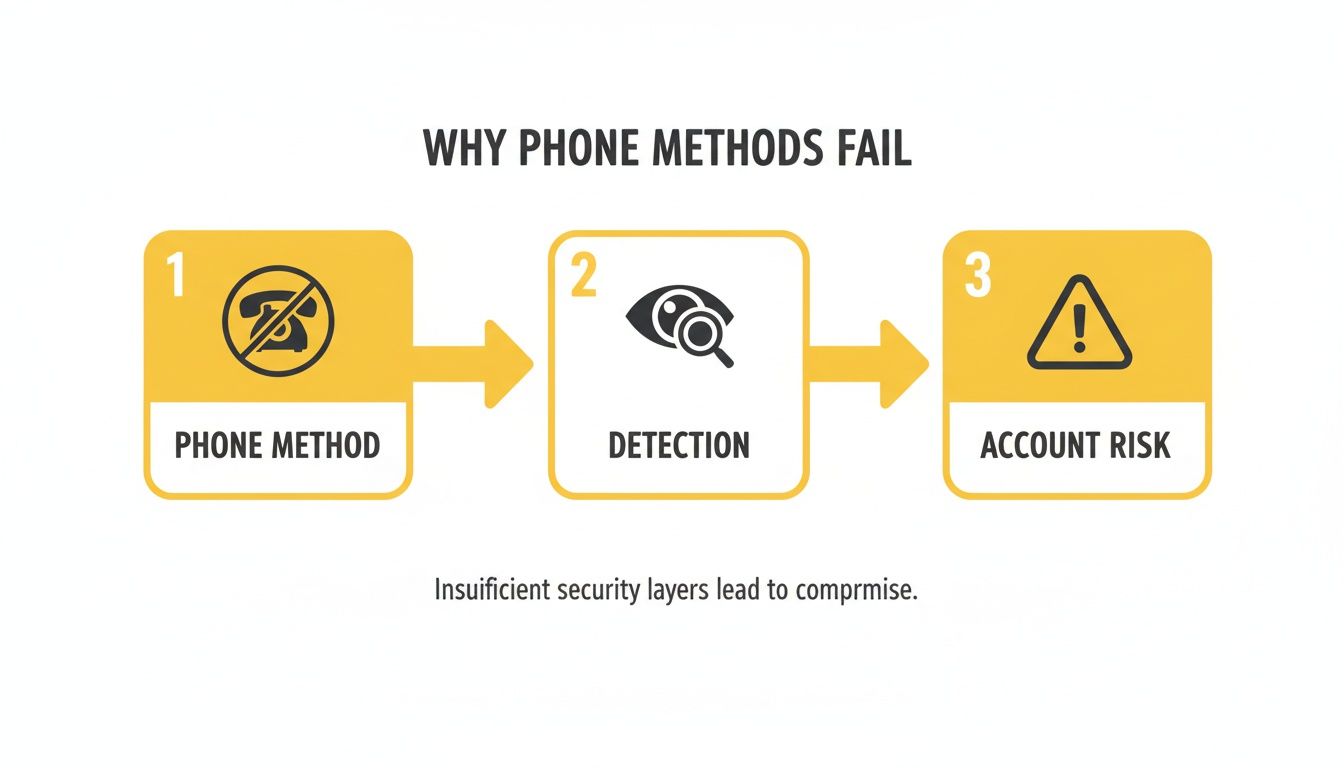
As you can see, any method that directly touches the Snapchat app on your phone is pretty much guaranteed to be detected, putting your account on the line.
Capturing Snaps Without a Trace
With your setup complete, the actual process of saving a Snap is almost laughably simple. SnapNinja is designed to be a "set it and forget it" kind of tool.
Here’s the basic flow:
- Launch SnapNinja first. Before you even think about opening a Snap, make sure the application is running on your desktop.
- Head to Snapchat Web. Go back to the browser window where you have Snapchat open.
- Just view the Snap. That's it. Click on the picture or video you want to save and open it like you normally would.
You don't have to hit a record button or do anything extra. The moment the media appears in your Snapchat Web window, SnapNinja automatically saves a high-quality copy to a folder on your computer. It’s completely passive.
The key takeaway here is that SnapNinja operates entirely at the desktop level, completely separate from your browser and Snapchat's code. It's not injecting scripts or modifying the website, which is precisely why it stays invisible and bypasses the "Saved to Camera Roll" notification. It’s the digital equivalent of taking a perfect, silent photograph of your monitor without anyone ever knowing.
Organizing Your Saved Memories
After you're done, you'll find all the media you viewed saved neatly in the SnapNinja folder. It’s smart to get into the habit of sorting through these files every now and then. This turns a simple capture tool into a powerful personal archive.
A few ideas for organization:
- For "Receipts": If you're saving conversations for accountability, create specific folders named after the person or topic.
- For Memories: Group photos and videos from close friends and family into event-based albums, like "Summer BBQ" or "Holiday Party."
- For Content: Saving funny videos or interesting content to share later? A "To Repost" folder makes them easy to find.
By following this desktop workflow, you can confidently save any Snap you want, knowing you won't trigger a notification or put your account in jeopardy. It’s simply a smarter way to manage your media and your privacy.
Essential Tips for Smart Privacy and Staying Invisible
Using a tool like SnapNinja is a game-changer, but truly mastering the art of invisibility is about more than just clicking a button. It's a mindset. We're talking about smart privacy management—a way to archive important digital memories or keep records without raising any red flags. This isn't about spying; it's about being deliberate and in control of your digital footprint.
Your goal should be to make your desktop activity look completely normal. That way, you avoid any behavior that might seem out of place, ensuring your method stays effective and under the radar for good.
Isolate Your Activity for Maximum Stealth
Here’s the single most effective habit you can adopt: create a dedicated browser profile just for Snapchat Web. It sounds technical, but it’s incredibly simple and powerful.
Think about it—your main browser profile is a hub of your digital life, full of cookies, browsing history, and logged-in accounts. By spinning up a fresh profile exclusively for Snapchat, you prevent any data from crossing over. It’s like having a separate, unmarked key for a specific lock. No one can trace it back to your main set.
This simple action pays off in a big way:
- No Cookie Trail: It stops other websites from being able to track your Snapchat sessions.
- A Clean Slate: Your Snapchat activity remains completely isolated from your everyday browsing.
- Smaller Footprint: You drastically reduce the digital breadcrumbs you leave behind, which is a huge win for your overall privacy.
The Art of Blending In
When you're trying to save pictures from Snapchat without them knowing, subtlety is everything. Snapchat’s notification system is built to detect direct actions on its mobile app—think of that little double-arrow icon that pops up when someone screenshots a Story.
Because SnapNinja works on the desktop via Snapchat Web, it neatly sidesteps these mobile-based triggers. Still, you need to do your part by acting like a normal user. Don't just blast through Snaps, opening and saving them in a rapid, robotic sequence. View them at a natural pace, just as you would if you were casually scrolling on your phone.
The core idea is simple: your behavior should never give anyone a reason to look twice. The tool handles the technical side of staying invisible; you handle the human side by using the platform naturally.
By pairing a smart desktop tool with good browsing habits, you create a completely undetectable system for saving the Snaps you want to keep. If you're curious about how your data is handled with this kind of tool, you can learn more about the privacy commitments of SnapNinja on their website.
The Bigger Picture: Using This Power Responsibly
Alright, let's talk about the elephant in the room. Knowing how to save a Snap without the other person finding out is a bit of a superpower, and with great power comes... well, you know the rest. There's a huge difference between archiving a funny meme from your best friend and violating someone's trust.
This isn't a guide to becoming a digital ghost. The real value here is in smart personal archiving. Think of it as a way to keep a digital scrapbook of important memories, hold onto receipts for accountability, or save info that you have a right to keep. It’s about giving you control over your side of the conversation, not about spying on someone else's.
Personal Archiving vs. Violating Trust
Where’s the line? It all comes down to your intent. Saving the Snap itself isn't inherently good or bad; it’s why you're doing it that matters.
So, what are some legitimate reasons to do this?
- Archiving Memories: You might want to keep that hilarious video your buddy sent or a sweet message from your partner that you want to look back on. These are your memories, too.
- Keeping Receipts: Sometimes you need proof. This could be anything from a payment confirmation to details about plans you made, just to avoid any "he said, she said" drama later.
- Protecting Your Privacy: In more serious situations, you might need to document evidence of harassment, bullying, or other inappropriate behavior. This is about protecting yourself.
On the flip side, using this knowledge to stalk, embarrass, or blackmail someone is a massive breach of trust and a misuse of this method. The goal is to be smart and responsible, respecting the person on the other end of the screen.
The rule of thumb is pretty simple: Use this to protect your own interests and archive your digital life, not to exploit someone else's trust. Your actions online have real-world consequences, so always lead with respect.
Let's not forget why Snapchat is so popular in the first place. It’s built entirely on the idea of disappearing content. That’s what makes people feel safe enough to share unfiltered moments, and it's a model that has attracted 460 million daily active users as of early 2025. People use it because they believe those moments are temporary.
You can get a deeper dive into Snapchat's massive user engagement on SQ Magazine. Understanding this is crucial. When you use a tool like SnapNinja, you're stepping outside the platform's intended design, so it's on you to do it ethically and maintain the trust that makes the app work for everyone.
Still Have Questions? Let's Clear Things Up
Even with a solid plan, a few questions always pop up. It's totally normal. Let's walk through some of the most common ones I hear about saving Snaps on a computer so you can move forward with confidence.
Is This Desktop Method Really Undetectable?
Yes, it is. The magic here is that everything happens completely separate from the Snapchat mobile app. Snapchat's notification system is designed to monitor actions within its iOS and Android apps—it simply has no visibility or control over what a screen capture tool is doing on your Windows or Mac computer.
This is the whole principle behind the "Desktop Advantage." You're essentially capturing what's on your screen, an action that Snapchat's web interface can't detect, keeping you completely off their radar.
Could I Get My Snapchat Account Banned for This?
The risk is incredibly low, especially when you compare it to sketchy mobile workarounds. Those third-party mobile apps on iOS and Android often try to directly modify or trick the official Snapchat app, which is a huge red flag for their security systems and an easy way to get banned.
A desktop tool like SnapNinja, on the other hand, is just an external screen recorder. It doesn't touch or interfere with Snapchat's code or platform. Because it operates independently on Windows and macOS, it doesn't trigger the alarms that typically lead to account suspension, making it a much safer bet.
Does This Work for Saving Videos, Too?
Absolutely. The process for saving videos is exactly the same as it is for pictures—no extra hoops to jump through.
Since you're capturing whatever is playing on your screen through Snapchat Web, you can save any media you can view. This includes:
- Video Snaps
- Download Full Stories without notifications
- Both photos and videos sent in chat
It all gets saved quietly without a single notification going back to the sender.
If you're interested in exploring more privacy-first tech tips and tricks, we often share new insights on the official SnapNinja blog. It's a great place to stay informed.
Ready to start archiving your memories the smart and secure way? You can join the thousands of others who have already switched to this undetectable desktop method. Grab SnapNinja today and take back control.
Article created using Outrank