
How to Save Snapchat Videos Without Them Knowing
So, you're trying to figure out how to save a Snapchat video without the other person getting that dreaded "Screenshot" notification. The quickest and most reliable method is to ditch your phone and use a desktop tool that Snapchat's mobile app simply can't detect. Trying to use your phone's built-in screen recorder is a guaranteed way to get caught, but shifting to your desktop lets you save content completely under the radar.
Why Saving Snapchat Videos Is So Complicated
We’ve all been there. A friend sends a hilarious video, a partner shares a sweet, fleeting moment, and you just wish you could keep it before it disappears forever. That’s the whole point of Snapchat, right? Its identity is built on ephemeral content, but that very feature is what makes archiving those memories so tricky.

This isn't about being sneaky. It’s about smart privacy—the desire to hold onto moments that matter. The disappearing nature of Snaps creates a sense of authenticity and urgency, but it also stings when a special memory is just… gone.
The Awkward Notification Problem
Here's where it gets uncomfortable. The moment you hit "record" on your phone's screen recorder, Snapchat's system immediately rats you out with a notification to the sender. This can instantly turn a casual, fun interaction into something weird or even damaging to trust. Suddenly, you're on the spot, having to explain why you wanted a copy. This design turns the simple act of preserving a memory into a potential social minefield.
Smart Privacy Takeaway: The goal isn't to spy; it's to archive. Whether you're keeping receipts for a conversation or just want to re-watch a funny clip, you should have a way to save content privately without causing unnecessary drama.
This is exactly why a more discreet approach is necessary. Instead of relying on risky mobile tricks that almost always trigger an alert, the real solution is to step outside of the app's direct line of sight. By moving the process to your desktop, you operate beyond the reach of Snapchat's detection framework.
This guide will walk you through a modern, privacy-first method using a tool like SnapNinja on your Windows or macOS machine. It’s this desktop advantage that lets you save what you want, when you want—keeping your memories safe without creating any friction with your friends.
The Pitfalls of Mobile Screen Recording
Your first instinct to save a Snap is probably to pull down your phone's control center and hit the screen record button. It's right there, it's easy, and it seems like the most direct solution. But this is exactly what Snapchat is waiting for you to do—and it’s a trap.
The moment you start recording, Snapchat’s system flags the action. Before you can even stop the recording, that dreaded notification—"You screen recorded the chat!"—is already on its way to the sender. It’s an instant giveaway that completely defeats the purpose of being discreet. The mobile app is a fortress, and this is its front gate alarm.
Why Third-Party Mobile Apps Are a Dead End
Okay, so what about all those "modded" Snapchat apps you see advertised online? They promise all sorts of stealthy features, like saving Snaps without a trace. While they sound like the perfect workaround, they’re a minefield of security risks and almost guaranteed to get you in trouble.
Most of these unofficial apps require you to jailbreak your iPhone or sideload a sketchy APK file onto your Android device. Doing so punches a massive hole in your phone's security. Even worse, using them is a blatant violation of Snapchat's terms of service, and the consequences are steep.
- Permanent Account Bans: Snapchat has gotten incredibly good at sniffing out these unauthorized apps. Once its system catches you, your account is often banned for good, with zero chance of getting it back.
- Data Exposure and Malware: Think of these apps as Trojan horses. They’re notorious for scraping your personal data, stealing login credentials, or quietly installing malware on your device.
The bottom line: Any solution on your phone, whether it's the built-in screen recorder or a shady third-party app, is a losing game. You're playing on Snapchat's home turf, and the odds are stacked against you.
You have to remember the scale of the platform you're dealing with. Every day, Snapchat's 460 million active users send over 5 billion snaps. Even with the platform built around disappearing content, a massive 58% of users admit to saving Snaps they want to keep. You can dive deeper into these user stats and the full scope of Snapchat's ecosystem over at Awisee.com.
This creates a clear conflict: we naturally want to hold onto important moments, but the app is specifically designed to stop us. That’s why we need to think smarter and move the entire process off the mobile device altogether.
Unlocking the Desktop Advantage for Private Saving
If you're fed up with the cat-and-mouse game of mobile screen recording, the solution is simpler than you think: move your Snapchat viewing from your phone to your computer. This simple shift is the "Desktop Advantage," and it’s the real secret to saving snaps without anyone knowing.
When you use Snapchat Web on a Windows or macOS machine, you’re stepping outside of the app's tightly controlled mobile world. The iOS and Android apps are built like digital fortresses, specifically designed to sniff out any screen recording and immediately tell the sender. On a desktop, you're playing in a whole different ballpark where you have the upper hand.
Why Your Desktop Is a Privacy Haven
The magic behind this method lies in the separation between your web browser and Snapchat’s servers. Think of it this way: on your phone, Snapchat has deep access to the operating system. On your desktop, it's just another tab in your browser, giving it far less power over your computer's core functions. It's this crucial difference that allows a tool like SnapNinja to work its magic.
Instead of trying to outsmart the app itself, a desktop tool grabs the video stream as it plays in your browser. It's capturing the data before Snapchat’s notification system even has a clue what's going on. This isn't some sketchy hack; it's a smarter, more modern way to archive memories while respecting your own privacy.
The infographic below really drives home the serious risks you're leaving behind by ditching mobile recording for good.
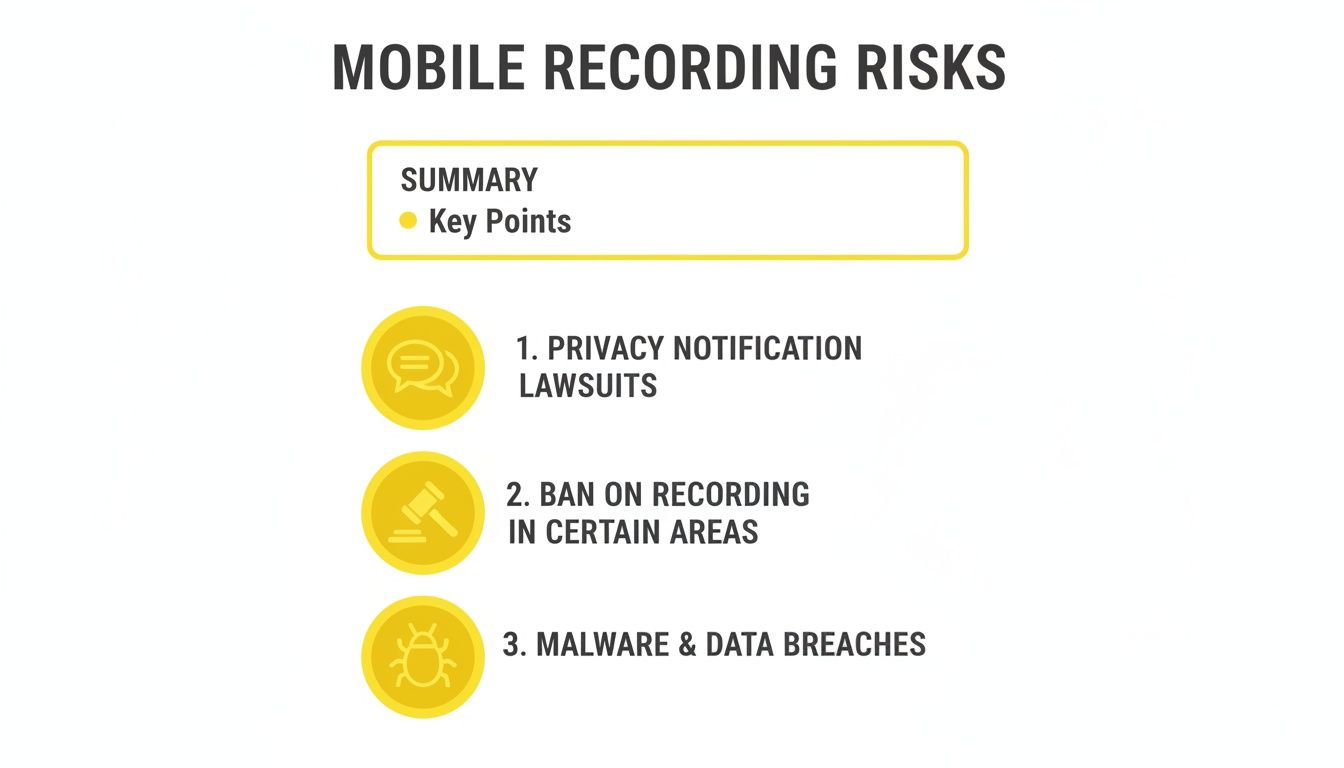
As you can see, sticking with mobile solutions is like walking through a minefield. You're constantly dodging everything from awkward explanations to getting your account shut down completely.
The Clear Winner: Mobile vs. Desktop
To put it in black and white, let's compare the two approaches directly. The difference in risk and reliability is pretty stark once you see it laid out.
| Feature | Mobile Screen Recording (iOS/Android) | Desktop Capture (SnapNinja) |
|---|---|---|
| Notification Risk | Extremely High. Snapchat's primary function is to detect and notify. | Zero. The tool operates outside the app's detection mechanisms. |
| Account Ban Risk | Moderate to High. Violates Terms of Service and can be flagged easily. | Low. No app modification or direct ToS violation is detectable. |
| Reliability | Inconsistent. Methods are often patched and stop working. | Consistent. Works as long as Snapchat Web is accessible. |
| Setup Complexity | Low, but risky. Built-in features are simple but will get you caught. | Simple. Requires a quick desktop software installation. |
| Video Quality | Variable. Dependent on your screen resolution and recording app. | High. Captures the original video stream quality. |
The table makes it obvious—desktop capture isn't just a slight improvement; it's a fundamentally safer and more reliable way to go.
A Safer, Undetectable Method
The biggest win here is that it's completely undetectable. Since SnapNinja operates entirely outside the official app environment, its activity is invisible to Snapchat's detection systems. There’s no modified app code to get you flagged and no native screen recording function to trigger that dreaded alert.
The Big Takeaway: The "Saved to Camera Roll" notification is a mobile-only headache. By shifting to a desktop and using a dedicated tool, you completely sidestep the very system designed to catch you, keeping your archiving 100% private.
This approach turns saving content from a high-stakes gamble into a reliable, stress-free routine. Whether you're trying to keep a record of an important conversation or just want to save a hilarious video from a friend's story, the Desktop Advantage offers the only truly safe and effective path. You get to control your own digital memories without putting your friendships or your account security on the line.
SnapNinja: Your Set-It-and-Forget-It Archiving Tool
This is where the whole "Desktop Advantage" really clicks. Let me introduce you to SnapNinja, a slick little desktop app for Windows and macOS that acts as your personal, automatic Snapchat archivist. It’s the tool that takes the idea of saving snaps undetected and makes it ridiculously easy.
You can stop worrying about hitting record at the right time or fumbling with manual screen capture. SnapNinja just runs quietly in the background, automatically grabbing any Snap you open on Snapchat Web. It pulls everything—photos, videos, even entire Stories—directly from the source, so you get a perfect digital copy every single time.
The Undetected Archiving Method
Here's the most important part: SnapNinja is 100% undetected. It operates completely separate from the Snapchat app on your phone, so it never has to interact with its code. This is the critical difference. Snapchat’s notification system is built to spot screen recording and unofficial apps on a mobile device, but it’s completely blind to what a separate program is doing with your computer's browser data.
Key Takeaway: SnapNinja completely sidesteps the "Saved to Camera Roll" notification because it captures media from the web stream, not the mobile app. This isn't some temporary glitch; it's a fundamental benefit of using a desktop-based approach.
This method gives you a level of privacy that mobile workarounds simply can't offer. You can finally save those important memories, keep a record of a conversation, or download a hilarious clip to share later without making things awkward or raising suspicions. It all happens silently in the background.
Why a Tool Like This Is So Necessary
When you look at the numbers, the need for something like SnapNinja becomes obvious. Snapchat has a mind-boggling 900 million monthly active users, and 460 million of them are on the app every day. And even though the whole point of Snapchat is its "disappearing" nature, a massive 58% of users admit to saving important snaps to their Memories. People have a natural urge to hold onto things that matter.
SnapNinja bridges the gap between Snapchat's disappearing messages and our desire to preserve moments. It basically turns Snapchat Web into a personal archiving machine.
- For Sentimental Moments: Save that heartfelt video from a family member or a funny clip from a friend's trip that you'll want to watch again.
- For Keeping Records: Discreetly save a visual confirmation or part of a conversation without notifying the sender, giving you a bit of extra security.
- For Content Creators: Download high-quality, watermark-free videos you can easily repurpose for your TikTok or Reels.
The best thing about it is how simple it is. If you can log into Snapchat on a computer, you can use SnapNinja. There's no complicated setup or technical know-how needed. It's the most straightforward and reliable way for anyone trying to figure out how to save Snapchat videos without them knowing.
See for yourself how SnapNinja provides the ultimate privacy tool for your archiving needs.
Alright, let's get into the nuts and bolts of how SnapNinja actually works. This is where we move from theory to practice, and you'll see just how simple it is to get this tool running on your computer to privately save snaps.
You don't need to be a tech wizard for this. The whole process is designed to be incredibly straightforward.
The beauty of this method lies in its simplicity. You won't be navigating complex settings or typing in command-line code. It’s a clean, two-part process that just works in the background without any fuss.
The Quick Setup
Getting started is a breeze. The first thing you'll do is download and install the SnapNinja app on your Windows or macOS computer. It’s a standard installation, no different than any other software you’ve used before.
Once it's installed and running, the second part is even simpler. Just open up your go-to web browser—Chrome, Firefox, Safari, whatever you use—and sign into your Snapchat Web account. That's literally it. From here on out, the tool takes over.
The interface is designed to be out of sight, out of mind. You set it up once and it just works.
As you can see, there’s no complicated dashboard to manage. Once you’re logged into Snapchat on the web, SnapNinja is ready to go.
How It Automatically Saves Content
Now for the best part. All you have to do is view a Snap or a Story like you normally would. It doesn't matter if it's a quick photo, a video, or a long Story with multiple parts. As the content plays on your screen, SnapNinja detects it and automatically saves a copy to a folder on your computer.
There are no buttons to click or keyboard shortcuts to remember. The entire process is passive, which means you can just enjoy the content without fumbling to start a recording. It's this hands-off approach that makes it a genuinely foolproof way to save Snapchat videos without the sender knowing.
Pro Tip: I highly recommend setting up a dedicated folder just for your saved Snaps. To take it a step further, create subfolders inside and organize them by the person's name or the date. Trust me, it makes finding a specific memory months later a whole lot easier than digging through one giant folder.
This automated system completely eliminates the risk of human error. No more accidentally starting a screen recording too late or forgetting to crop the notification bar out. Every single Snap you view is saved perfectly, every time.
Of course, using a third-party tool means you need to be confident about your privacy. It's smart to understand how your data is handled. You can learn more by checking out the privacy principles behind SnapNinja, which breaks down their commitment to keeping user data secure and confidential.
With a tool like this running, you can finally archive the moments that matter to you—whether it's a hilarious video from a friend, a sweet message, or just something you want to keep for your records—without causing any awkwardness. You're in control.
Your Questions Answered
We get it. Using a third-party tool with your Snapchat account can feel a bit nerve-wracking. Let's walk through some of the most common questions people have before they jump in.
Is This Actually Safe for My Snapchat Account?
This is the most important question, and the answer is yes. The real risk of getting your account flagged or banned comes from using "modded" versions of the Snapchat app on your phone. Those apps directly mess with Snapchat's code, which is a massive red flag for their security systems.
SnapNinja is different. It's a desktop app for Windows and macOS that works with the official Snapchat Web interface in your browser. It never touches the mobile app, so from Snapchat's perspective, it's completely invisible. This is the Desktop Advantage in action—it’s why this method is so much safer than mobile hacks that get your account banned.
What Kind of Content Can It Actually Save?
Pretty much everything you can see on Snapchat Web. It was built to be a complete solution for archiving your memories.
Think of it as an automatic archiver for:
- Video Snaps (both from private chats and Stories)
- Image Snaps (saved as high-quality pictures)
- Entire Stories, from the first clip to the last
If you can view it in your browser on Snapchat Web, SnapNinja can grab it for you. This is what makes it so reliable for saving Snapchat videos without the sender ever knowing.
What Happens if Snapchat Changes Its Website?
That's a smart question. Tech platforms are always updating, and a change on Snapchat's end could easily break a tool that isn't maintained.
The team behind SnapNinja is on top of this. They regularly push out updates to keep the software aligned with any new tweaks Snapchat rolls out. As long as you keep your app updated, it should continue working seamlessly. You can check out the different plans and see more details over on the SnapNinja pricing page. It’s this constant maintenance that ensures you can reliably save what's important to you.
Ready to start archiving your memories privately and securely? Join thousands of others who use SnapNinja to save important Snaps without ever sending a single notification. Download SnapNinja today!