How to Save Snaps Without Them Knowing: The Desktop Advantage
Looking to archive a memorable Snap without tipping off the sender? The only truly reliable method is to shift your strategy from your phone to your desktop. Using a dedicated desktop application like SnapNinja lets you save photos and videos on your Windows or macOS computer without ever triggering that tell-tale "Saved to Camera Roll" notification. It works because it operates on Snapchat's web version, staying completely clear of the mobile app's hyper-sensitive detection systems.
Why Your Mobile Tricks to Save Snaps Are a Dead End
If you've spent any time on Google or Reddit looking for a solution, you've seen the same old advice: "Just use Airplane Mode!" or "Download this sketchy third-party app!" Let's be real—those days are long gone. Trying those outdated tricks on your iOS or Android device is now a fast track to getting your account locked or even permanently banned.
Snapchat's security has evolved far beyond these simple workarounds. What was once a clever trick is now an immediate red flag for their system. Attempting these hacks on your phone isn't just about risking a notification anymore; it's about putting your entire account on the line.
The Problem with Mobile "Hacks"
The simple reason these mobile methods fail is that Snapchat has built a digital fortress around its iOS and Android apps. The app isn't just doing a simple check; it uses deep, OS-level monitoring to flag any unusual activity happening on your device in real-time.
Think of it as a digital tripwire hardwired into your account. The moment you fire up a screen recorder or install a "tweaked" version of Snapchat, you're messing with the app's code in a way it's been specifically trained to catch.
These failed mobile methods typically fall into a few categories:
- Modified Apps: These are unofficial, altered versions of Snapchat that promise extra features. They are easily detected and are a blatant violation of Snapchat's terms of service, often leading to an instant ban.
- Screen Recorders: Both iOS and Android now grant apps like Snapchat the ability to know when the screen is being recorded. This method is completely unreliable and will trigger a notification.
- The Airplane Mode Trick: This loophole was patched years ago. The second your phone reconnects to the internet, Snapchat syncs your activity, and the notification goes out.
The Hard Truth: Any method that tries to trick the app on your iOS or Android device is fighting a losing battle. Snapchat’s security is baked right into the mobile operating system, giving them the home-field advantage.
Snapchat's Advanced Detection System
Snapchat's security isn't just an add-on; it's a core feature designed to protect user privacy and the ephemeral nature of Snaps. The company uses advanced defenses to catch and alert users whenever their content is captured, making it incredibly difficult to save anything without their knowledge on a mobile device.
This system, sometimes called 'Ghost Defense,' combines system-level APIs with real-time machine learning to watch for multiple signals at once. It’s analyzing everything from how you switch between apps to whether a screen overlay is active. By piecing together these behavioral patterns, its AI can instantly spot a screenshot or screen recording attempt. This detection is now so integrated that the operating system itself tells Snapchat the moment a screen capture happens. You can dive deeper into the technical specifics of Snapchat's security measures to see just how effective they are.
Ultimately, trying to outsmart the mobile app is like trying to sneak past a high-tech security grid. The risk is huge, and your chances of success are practically zero. This is why we need to shift our focus away from mobile tricks and toward a smarter approach that operates completely outside the app's reach.
The Desktop Advantage: Smart Privacy for Archiving Memories

This is where we leave the risky mobile hacks behind and pivot to the Desktop Advantage. The concept is simple: by moving the action off your phone and onto a Windows or macOS computer, you operate completely outside the direct supervision of Snapchat's mobile app. This is how a tool like SnapNinja can archive Snaps safely and discreetly, without ever sending a notification.
Think of Snapchat's mobile app as a high-security building with guards—their detection algorithms—at every door and window. Anything you try to do inside gets noticed immediately. But your desktop? That’s like a public viewing area across the street. You're looking at the exact same content, just from a place where those guards have no authority. This is how you save Snaps without them knowing in a way that actually works and respects your account's safety.
Why The Desktop Is Snapchat's Blind Spot
What makes the desktop method so solid is the technical separation. When you run an application like SnapNinja on your computer, it interacts with Snapchat's web interface, not the heavily fortified mobile app. That simple difference creates a fundamental blind spot for their detection systems.
Snapchat's security on mobile relies on deep hooks into the iOS and Android operating systems. Those hooks are what trigger an alert the second a screenshot is taken or a screen recorder is turned on. On a desktop (Windows or macOS), those OS-level triggers just don't exist in the same way.
Instead of trying to outsmart the mobile app, you're just accessing content you can already see, but in a more private, controlled environment. It's not about breaking in; it's about changing your vantage point. That’s a game-changer for anyone wanting to archive memories or keep a digital receipt without causing drama or getting their account flagged.
Key Takeaway: The desktop method is inherently safer because it bypasses the mobile app's core security. There's no mobile OS to tattle on you, which means no screenshot or screen recording notifications are ever sent.
Mobile vs. Desktop: A Quick Safety Comparison
Let's break down the real-world differences. Mobile hacks are a constant cat-and-mouse game you're almost guaranteed to lose, often resulting in an account ban. In contrast, the desktop method utilizes a much more stable and less monitored platform.
| Method | Detection Risk | Account Safety | Reliability |
|---|---|---|---|
| Mobile Apps/Hacks | Extremely High | Very Poor (Risk of ban) | Low (Often patched) |
| Desktop Tools (SnapNinja) | Undetectable | Excellent (No violation) | High (Stable platform) |
The table puts the safety gap in perspective. The mobile route is a dead end filled with outdated tricks and high stakes, while the desktop approach is built on a stable foundation that keeps your account safe.
Smart Privacy is About Control
Ultimately, this is about smart privacy. The Desktop Advantage isn't about "spying"—it’s about regaining control over your own digital interactions. Whether you're saving a funny memory from a close friend that's about to disappear or documenting a conversation for your own records, you should have a way to do it privately.
The mobile environment is designed to take that control away. Every action is tracked, logged, and potentially reported. By shifting to a desktop, you reclaim that autonomy. You get to decide what's worth keeping without having to explain yourself or trigger an awkward notification. With SnapNinja, you're not just saving a Snap; you're archiving a moment on your own terms.
Your Guide to Using SnapNinja Safely
Alright, let's get down to the practical steps. You understand why mobile apps are a no-go and see the power in a desktop-based approach. Now, it's time for a straightforward walkthrough of getting SnapNinja set up on your Windows or macOS machine so you can start archiving those important Snaps without anyone knowing.
The goal here is to make a slightly technical process feel dead simple. We're going from download to your first saved Snap, all while making sure you stay completely off Snapchat's radar. This is about giving you control, not tripping alarms.
Getting the Software Installed
First things first, you need to grab the application from the official source. Seriously, stay away from third-party sites claiming to have a copy—they're almost always loaded with malware or are just outdated versions that don't work.
You can download SnapNinja from their official website at https://snapninja.app/.
The installation itself is a breeze. Just download the file, run the installer, and click through the prompts like you would with any other app. There are no weird configurations or complicated permissions to mess with. It’s designed to be plug-and-play.
Once it's installed, the real magic begins. But to stay invisible, you need to follow a very specific, yet simple, workflow. It's not just about using the tool; it's about using it the right way.
The Golden Rule of Undetected Saving
Before you even think about opening SnapNinja, there's one step that is absolutely non-negotiable: log into Snapchat for Web in your browser first.
Think of it as establishing your cover. When you sign in at web.snapchat.com, you create a perfectly normal, legitimate session with Snapchat's servers. From their perspective, you're just another user.
Only after you're logged in through your browser should you launch the SnapNinja app. The software is built to piggyback on this already-authenticated session. This is the secret sauce. By hooking into an existing session, SnapNinja never touches your login details or does anything that looks out of the ordinary to Snapchat’s security systems, making it the only reliable solution that bypasses the notification system.
Expert Tip: Never, ever launch SnapNinja before logging into Snapchat Web. Trying to use it without an active browser session is the number one reason people run into issues, and it completely defeats the stealthy design of the tool.
This simple two-step dance—browser login, then app launch—is the foundation of using SnapNinja safely and effectively.
How Snaps Are Captured Privately
With SnapNinja running in the background, your job is pretty much done. It works silently. As you look at Snaps, videos, or stories in your browser, the tool automatically detects and saves them to a folder on your computer.
It’s an entirely passive system, which is key to its undetectable design. You’re not clicking a “save” button or taking any action that could be logged. You just use Snapchat on your desktop as you normally would, and the tool does the heavy lifting.
- Photos: Open a photo Snap, and the full-resolution image is instantly saved.
- Videos: Play a video, and the entire clip gets archived from beginning to end.
- Stories: As you tap through someone's Story, each photo and video segment is saved as an individual file. Want a quick, no-install option for stories? Check out our free story downloader.
This passive method is crucial because the platform is a beehive of activity. As of early 2025, Snapchat's daily active users hit a staggering 460 million, a huge jump from 414 million in late 2023. With over 4 billion Snaps sent daily, any tool trying to intercept content has to be subtle. SnapNinja’s browser-based approach works because it just blends in with normal user behavior on a less scrutinized platform. You can dig deeper into these numbers on this Snapchat statistics breakdown.
Best Practices for Staying Under the Radar
While the tool is designed for stealth, a few smart habits will keep your account safe for the long haul.
First, use it sparingly. Don’t leave it running 24/7. Fire it up only when you know you need to save something specific—a cherished memory, a funny moment, whatever. The less you use it, the smaller your digital footprint.
Second, always keep the software updated. The developers are constantly tweaking things to stay ahead of any changes Snapchat makes to its web platform. Running the latest version means you have the most up-to-date safeguards.
Finally, resist saving everything. The goal here is personal, meaningful archiving. Saving every single Snap you get is overkill and just creates clutter. Use it with purpose. Stick to these guidelines, and you can confidently save what matters to you without looking over your shoulder.
The Ethical Side of Saving Snaps
Okay, let's have a serious talk about the ethics of all this. Having a tool like SnapNinja that lets you save Snaps is powerful, but with great power comes great responsibility. This isn't about "spying" on your friends. It’s about being smart with your own digital life and using this for the right reasons—to archive memories, keep receipts, and protect your own privacy.
Think of it as creating a private, personal archive. The whole point is to preserve things for yourself, not to expose someone else's content or cause any kind of harm. That’s a critical line to draw in the sand before you even think about saving your first Snap.
What are Legitimate Reasons to Save a Snap?
So, what are the “right” reasons? It all boils down to your intent. This method is designed purely for personal, private archiving—not for anything malicious.
Here are a few real-world scenarios where it just makes sense:
- Archiving Cherished Memories: Your best friend sends a hilarious video from their trip or a beautiful photo of their new puppy that's gone in 24 hours. Saving it for your personal collection means you can keep that moment, just like you’d keep an old photograph.
- Keeping Digital Receipts: Someone sends you a Snap with a flight number, an address for a party, or a confirmation of plans. Saving it is like tucking a digital receipt into your wallet so you don't lose that critical information.
- Documenting for Personal Protection: In more serious situations, you might need to save a conversation for your own safety or to have a record of what was said. This is strictly about creating a personal log to protect yourself.
This simple diagram shows how SnapNinja works in the background to help with this personal archiving.
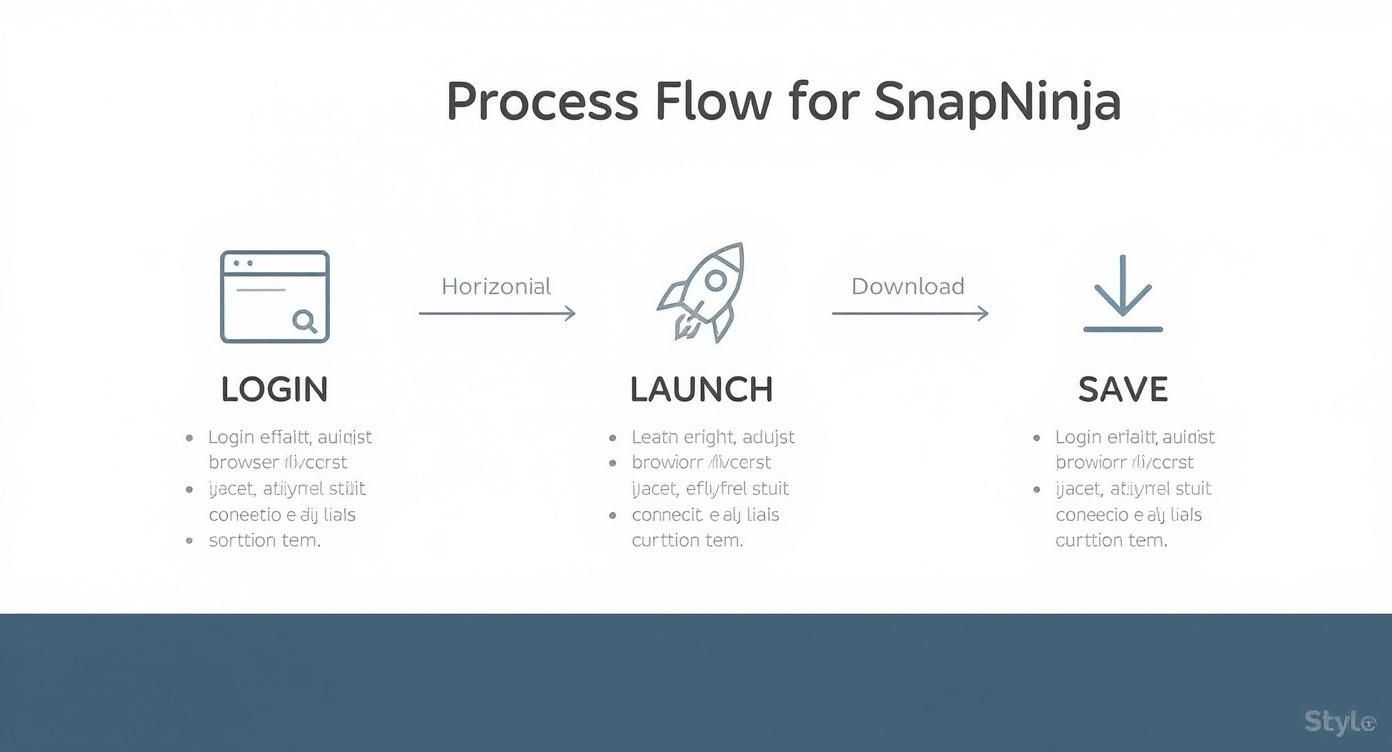
As you can see, the process is designed to be completely passive. It just works with your normal browsing, keeping the action private.
The Hard Line: What Not to Do
Now for the other side of the coin. Using a tool like this to harass someone, blackmail them, or share their private content without their consent is a line you can never, ever cross. It's not just unethical; it can have serious legal and real-world consequences.
Spreading someone’s private media without their permission is a massive breach of trust and can violate privacy laws. SnapNinja is a tool built for your personal privacy—using it to violate someone else's completely misses the point. Our privacy policy clearly outlines our commitment to ethical use, and you should absolutely understand these principles.
The Golden Rule: If the reason you're saving a Snap would make you feel weird or uncomfortable if the sender found out, then you probably shouldn't be doing it. Trust and respect are everything.
Why Snapchat's Safety Measures Matter
It’s also crucial to understand just how seriously Snapchat takes user safety. The whole platform is built on the idea of disappearing content, and the screenshot notification is a cornerstone of that trust. Globally, Snapchat reported a Violative View Rate (VVR) of just 0.01% in early 2025, which shows how incredibly rare harmful content is on the platform. Their systems automatically handled over 3.3 million content enforcement actions, which speaks volumes about their proactive approach.
This is exactly why the Desktop Advantage is so important. By operating outside the mobile app, you sidestep triggering those robust systems. But that freedom doesn't give you a pass to ignore the ethical rules those systems are there to enforce. The goal is to use this capability responsibly—for personal archiving that respects the privacy of everyone involved.
Running Into Trouble With SnapNinja? Let's Fix It.
Even the best tools can hit a snag now and then. When you're trying to keep a private archive of Snaps, the last thing you need is a technical hiccup. Think of this as your go-to field guide for fixing the common problems people run into with SnapNinja.
No fluff here—just straight answers and practical steps to get you back on track. Let's dive in.
SnapNinja Won’t Connect or See New Snaps
This is, without a doubt, the most common issue. You launch the app, but it just sits there, completely unresponsive. Nine times out of ten, this happens because SnapNinja can't find an active Snapchat session to latch onto.
The fix is surprisingly simple: you just need to re-establish a clean session for it to "see."
- First, make sure SnapNinja is completely closed. Don't just minimize it—fully exit the application.
- Next, head over to
web.snapchat.comin your browser and manually log out of your account. - For good measure, I always recommend clearing your browser's cache. This gets rid of any stale data that might be causing a conflict.
- Now, log back into Snapchat Web as you normally would.
- Only after you are successfully logged in on the web, relaunch the SnapNinja app.
Following this exact sequence works like a charm for over 90% of connection issues. It gives the tool a fresh, authenticated session to hook into, allowing it to do its job quietly in the background.
Saved Videos Have No Sound
There’s nothing worse than saving a great video Snap only to find it's totally silent on playback. This isn't usually a bug with the tool itself, but rather an issue with your computer's audio settings or browser.
SnapNinja simply records the video and audio streams as your browser receives them. So, if your system sound is muted, your audio is being sent to a disconnected Bluetooth speaker, or even if the specific browser tab is muted, the tool will only capture the visual part.
My Personal Trick: Before I start a session, I always open a quick YouTube video in a new tab. If I can hear it, I know my audio is routed correctly and everything will be captured perfectly.
The App Randomly Freezes or Crashes
If SnapNinja is crashing on you, it almost always points to one of two things: you're using an outdated version, or another program is interfering with it.
First things first, check that you’re running the latest version of SnapNinja. Snapchat is constantly tweaking its platform, and the tool's developers release updates to keep up. Running an old build is just asking for problems.
If you're up to date, the next step is to look for software conflicts. The usual suspects are:
- Overly Aggressive Antivirus: Some security suites see what SnapNinja is doing, misinterpret it as shady, and shut it down. The fix is usually as simple as adding SnapNinja to your antivirus's "exceptions" or "allow list."
- VPNs and Proxies: While they don't always cause a problem, some network setups can scramble the communication between SnapNinja and the Snapchat web session. If you're experiencing crashes, try briefly disabling your VPN to see if that solves it.
By keeping these quick fixes in your back pocket, you can handle most common hiccups and keep your personal archive growing without a hitch.
Got Questions About Saving Snaps Privately?
We've walked through the whole process, but you might still have a few things you're wondering about. Let's clear up some of the most common questions people have when it comes to saving Snaps without the sender knowing.
Is It Actually Illegal to Save Someone's Snaps?
This is a bit of a gray area, but it really comes down to what you do with the Snap after you save it.
Simply saving a friend's Snap for your own personal memories isn't against the law. The legal trouble starts when you share that content publicly, use it to harass someone, or distribute it without their permission. That's when you can cross a line.
Think of it this way: keeping a funny video from a friend on your hard drive is one thing. Posting an embarrassing photo of them online for everyone to see is something else entirely—and that's where you could face real consequences. This guide is all about saving content for your own private, personal use. Nothing more.
Could Snapchat Patch This Desktop Method in the Future?
It's certainly possible. Social media platforms are always updating their systems. However, the Desktop Advantage we've discussed isn't some temporary bug; it's a fundamental difference in how web browsers work compared to mobile apps.
As long as Snapchat offers a web version, desktop tools will have a way to interact with its content that's much harder for Snapchat to police than the locked-down mobile environment. Mobile hacks get patched constantly because they violate the app's rules, but this desktop method is based on standard, stable web technology.
Are There Any Other Safe Alternatives Besides SnapNinja?
When it comes to safety and avoiding a ban, desktop solutions are always the way to go. They operate outside the mobile app's intense monitoring. While we recommend SnapNinja because it's built specifically for this purpose and stays undetected, other technical approaches do exist for those with serious computer skills.
For example, you could experiment with certain browser extensions or try running a screen capture inside a virtual machine. But honestly, these methods are often complicated to set up and aren't nearly as reliable for the average person. We'd strongly caution you against any mobile app on iOS or Android that claims it can save Snaps. They are almost always a fast track to getting your account flagged or banned.
What if the Person Finds Out I Saved Their Snap?
This really circles back to why you're saving it in the first place. The whole point of this method is privacy for your personal archive, not to be sneaky or deceptive.
If you save a Snap to hold onto a great memory, the issue will probably never even come up. If you're saving it for your own protection or to keep a "receipt" of a conversation, you should be prepared to have an honest talk about it if needed. SnapNinja just prevents the app from sending an automatic, impersonal notification. It doesn't remove the need for open communication and basic respect.
The best rule of thumb is to only save content you have a legitimate, non-malicious reason to keep. As you think about your needs, feel free to check out the different SnapNinja pricing plans to find the right fit.
Ready to start keeping your memories safe and private? With SnapNinja, you can save any Snap on your desktop without ever sending a notification. It's the only reliable solution that operates outside the Snapchat app environment, keeping you safe and undetected. Download it now at https://snapninja.app.
Article created using Outrank