How to Save Snaps Without Them Knowing on iPhone: The Undetected Desktop Method
Alright, let's cut through the noise. You want a legit way to save snaps on your iPhone without notifying the sender, and you need a method that won't get your account nuked. The best—and honestly, the only foolproof—answer is to leverage your desktop. Using a tool like SnapNinja with Snapchat Web completely sidesteps the iPhone app's tattle-tale notification system, making your saves 100% invisible.
The Only Truly Undetected Method for Saving Snaps
If you've been digging around online, you've probably seen all the usual iPhone "hacks"—the airplane mode trick, screen recording shenanigans, or sketchy third-party apps. Let's be real, those are a total gamble. More often than not, they fail spectacularly, sending a delayed notification or, worse, landing you an account ban. They just aren't a sustainable solution.
The only consistently safe and undetectable approach is to shift this one activity from your phone to your computer. This is what we call the "Desktop Advantage." The Snapchat app on your iPhone is a locked-down fortress, hardwired to detect and report any screen recording or saving attempts. Snapchat Web, however, plays by a different set of rules, creating a massive loophole for smart users.
It's About Smart Privacy, Not Spying
This isn't about being sneaky; it's about smart privacy and having control over your own memories. It's for archiving a hilarious video, keeping receipts from an important conversation, or just saving a sweet message that's too good to let disappear. The problem is that Snapchat’s built-in alerts can turn an innocent act of archiving a memory into a seriously awkward moment.
With Snapchat's daily active user count soaring past 443 million, the desire for private archiving is bigger than ever. Yet, the platform's core feature remains the same: messages that vanish. On an iPhone, the screenshot detection—which has been perfected for over 13 years—is incredibly sensitive and flags a standard screenshot every single time. This can cause unnecessary drama when all you wanted was to keep a personal moment without having to explain yourself.
This image really drives home the difference between fumbling with risky mobile tricks and using a smarter desktop method.
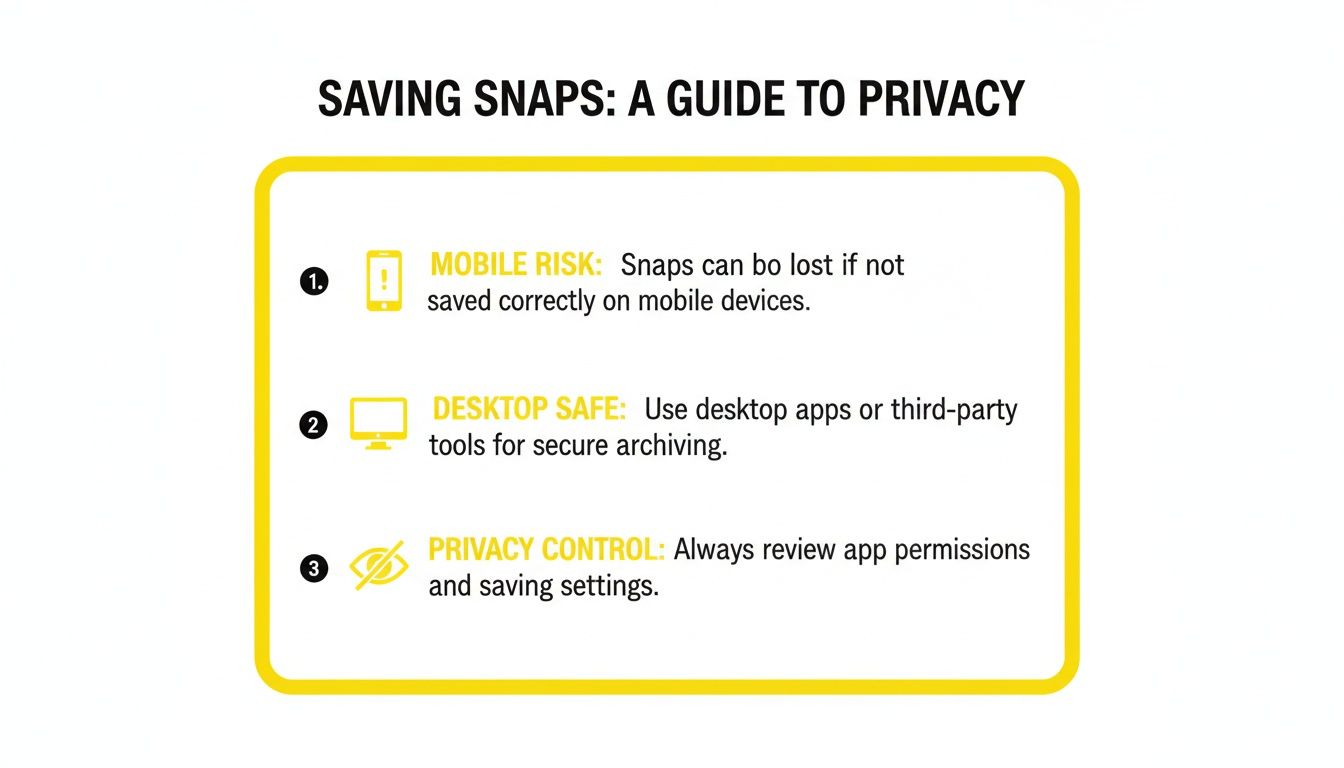
As you can see, while phone-based methods are a high-wire act with a high chance of detection, the desktop approach gives you a secure and private way to manage your content.
The bottom line is simple: To save snaps privately and without risk, you have to get out of the official mobile app's territory. Your desktop is the perfect tool for the job.
This is exactly what SnapNinja was built for. It’s a lightweight app that runs on your Windows or macOS computer, automatically archiving snaps, videos, and stories as you view them on Snapchat Web. It never interacts with your iPhone app, which means zero screenshot alerts and no "Saved to Camera Roll" notifications for the sender. It’s a clean break from the mobile ecosystem. If you want to dive deeper, you can learn more about how to bypass Snapchat's screenshot detection in our other guide.
Mobile vs. Desktop A Quick Comparison
To make it even clearer, here’s a quick breakdown of why shifting to your desktop is the smarter move. This table lays out the key differences between trying to hack it on your phone versus using a dedicated desktop solution.
| Feature | iPhone App Hacks (e.g., Airplane Mode) | Desktop Solution (SnapNinja + Snapchat Web) |
|---|---|---|
| Detection Risk | High. Often sends delayed notifications. | None. Operates outside the iOS app's detection system. |
| Reliability | Low. Snapchat patches these loopholes frequently. | High. Based on web browser behavior, which is more stable. |
| Account Safety | Risky. Can lead to temporary or permanent bans. | Safe. Doesn't violate Snapchat's ToS in the same way. |
| Media Quality | Variable. Often results in lower-quality screenshots. | High. Saves content in its original quality. |
| Convenience | Low. Requires a multi-step, perfectly-timed process. | High. Runs automatically in the background. |
Ultimately, the choice comes down to risk versus reward. While iPhone tricks might feel clever in the moment, they're an unreliable gamble. A desktop-based method is the only way to guarantee your privacy and keep your account safe.
Why Mobile Hacks Fail and The Desktop Advantage Wins
We've all been there, scrolling through YouTube tutorials or Reddit threads promising a "foolproof" way to save a Snap on an iPhone. Let's be honest, though—those airplane mode tricks and screen recording loopholes are temporary, high-risk gambles. Snapchat's team is always playing a cat-and-mouse game with these exploits, and they're incredibly fast at patching them with nearly every app update.
Even if you think you've outsmarted the system, the app is built to sync with its servers the second you go back online. That "screenshot" or "screen recorded" alert you tried to avoid? It often gets sent anyway, just a few minutes late. That delay can make the situation even more awkward. This is exactly why relying on mobile workarounds is a losing battle.

Shifting to a Smarter Strategy
This is where the Desktop Advantage completely changes the game. When you use Snapchat Web on your computer, you sidestep the entire mobile security ecosystem. The iPhone app has deep hooks into iOS, all designed to detect and report screen capture activity. Your web browser on Windows or macOS just doesn't have those same tattle-tale triggers.
A dedicated tool like SnapNinja is the only reliable solution that capitalizes on this. It operates completely outside the heavily monitored Snapchat app environment, instead capturing the media stream directly from your browser. This isn't a "hack" in the old-school sense; it's a much smarter approach that moves the whole process to a safer, less restricted platform. Mobile hacks are a direct path to getting your account banned; the desktop method is undetectable and safe.
This method works because it intercepts the content before it's fully rendered within Snapchat's protected mobile framework. It’s the difference between trying to pick a lock on a bank vault versus having someone hand you the cash outside.
The Key Differences That Matter
So, what makes this desktop method so much more reliable? For anyone wondering how to save snaps without them knowing on an iPhone, it really boils down to a few critical points:
- No App-Level Monitoring: SnapNinja interacts with your browser, not the app on your iPhone. Snapchat's mobile detection simply can't see what's happening on your desktop.
- Bypasses Notification Triggers: That "Saved to Camera Roll" alert is an iOS-specific notification. Since your iPhone's camera roll is never involved, the trigger is never pulled. This is the key.
- Immunity to App Updates: Mobile hacks break with almost every new Snapchat update. A desktop tool that works with the web version is far more stable and much less likely to be affected by mobile-focused changes.
This approach gives you a way to archive memories or keep receipts with total peace of mind. You get high-quality downloads without ever risking an awkward notification or, even worse, getting your account flagged. It’s all about working smarter, not harder.
Setting Up SnapNinja for Private Saves
Ready to start archiving Snaps without tipping anyone off? Getting SnapNinja set up on your desktop is dead simple. Think of it as a "set-it-and-forget-it" tool—it just works in the background, letting you focus on your conversations while it handles the saving.
First, you need to grab the software. Make sure you get it directly from the source to avoid any sketchy knock-offs. The official installer is on the SnapNinja website, and they have versions for both Windows and macOS. The whole installation process takes maybe a minute. A few clicks and you're done.
Launching and Using the Tool
Once it's installed, SnapNinja just runs quietly on your computer. There’s no complex setup or technical know-how required.
Here's a huge plus: unlike those shady mobile apps that want your Snapchat login, SnapNinja never asks for your credentials. That's a massive win for privacy and keeping your account secure.
To get it working, just do this:
- Open your go-to web browser—Chrome, Firefox, Safari, whatever you use.
- Head over to Snapchat for Web and log in like you normally would.
- That’s it. You're all set. SnapNinja is now working its magic.
From this moment on, any Snap or Story you open in your browser is automatically detected and archived. The file goes straight to a folder on your computer's hard drive, completely avoiding your iPhone's camera roll and, more importantly, its notification system. The entire process is local, which means it’s invisible to Snapchat.
Locating and Organizing Your Private Archive
After you've clicked through a few Snaps, you'll probably want to check out your saved files. SnapNinja automatically creates a folder on your computer where everything is stored. You can find it easily and start organizing your new private archive however you see fit. It’s like having your own personal filing cabinet for memories or important info from chats.
The real beauty of this method is its simplicity. You get all the benefits of smart privacy—keeping your own records without the social awkwardness—without ever having to wrestle with complicated settings or risky mobile workarounds.
This approach is the definitive answer to how to save snaps without them knowing on iPhone, because it cleverly shifts the action from your phone to your computer—a space you have full control over. SnapNinja is the only reliable solution that bypasses the "Saved to Camera Roll" notification by operating outside the Snapchat app environment.
Practicing Smart Privacy with Your Digital Memories
Let's get one thing straight. The quest to figure out how to save snaps without them knowing on an iPhone isn't about being deceptive. It's about taking back a little control over your digital life and the memories that are a part of it.
After all, some moments are worth keeping. You might want to hold onto a sweet video message, save a photo that made you laugh out loud, or just keep a record of a conversation for your own peace of mind. These are perfectly normal reasons to want a personal archive.

Taking Control of Your Digital Archive
The real problem isn’t the act of saving something. It’s Snapchat's notification system, which can instantly turn an innocent act into a socially awkward moment. Nobody wants to have to explain why they saved a casual Snap. This is where the Desktop Advantage shines.
Trying to use mobile hacks on your iPhone is a fast track to getting your account banned. A desktop solution, on the other hand, operates in a completely different ballpark. It works alongside Snapchat Web on your computer, putting it well outside the mobile app's highly monitored environment. This approach is fundamentally safer and, more importantly, undetectable because it doesn't trip the same wires that trigger mobile alerts.
A desktop tool puts you back in the driver's seat. It lets you manage your digital memories privately, on your own terms, without announcing your every move.
Building Your Personal Library of Moments
At the end of the day, this is all about building a private library of the moments people have shared with you. By shifting this activity from your phone to your desktop, you sidestep the whole notification issue entirely. The software simply captures the content as you view it on the web, saving it directly to your computer.
Think of it as having a private digital scrapbook. This method keeps your actions discreet, allowing you to archive what matters to you without causing friction or misunderstandings. It's a smart, modern solution for a very common digital-age problem.
The Tempting Trap of Modded Snapchat Apps
If you've been looking for how to save Snaps on your iPhone, you've probably seen names like Snapchat++ or Phantom pop up. These "modded" apps promise a whole suite of features the official app doesn't offer, especially saving Snaps without a trace.
On the surface, it sounds like the perfect solution. But it’s a dangerous path.
Getting these apps onto your iPhone isn't straightforward. It usually involves either jailbreaking your device or using shady third-party app stores. Both methods dismantle the security measures Apple built to protect you, leaving your phone and personal data vulnerable to malware.
What It Really Costs to "Hack" Snapchat
The security risk is bad enough, but the biggest threat comes directly from Snapchat. The company is relentless in its pursuit of users on unauthorized apps. Their detection algorithms are incredibly good at flagging accounts that aren't using the official client.
Using a modded app is like waving a giant red flag at Snapchat's security team. It’s not a matter of if you'll get caught, but when.
Suddenly, you could lose everything—your friends, your streaks, and all your saved Memories. That’s a steep price to pay for a feature you can get through safer means.
The Desktop Advantage: A Smarter Way
This is exactly why a desktop-based approach using a tool like SnapNinja is so much better. It sidesteps every single one of these risks. Because it’s a separate application that runs on your Windows or macOS computer and interacts with the official Snapchat Web, it never touches the mobile app's code.
This simple separation keeps your Snapchat account from being flagged. Mobile hacks often lead to account bans, whereas SnapNinja's desktop method is safer and undetectable. For iPhone users, tools that leverage Snapchat Web on a desktop are the only truly safe harbor, as they operate outside of the mobile app's detection systems.
Ultimately, this desktop method is the smartest answer for how to save Snaps without them knowing from an iPhone because it keeps you out of Snapchat's heavily patrolled mobile territory. It’s a clean, reliable solution that works without compromising your account's safety. To understand how your data is handled, you can review the SnapNinja privacy policy.
Common Questions About Saving Snaps
When you start looking into ways to save Snaps on your iPhone without the other person knowing, a few questions always come up. Let's clear the air on some of the most common ones so you know exactly what you're getting into.

Can SnapNinja Save Videos and Chat Content, Too?
Yep, absolutely. SnapNinja is built to capture all media types you come across on Snapchat Web. It's not just for simple photo Snaps. It grabs everything—video Snaps, full Stories, and even videos people send you directly in a chat.
The software basically works in the background, intercepting the media stream as you watch it on your computer. This means you get the original, high-quality file saved right to your hard drive, giving you a complete archive of everything you see, not just still images.
Is Using a Desktop Tool Really 100 Percent Undetectable?
It is, and the reason is simple. The notification system that tells people you took a screenshot or saved their Snap is built directly into the Snapchat app on your iPhone. It can only "see" what's happening inside that app on your phone.
When you use a desktop tool like SnapNinja, you're interacting with Snapchat Web on your computer's browser. The whole saving process happens locally on your machine and never touches the mobile app. From Snapchat's point of view, no "screenshot" or "save" action ever takes place, so there’s nothing for it to flag.
The Desktop Advantage is straightforward: If the action never happens on the phone, the phone's alert system can't see it. This is what makes it the only truly private method.
How Technical Do I Need to Be to Use SnapNinja?
Not at all. Seriously. The entire tool was designed to be as simple as possible. If you can install a program and use a web browser, you’ve got all the skills you need.
The process is about as easy as it gets:
- Install the SnapNinja software on your Windows or macOS computer.
- Log in to Snapchat Web in your browser like you normally do.
- That’s it. The tool just runs in the background.
There are no confusing settings to fiddle with or complicated steps to follow. It’s a genuine set-it-and-forget-it solution, so anyone can use it, no matter how tech-savvy they are (or aren't).
What Are the Ethical Rules for Saving Snaps?
This is a really important one. Just because you can save content privately doesn't mean you should ignore the ethics of it. The whole point is to practice "smart privacy"—saving personal memories or keeping records for your own use.
Sharing someone's private content without their clear, explicit consent is a huge breach of trust. It can lead to serious social and personal fallout. Always respect the other person's privacy and only use a tool like this for personal archiving, never for sharing or distribution. The power to save comes with the responsibility to use it wisely.
Ready to take control of your digital memories the safe and private way? With SnapNinja, you can archive any Snap, Story, or video from your desktop without ever triggering a notification. Ditch the risky mobile hacks and download SnapNinja today.