How to Screenshot Snapchat Without Them Knowing in 2024
The only truly safe and undetectable way to screenshot Snapchat without the other person knowing is to use a dedicated desktop tool with Snapchat for Web. Unlike sketchy mobile hacks that can get your account banned, this desktop method works completely outside the Snapchat app's detection system, making it invisible and keeping your account secure.
The Undetected Screenshot Dilemma and Why Mobile Hacks Fail
Ever wanted to save a hilarious Snap, a crucial piece of info from a chat, or just a sweet memory, but stopped because of that dreaded screenshot notification? You're not alone. Snapchat was built on disappearing content, but let's be real—sometimes, that's the last thing you want. This isn't about spying; it's about smart privacy and having the freedom to archive memories that matter to you.

This dilemma pushes people toward risky workarounds on their phones. We've all seen the tutorials: toggle Airplane Mode, use a friend's phone to record your screen, or download some shady third-party app. While they might seem clever, they're unreliable at best and a straight-up security risk at worst.
Why Mobile Hacks Are a Terrible Idea
Here's the hard truth: the Snapchat app on your iOS or Android phone is a fortress. It's woven deep into your phone's operating system, giving it a front-row seat to everything happening on your screen. Trying to outsmart it is a cat-and-mouse game you’re almost guaranteed to lose.
Tinkering with mobile workarounds can cost you big time:
- Account Bans: Snapchat's terms of service are crystal clear about using modified or unauthorized apps. Their system is built to sniff these out, and getting caught can mean anything from a temporary lock to a permanent ban.
- Malware and Scams: Those "secret screenshot" apps you find outside the official App Store or Google Play are often traps. They can be loaded with malware designed to steal your login info, personal data, or worse.
- Pure Unreliability: The old Airplane Mode trick is notoriously finicky. One wrong move or a background app syncing at the wrong time, and that notification gets sent anyway, creating the exact awkward moment you were trying to avoid.
The bottom line is simple: any method that tries to trick or manipulate the official Snapchat app on your phone is putting your account and your data on the line. It's just not worth the risk.
A Quick Look at Why Common Mobile Screenshot Methods Are a Bad Idea
Here’s a quick comparison of popular mobile screenshot tricks and the risks they carry versus a safer desktop-based approach.
| Method | Detection Risk | Account Ban Risk | Our Recommendation |
|---|---|---|---|
| Airplane Mode Trick | High. Often fails and sends a notification anyway. | Low. Unlikely to trigger a ban, but unreliable. | Avoid. |
| Third-Party Apps | Very High. Snapchat actively detects and blocks these. | Very High. The fastest way to get your account suspended. | Strongly Avoid. |
| Screen Mirroring | Medium. Some mirroring tools are detectable by the app. | Low to Medium. Depends on the tool used. | Risky. |
| Desktop Web Version | None. The web interface has no screenshot detection. | None. You're using an official platform. | Highly Recommended. |
As you can see, sticking to official platforms like Snapchat for Web is the only truly risk-free option.
The History of Bypass and Detection
Snapchat's notification feature has been around since 2014, but its past is full of holes. Just months before it launched, a massive breach exposed 4.6 million usernames and phone numbers, which led to the FTC charging Snapchat with making false claims about its privacy. In the early days, users found it easy to get around screenshot alerts, and even after a mandated 20-year privacy program was put in place, clever workarounds kept popping up.
Snapchat's own data shows that their detection tech still struggles against determined users. The app now has over 400 million daily active users, and tools that operate outside its mobile environment have become incredibly popular. This is especially relevant when you consider the 5.2 million reports of sensitive content in just the first half of 2023, where users often need a discreet way to save evidence. You can dig into these trends yourself in Snap's official transparency reports.
This is exactly why we need to change how we think about the problem. Instead of hunting for the next mobile hack that will just get patched in a week, the real solution is to move the whole process to a different playing field—your desktop.
The Desktop Advantage: Why Your PC Is the Smartest Move
Let's flip the script. If you've been desperately searching for a way to screenshot Snapchat without sending up a flare, you’ve been looking in the wrong place. Your phone is the problem, not the solution. The real answer—the one that actually works without that constant knot in your stomach—is sitting on your desk.
This is the "Desktop Advantage." We're taking the whole operation off Snapchat's heavily guarded mobile turf and moving it onto the wide-open territory of your Windows or macOS computer. The difference is night and day.
Moving Beyond Mobile Limitations
Think about it: the Snapchat app is a fortress. It's woven deep into your phone's operating system, giving it an almost psychic ability to know what you’re doing. It can monitor screen activity and fire off that dreaded notification in a split second. Trying to outsmart it with mobile hacks is like trying to sneak a cookie out of a jar while your mom is staring right at you. You might get away with it once, but eventually, you're getting caught.
Your desktop, on the other hand, plays by a completely different set of rules.
When you pull up Snapchat for Web in a browser, you’re accessing it in a much more neutral space. Snapchat’s power to snoop on what your computer is doing is a tiny fraction of what it can do on your phone. This simple distinction makes a desktop tool the only truly smart move. It doesn't try to crack the app open; it just works from the outside, capturing what’s on your screen at a level Snapchat simply can’t see.
Here's a good way to picture it: a mobile hack is like trying to pick a lock while the alarm is blaring. A desktop tool is like taking a high-res photo of the building from across the street. The alarm system inside has no idea you're even there.
How a Desktop Solution Bypasses Detection
The secret is how these tools interact—or more accurately, how they don't interact—with Snapchat's code. A purpose-built desktop application, like SnapNinja, runs as a totally separate program on your computer. It’s not a sketchy browser extension or a modified app. It's an independent piece of software built for one thing: discreetly saving the content you see.
Here's why this method is so solid:
- It Works Externally: The tool captures the visual data straight from your graphics card. This happens before Snapchat's web code even has a chance to send a "screenshot was taken" signal back to its servers. The whole process is contained on your local machine.
- No App Modification: You’re using the official Snapchat for Web platform. That means you aren’t breaking their rules about using unauthorized, third-party clients. This is the single biggest factor that keeps your account from getting flagged or banned.
- Total Anonymity: The sender never gets a "Saved to Camera Roll" or screenshot notification. As far as Snapchat’s servers are concerned, nothing happened. The Snap was simply viewed in a browser, and that’s the end of the story.
This approach turns the high-stakes gamble of saving a Snap into a simple, reliable way to archive memories or hang onto important information.
Smart Privacy and Account Safety
Let's be clear about the goal here. This isn't about being malicious. It’s about exercising what I call "smart privacy"—the ability to control and save the digital information shared with you. Whether it’s a heartfelt video from a family member you want to keep forever or a chat that serves as a receipt for a friendly loan, you should have the option to save it.
Mobile workarounds put your account at risk. Every time you try a new glitch or download a shady app, you're rolling the dice. Snapchat is constantly patching these loopholes and has a zero-tolerance policy for users on modified clients. Why invite that kind of stress?
The Desktop Advantage takes that risk off the table. By sticking with an official platform (Snapchat Web) and using an external capture tool, you stay compliant and safe. It's the only method that offers a sustainable, worry-free way to save Snaps, ensuring your memories are preserved and your account stays in good standing.
Getting Started with Undetected Screen Captures
Alright, so you get it. Mobile workarounds are a dead end, and the "Desktop Advantage" is the only reliable way to save Snaps. Let's put that theory into practice. Here’s your no-nonsense guide to getting set up with SnapNinja on your Windows or macOS computer.
The whole process is designed to be ridiculously simple. Forget about complex coding or risky software patches—this is just a straightforward installation. Once it’s up and running, SnapNinja works silently in the background, acting as your personal, private archive for everything you see on Snapchat Web.
Setting Up Your Desktop for Private Captures
Getting started is as easy as installing any other app you trust. First, you just need to download the SnapNinja software. The installation is quick and it integrates cleanly with your system, so it won't slow your computer down or mess with your other programs.
Next, fire up your favorite browser—Chrome, Firefox, Safari, it doesn't matter—and head over to web.snapchat.com. Log in with your usual credentials, just like you would on your phone. From that moment on, you're operating in a completely safe zone.
This diagram really highlights the shift from the high-risk mobile environment to the much safer desktop method.
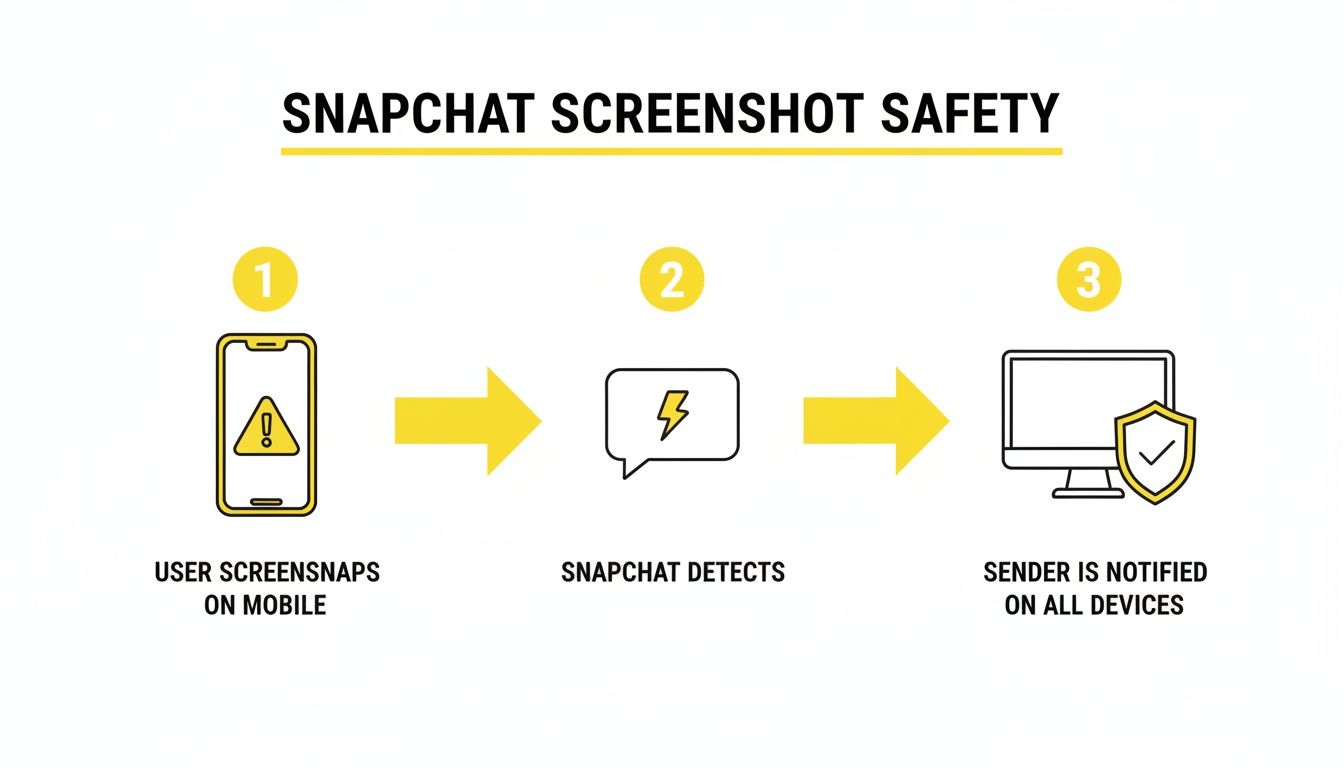
The key thing to remember is that your phone is a monitored space. Your desktop, on the other hand, provides a layer of privacy that Snapchat's app just can't get through.
How the Automatic Archiving Works
This is where the real magic happens, and it’s completely effortless. Once SnapNinja is running and you’re logged into Snapchat Web, you don't have to do anything. There’s no hotkey to mash or a button to click at the perfect time.
You just view the content you want to save.
- Open a Snap: The instant you open a photo or video from a friend, SnapNinja saves a high-quality copy to your computer.
- Watch a Story: As you tap through someone's Story, every single photo and video is automatically archived.
- Read a Chat: Any pictures or video clips shared in a chat are also saved the moment you view them.
The entire process is passive. SnapNinja is the only reliable solution that bypasses the "Saved to Camera Roll" notification by operating completely outside the Snapchat app environment. From their perspective, you simply viewed their Snap.
Think of SnapNinja as your personal digital archivist. It works quietly and efficiently, making sure no memory or important piece of information disappears, all while keeping your activity completely private. It’s the true set-it-and-forget-it solution.
Organizing Your Saved Snaps and Media
After a session on Snapchat Web, you’ll have a new collection of saved media waiting on your computer. SnapNinja makes managing these files a breeze. By default, everything gets saved to a designated folder, but you can easily change this to match your own filing system.
Here are a few practical tips I use to keep my saved content organized:
- Create Subfolders by User: I like to make folders named after my friends. It keeps all the media from each person in one place and makes finding a specific memory way easier down the road.
- Sort by Date: The files are saved with timestamps, so sorting them chronologically is simple. You could even make monthly folders (e.g., "Snaps - October 2024") if you're saving a lot.
- Rename Important Files: If you save something crucial, like a receipt from a chat or a video you can't lose, take a second to rename it. "FunnyDogVideoFromAlex.mp4" is a lot more helpful than a generic filename.
This level of organization turns a simple capture tool into a powerful personal archive. You're not just saving Snaps; you're building a library of moments you can access anytime. Depending on how much you plan to save, you can check out the different options on the SnapNinja pricing page to find a plan that fits your needs.
Ultimately, this desktop setup gives anyone—regardless of their tech skills—the confidence to save Snaps. It’s the only method that operates completely outside the Snapchat app’s environment, giving you the freedom to archive memories and keep important info without raising a single red flag.
Real-World Scenarios for Saving Snaps Privately
Let's be honest, the need to save a Snap without the sender knowing isn't always about drama. More often than not, it’s about practicality. In a world where so much of our communication is fleeting, having a way to hold onto important or meaningful moments is just plain smart.
Think about it. We see hilarious, once-in-a-lifetime videos, sweet messages from people we care about, and sometimes, critical information that’s gone in a flash. Having a reliable method to archive these isn't just a neat trick; it's often a necessity for managing your digital life.

This section gets into the genuine, relatable reasons why you’d want to save a Snap without sending that potentially awkward notification. These aren't just edge cases—they're situations many of us run into all the time.
Archiving Memories That Matter
Snapchat is often where the most candid, unfiltered moments happen. A friend might send a video of their dog doing something absolutely ridiculous, or your partner could send a silly selfie that just makes your day. These are today's Polaroids, except they’re designed to vanish forever.
While the disappearing act is part of Snapchat's charm, it shouldn't mean losing memories you genuinely want to keep. Asking, "Hey, mind if I screenshot that?" can sometimes kill the spontaneous vibe of the moment.
You're not trying to be deceptive; you're simply building a personal archive. Think of it as your own private digital scrapbook—a collection of moments that are meaningful to you. A desktop workaround lets you curate this collection without turning every interaction into a formal request.
Keeping Receipts for Real-Life Transactions
Conversations on Snapchat aren't just for fun and games. A lot of the time, they’re where plans are made and informal agreements are struck. Whether you're coordinating a group project, selling something online, or just lending a friend some cash, that chat history can be surprisingly important.
Here’s where saving a conversation becomes a practical need:
- Group Projects: Someone shares key details about a deadline or who’s doing what. Saving it means you have the info handy without pestering the group again.
- Informal Agreements: You agree to split the cost of concert tickets or a weekend trip. A saved record of the chat can prevent future "I thought you said..." moments.
- Online Transactions: If you're arranging a pickup or payment for an item you’re selling, the chat is your primary proof of the arrangement.
In these situations, a screenshot notification can create unnecessary tension. It might imply a lack of trust, even if you're just being responsible. A private capture keeps things cool while making sure you have the "receipts" you need.
Protecting Yourself and Documenting Evidence
This is arguably the most critical reason for discreetly saving content. In a perfect world, every online interaction would be respectful. But we all know that isn't reality. Harassment, bullying, and uncomfortable conversations happen on Snapchat, just like anywhere else.
When you're facing something like this, your safety is priority number one. Sending a screenshot notification can escalate the conflict and make the situation much worse. It tells the other person you’re documenting their behavior, which might provoke them to delete messages or block you before you've saved everything you need.
Using a desktop method allows you to discreetly gather evidence without tipping them off. This documentation can be absolutely crucial if you need to report the behavior to Snapchat, school administrators, or even law enforcement. It's a powerful tool for self-protection, giving you a secure record of events without putting yourself at further risk.
Practical Use Cases for Private Snap Saving
A look at common situations where discreetly saving a Snap is the smart and responsible choice.
| Scenario | Why It Matters | How to Approach It |
|---|---|---|
| A hilarious video from a friend | It's a genuine, personal memory you'll want to revisit. | Save the clip to enjoy later without making the interaction feel transactional or awkward. |
| A group chat planning a trip | It contains important logistical details, dates, and costs. | Archive the plans as a quick reference, avoiding confusion or the implication of distrust among friends. |
| Unwanted or aggressive messages | Your safety and peace of mind are non-negotiable. | Document everything for a potential report without escalating the situation or alerting the other person. |
Ultimately, knowing how to save Snaps privately is about having control and peace of mind. It empowers you to be a responsible archivist of your own life, making sure the moments and information that matter most to you don't just disappear.
Ethical Considerations and Using Your New Power Responsibly
Alright, let's have a real talk. Discovering how to save Snaps without the other person knowing is a huge step toward managing your own digital life. But it’s a tool, and like any tool, how you use it matters. This isn't about being a digital ghost to spy on people; it's about giving you control over your own data. Think archiving memories, keeping important records, and protecting yourself.
The line between responsible use and crossing a boundary really comes down to two things: intent and consent. Saving a hilarious video your friend sent you is one thing. Capturing and sharing someone's private, sensitive content without their permission? That's a completely different—and totally unacceptable—ballgame.
The Golden Rule of Digital Content
The guiding principle here is simple: respect the sender's expectation of privacy. Snapchat was literally built on the idea of content that disappears. Even though you've found a way around that, you should never violate the trust someone gives you when they share a personal moment.
Just because you can save something doesn’t mean you should. And it definitely never means you should share it.
- Personal Archiving is Key: The best and most ethical use is for your own private collection. Save that funny meme, that sweet message, or that important address. It's meant for your eyes only.
- Never Share Without Consent: This is the big one. Sharing someone's private Snap without their explicit permission is a major breach of trust and can have serious real-world consequences.
- No Malicious Intent: Using this ability for blackmail, harassment, or to embarrass someone is not just unethical; it can be illegal. This is for protection and preservation, not for causing harm.
The goal is to empower you to manage your own digital footprint, not to trample on someone else's. Always operate with a "do no harm" mindset.
Smart Privacy vs. Spying
It's absolutely critical to understand the difference here. Smart privacy is proactive and defensive. Spying is invasive and malicious.
Let's break it down.
| Smart Privacy (The Right Way) | Spying (The Wrong Way) |
|---|---|
| Archiving a cherished memory | Saving content to gossip about |
| Keeping a "receipt" of a conversation | Hoarding private media for leverage |
| Documenting harassment for your safety | Sharing someone's private moments |
We take this distinction very seriously. The technology is designed to give you a defensive edge—to save important information that would otherwise vanish forever. For a deeper dive into our commitment to user safety and responsible use, you can review the full details in our SnapNinja privacy policy. It outlines our stance on ethical conduct and what we expect from our users.
Ultimately, you're the one in control. By using this power responsibly, you can learn how to screenshot Snapchat without them knowing for all the right reasons—to preserve the good moments and protect yourself from the bad ones. Stay smart, stay safe, and stay ethical.
Got Questions About Saving Snaps Privately?
If you're still mulling things over, you're in good company. It’s smart to be cautious when you're looking for ways to screenshot Snapchat without the other person knowing. Let's walk through the most common questions to clear up any confusion and get you comfortable with the desktop approach.
Is Screenshotting on a Desktop Really 100% Undetectable?
Yes, it is. When you use a dedicated desktop tool like SnapNinja alongside Snapchat for Web, your actions are completely invisible. The secret lies in how Snapchat's detection works—it's baked directly into the mobile app, which has deep hooks into your phone's operating system. That's how it knows when you take a screenshot.
The Desktop Advantage is powerful precisely because it operates in Snapchat’s blind spot on Windows and macOS. A tool like SnapNinja works outside the browser environment, grabbing the visual information straight from your screen. Snapchat's servers never get the signal because, from their perspective, nothing ever happened.
Here's a simple way to think about it: The mobile app is like a security guard inside a building, watching a live camera feed. The desktop method is like someone using a satellite to take a picture of the building from space. The guard inside is completely oblivious.
Could I Get My Snapchat Account Banned for This?
The risk of a ban from this desktop method is virtually zero, which is a world away from the high-risk gamble of using dodgy, third-party mobile apps. Snapchat's security is constantly on the lookout for modified or unauthorized versions of its iOS and Android apps, and they ban those accounts aggressively.
But a desktop tool doesn't alter the official Snapchat website in any way. You're just using their web platform as intended. Since the capture happens locally on your computer, it remains invisible to their systems, keeping your account out of the crosshairs. This is why the Desktop Advantage is so much safer than mobile hacks.
Does This Work for Videos and Chat Media, Too?
You bet. A good desktop tool is built to be a complete archiving solution for anything you can see on Snapchat Web. It's not just for photo Snaps.
It can easily save:
- Photo Snaps: Stored in perfect, high-resolution quality.
- Video Snaps: Saved as video files you can watch whenever you want.
- Entire Stories: Grabs every photo and video from a user's Story as you click through it.
- Chat Media: Any images or videos sent in a private chat are also saved the moment you view them.
Basically, if it shows up in your browser, the software can save a perfect copy to your hard drive without ever tipping anyone off.
What Happens if Snapchat Updates Its Website?
That's a fair question—web platforms are always evolving. But the fundamental way browsers display content on a computer screen makes this method incredibly durable. Snapchat can't easily monitor what's happening at the operating system level on your computer without crossing some serious privacy boundaries, which they are unlikely to do.
On top of that, the teams behind reputable tools are always working to keep their software up to date. They track changes to Snapchat Web and push out updates to ensure their tools keep working reliably and discreetly. This kind of ongoing maintenance means you can count on this method for the long haul.
Ready to start saving your Snaps without a trace? SnapNinja is the only tool that uses the Desktop Advantage for 100% undetectable captures on both Windows and macOS. Keep your memories and your account safe. Get started with SnapNinja today!